Launching API Console, 200+ AI models and Gabriel orchestrator — the biggest FOTOhub upgrade
After 10 months of intensive development, we are launching the full API Console, a catalog of 200+ AI models across 8 categories, the Gabriel orchestrator, and Cloud GPU. Architecture that replaces a dozen separate integrations with one ecosystem.
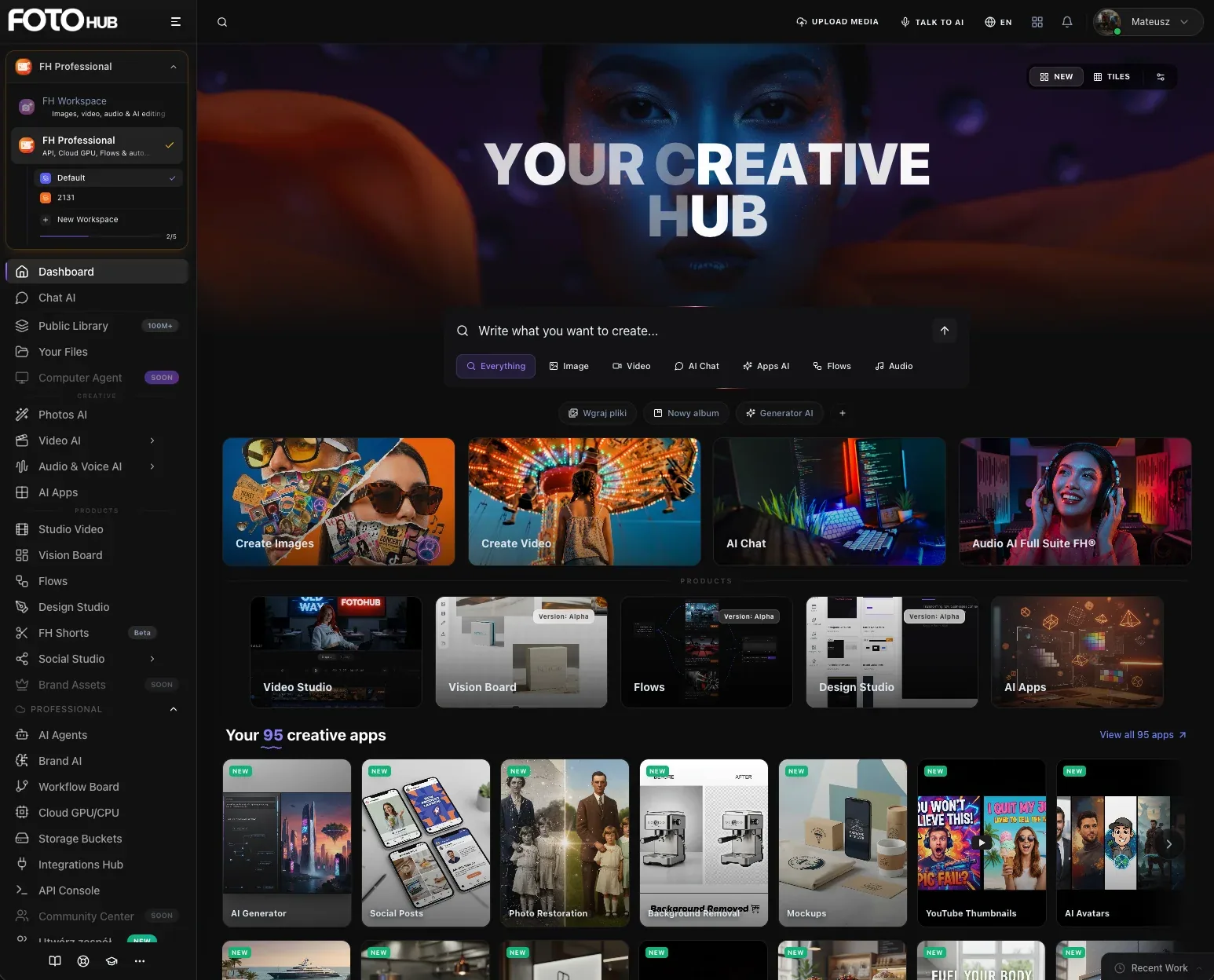
Launching API Console, 200+ AI models and Gabriel orchestrator
The biggest Creative AI OS upgrade since our September 2025 launch.
Why we built our own AI infrastructure
Since September 2025 when we launched the platform, we have been building something we needed ourselves: a unified infrastructure that lets you use hundreds of AI models without juggling a dozen separate integrations. Anyone who has tried combining image generation from one provider, video from another, TTS from a third, and chat from a fourth knows how fast technical debt accumulates. Separate API keys, separate response formats, separate billing systems, separate error handling. Every new provider means weeks of engineering work, another documentation set to study, another webhook system to implement.
The problem is fundamental: the AI market is extremely fragmented. Models appear weekly, providers change APIs without warning, pricing rotates, regional availability shifts. A developer who wants to offer their users the best models must maintain integrations with a dozen providers simultaneously — or pick one and accept vendor lock-in with all its limitations.
We built the alternative. A single abstraction layer that solves this problem systemically.
FOTOhub Creative AI OS aggregates over 200 models from 15 providers into one RESTful interface. One account, one key, one billing system. A developer switches models by changing one parameter in the request body — not rewriting the integration. The system checks model availability every 60 seconds, automatically fails over to backups on outage, and routes requests based on cost, quality, and latency. This is architecture we built over 10 months — from first commit to infrastructure handling hundreds of thousands of requests daily.
Unified model catalog — what this means in practice
When we say "200+ models," we don't mean a simple list of endpoints in documentation. The FOTOhub model catalog is a living system with multiple intelligence layers. Every model passes through a normalization layer — the developer sends requests in one consistent format, and the system translates them to the provider's native protocol. The response comes back in a unified format regardless of whether the model comes from provider A or B. This eliminates the need to learn each provider's specific API.
But format normalization is just the beginning. The system dynamically monitors every model's availability — every 60 seconds we send a health check and update status in the database. When a model becomes unavailable (provider maintenance, regional limit, overload), the system automatically switches to a configured backup without any developer intervention. The end user sees no interruption. The request goes to an alternative model of comparable quality, and the developer gets failover information in response metadata.
Routing considers three dimensions: cost (which model is cheapest for the given task), quality (which produces the best results in the given category), and latency (which will respond fastest from the given region). The developer can set priority — "best quality with no budget limit," "cheapest model above quality threshold," or "fastest with acceptable quality." The system selects models dynamically based on these preferences.
| Category | Count | What you can do | Input format |
|---|---|---|---|
| Image generation | 25+ | Text-to-image, img2img, inpainting, outpainting, upscale, style transfer, background removal, sketch-to-image, recolor | Prompt + optional reference image |
| Video generation | 7 engines | Text-to-video and image-to-video, up to 60 seconds, async polling with webhooks, camera movement control | Prompt + optional keyframe |
| Music & audio | 6 models + 106 TTS voices | Music composition (up to 3 min), sound effects, speech synthesis in 41 languages (neural + generative), transcription from 99+ languages | Prompt, text, or audio file |
| Chat / LLM | 42 | Conversation, chain-of-thought reasoning, image analysis (vision), tool calling, token-by-token streaming, up to 1M token context | Messages format (OpenAI-compatible) |
| 3D generation | 5 | 3D mesh generation from text or image, GLB/OBJ/STL/USDZ export, PBR materials, automatic retopology | Prompt or reference photo |
| Document intelligence | 3 modes | OCR with layout recognition, table and form extraction with structure, invoice and receipt parsing with semantic fields | PDF or document image |
| Image analysis | 4 vision models | Image description, object classification, visual content Q&A, text extraction from images | Image + natural language question |
| Agent workflows | 16 node types | DAG pipelines with durable execution, cron schedules, webhook triggers, human approvals, per-node credit budgets | Visual drag-and-drop editor or JSON spec |
Every model in the catalog has full specifications: maximum resolution, supported formats, prompt length limits, generation time (P50/P95), credit cost, and regional availability. All in one place: docs.fotohub.app/api/models.
We add new models weekly. The normalization layer means adding a model on our side requires absolutely zero changes on the developer's side — existing integrations automatically gain access to new models through the same endpoint.
Gabriel AI — the platform's intelligent orchestrator
Gabriel emerged from a specific observation: most users don't know (and shouldn't need to know) which of 200+ models is optimal for their specific task. Is model A or B better for portraits? Which video engine handles product animation best? Which chat model gives the best results for document analysis? This is knowledge that requires constantly tracking the market — new models appear weekly, benchmarks change, optimal prompts differ between models.
Gabriel takes on this responsibility. It's a proprietary orchestration layer — a full LLM agent with function-calling and 10 specialized routing tools. It accepts a natural-language intent description (e.g., "generate a professional product photo on white background") and executes a multi-step decision process: task type classification → quality requirements analysis → optimal model selection from currently available → optimized prompt construction → returning a ready execution path with cost estimation.
A confidence score from 0.0 to 1.0 indicates classification certainty. Below 0.7, Gabriel returns clarifying questions instead of guessing. This is a fundamental difference from simple keyword-matching routers — Gabriel understands context, conversation history, and user preferences.
Prompt enhancement — automatic optimization
One of the most underappreciated problems in generative AI is prompt quality. The same image described two ways can produce drastically different results. Worse, optimal prompts differ between models — what works great on model A may be suboptimal on model B.
Gabriel solves this systematically. With enhance_prompt: true enabled, it applies an optimization strategy matched to the selected model. For photorealistic models, it adds quality terms (lighting details, depth of field, camera parameters) and resolution hints. For video models — camera movement descriptions (dolly, pan, tilt, zoom) and temporal progression. For stylized models — model-specific composition tokens and style descriptors that optimize output aesthetics.
In our internal A/B tests on a sample of 10,000 generations, prompt enhancement raised the average quality score (human eval, 1-10 scale) by 2.8 points — translating to ~35% user satisfaction improvement with zero effort on their part. The user writes a short description, Gabriel transforms it into an optimized technical prompt.
Multi-step coordination — sequential pipelines
Complex creative tasks are rarely single-step. Producing an animated advertising banner requires: generating a product photo → styling to brand guidelines → animating with motion effects → adding a soundtrack → final composition with text. Traditionally, the developer must orchestrate these steps manually, passing one model's output as the next model's input.
Gabriel does this automatically. For complex tasks, it returns action: "workflow" with a step array, per-step cost estimation, and total credit budget. Each step executes sequentially with automatic result passing. The user describes the end goal, the system plans and executes the path.
Real-time streaming and awareness
The SSE (Server-Sent Events) endpoint emits events in three types: thinking (Gabriel analyzes the query and classifies intent), routing (invokes a routing tool and selects a model), and result (returns the final decision with parameters). This enables building UI with immediate feedback — users see what the system is doing at each moment rather than waiting for a response without context.
Gabriel has real-time model state awareness. The availability database refreshed every 60 seconds means it will never suggest a model that's currently in maintenance or overloaded. If a preferred model becomes unavailable between classification and execution — failover happens transparently.
Important: Gabriel is free for all authenticated users. 30 requests per minute on the main endpoint, 60/min on suggest and recommend. Zero additional credit cost. Full documentation with interactive examples: docs.fotohub.app/api/gabriel-ai.
Cloud computing — dedicated GPUs on demand
We launched Cloud Computing because we saw a clear gap in our offering. The inference API covers 80% of use cases — but the remaining 20% need something fundamentally different. Fine-tuning models on private data. Running a custom inference server with a proprietary model. Batch-processing 50,000 images overnight. 3D rendering requiring constant GPU access for 12 hours. These are tasks that need dedicated hardware, but configuring GPU clusters from scratch takes weeks of DevOps work — provisioning, networking, monitoring, security, billing.
Our approach: you provision a GPU instance via API or dashboard, get full SSH access within 90 seconds, and run whatever you want. The OS comes pre-installed with CUDA drivers, PyTorch, and TensorFlow. Per-second billing from your wallet, auto-kill after configured time (default 24h — protection against forgetting a running machine), real-time GPU utilization, temperature, and memory monitoring via dashboard or API.
| Instance | GPU | VRAM / RAM | Typical use | Cost |
|---|---|---|---|---|
| A10G XLarge | NVIDIA A10G (Ampere) | 24 GB VRAM / 16 GB RAM | Production inference, rendering, LoRA/QLoRA fine-tuning, Stable Diffusion XL | from $0.40/h (spot) / $1.01/h (on-demand) |
| A100 80GB ×8 | 8× NVIDIA A100 (Ampere) | 640 GB VRAM / 1152 GB RAM | Full LLM training, distributed jobs (FSDP/DeepSpeed), multi-GPU large model inference | $32.77/h (on-demand) |
| Compute optimized | 8 vCPU Intel Ice Lake | — / 16 GB RAM | Data preprocessing, API hosting, CPU-bound batch jobs, orchestration | $0.34/h (on-demand) |
Spot instances are a mechanism familiar from major cloud providers — you get the same machine at 40-60% of regular price, but with the risk of a 2-minute warning before interruption. Ideal for batch processing, non-critical training, and checkpointed workloads. For workloads requiring continuity — on-demand with guaranteed availability.
Storage: EBS volumes up to 16 TB per volume, up to 10 volumes per instance. Types gp3 (baseline) and io2 (high-performance). Volumes survive instance restart — data persists across reboots. Three regions: Frankfurt (eu-central-1), Virginia (us-east-1), Oregon (us-west-2).
The /compute/v1/instances/cost-estimate endpoint lets you calculate exact cost before launching — how much 8 hours on an A10G spot in Frankfurt with 500 GB storage will cost. No invoice surprises.
Documentation with full API reference: docs.fotohub.app/api/cloud-computing.
Console API — programmable management center
We wanted FOTOhub to not be a "black box" with a pretty dashboard. Every operation available in the web interface must also be available programmatically — because in a production environment, nobody clicks dashboards manually. Teams build automations, alerts, custom reporting, integrations with internal monitoring systems.
The result: Console API with 9 modules and 30+ endpoints covering the full scope of platform management.
Practical example #1: a DevOps team builds an internal Grafana dashboard that queries /v1/console/stats and /v1/console/spend-chart every hour, aggregates costs per project, compares against budget, and sends Slack alerts when spending exceeds 80% of monthly limit. The whole thing in 50 lines of code, zero logging into our panel.
Practical example #2: a SaaS that resells our API to their clients uses /v1/console/projects to automatically create isolated projects per-client with dedicated API keys, limits, and budgets. Onboarding a new client is one POST request.
Practical example #3: an automation system that monitors /v1/console/system/status and on any service degradation automatically reroutes traffic to a fallback provider — no human intervention, no downtime.
| Module | What it does | Required scope |
|---|---|---|
| Stats & traffic | KPIs (total requests, avg latency, error rate, total tokens), traffic per time bucket (1h/24h/7d/30d), spending per service category | console:read |
| Realtime usage | Current credit balance, rate limits (RPM, TPM, daily quota), tier, account status, consumption in 4h window and per-period | console:read |
| Projects | Project create/delete, per-project stats (requests, credits, top models, error rate), organizational isolation | console:write |
| API keys | Live/test key generation, scope configuration, IP whitelist, referrer restrictions, expiry, custom per-key rate limits | console:write |
| Webhooks | 8 event types (generation.completed/failed, credits.low/depleted, key.created/revoked, system.degraded/recovered), HMAC-SHA256 signing, delivery logs, test endpoint | console:write |
| Billing | Balance in PLN and credits, transaction history per-day/week/month with per-service breakdown, downloadable invoices, programmatic top-up | console:read/write |
| Tiers | 5-plan catalog with limits and pricing, current tier, subscription (Stripe checkout), wallet (topup packages or custom 20-50k PLN), enterprise application | varies |
| System status | Health of each of 19 microservices with current latency and 30-day uptime, status: operational/degraded/down | console:read |
| Fraud detection | Risk score 0–100, active protections (rate limiting, IP whitelist, key expiration, usage alerts, anomaly detection), security flags | console:read |
Authentication works two ways: JWT from Supabase session (for frontend integrations) or API key with dedicated scope console:read / console:write (for backend automations). Both support 60 req/min rate limiting.
Documentation with full response schemas and Python/TypeScript/cURL examples: docs.fotohub.app/api/console-api.
Agent workflows — creative process automation
Agent Workflows grew from a need we saw in our power users: repetitive creative processes that required manually clicking through several tools in sequence. An agency producing 200 social media posts per week for clients. An e-commerce operation generating 8 photo variants in different contexts for every new product. A studio processing hundreds of photos through a retouching pipeline. These are processes that should be automated — but traditional automation tools (Zapier, Make) don't understand the specifics of AI workflows.
We built an engine based on DAG (Directed Acyclic Graph) graphs with durable execution — meaning that even if a process runs for 4 hours and we restart the server in the meantime, the workflow resumes exactly where it was. Each node has isolated retry with configurable backoff (exponential or linear), timeout, credit budget, and a continue-on-error flag.
In practice: you connect nodes in a drag-and-drop editor (or define JSON programmatically), and the system executes them in correct topological order. Parallel branches execute concurrently. Template expressions ({{node.output.main.images[0]}}) pass data between steps automatically — an image generation result in node A becomes the animation input in node B without manual wiring.
16 node categories
The architecture covers the full spectrum of operations: AI agents (multi-turn LLM with tool use, up to 15 iterations per agent, model selection), image/video/audio/3D generation (every FOTOhub modality as a node), external integrations (HTTP requests, email, webhooks with HMAC, MCP servers), knowledge retrieval (RAG from URL or inline documents), storage operations (S3 upload/download), conditional logic (if/else, switch, loops), and routing (dynamic path selection based on data).
Workflow triggers: manual start from dashboard, cron schedule (5-field format with timezone), webhook (public URL with optional HMAC verification), system event (e.g., new upload to storage). SSE streaming provides real-time visibility — the frontend receives node_started, node_output, node_completed, run_finished events and can display progress to the user.
Human-in-the-loop: a workflow can pause at any point and wait for operator approval (approval signal). Assertion-based tests validate results automatically (eq, contains, length_gte, exists). Analytics with composite scoring measure result quality per-run.
Available from Medium plan upward. Enterprise gets up to 100 concurrent runs and 24h max execution time. Documentation: docs.fotohub.app/api/agents.
Integrations Hub — app creator and connections
Integrations Hub solves the last-mile integration problem: "I have the API, I have the documentation, but how do I actually connect this to my production system?" Instead of leaving the developer with documentation and wishing them luck, we built a wizard that guides from use case description to a working production integration.
The process is four steps. Step one: describe what you want to achieve — "automatic product photo generation when a new SKU is added to Shopify" or "real-time avatar on the support page." Step two: AI analyzes the description and recommends configuration — which APIs to use, which webhooks to configure, monthly credit consumption estimate, suggested pricing plan. Step three: test the configuration in an isolated sandbox — real API calls, but no production impact. Step four: deploy generates API keys, configures webhooks, and activates monitoring automatically.
Six integration categories cover different sophistication levels: Mini-Apps Engine (describe functionality, AI builds interface and logic — semi-autonomous apps without coding), AI IDE Integration (full SDK with typing and autocomplete, developer environment), Cloud Computing Hub (connecting custom models to FOTOhub GPU infrastructure), Workflow Orchestration (linking systems into business processes), Dedicated AI Assistants (training custom assistants with their own knowledge base, tone, and personality), and Live Video Gen (streaming API for interactive virtual avatars).
Enterprise tier adds infrastructure-level isolation: dedicated Docker containers with GPU access, private VPC with secure tunnel to client infrastructure, custom runtimes (Python 3.11+, Node.js 20+, Go 1.21+), AES-256 encryption at rest on all data, and full isolation — one client's data never shares resources with another's.
Developer experience — how fast can you start
We measured it: from account creation to first successful API call averages 47 seconds. Registration immediately provides 50 free credits with no credit card required. SDKs in Python (pip install fotohub) and TypeScript (npm install fotohub) enable calling the first model in three lines of code. The chat completions format is 100% compatible with OpenAI SDK — migrating from competing platforms literally means changing the base URL and key.
61 endpoints are documented at docs.fotohub.app — each with interactive examples in cURL, Python, and TypeScript, full parameter descriptions (types, defaults, constraints), error codes with explanations, and rate limit information. The documentation isn't static — we generate it from current route definitions, so it always reflects production state.
30+ pages cover: API Reference (endpoint-by-endpoint), SDK Guides (quickstart in 3 steps per language), Integration Guides (ready recipes for Shopify, WordPress, WooCommerce, PrestaShop, Zapier, Make, n8n), Architecture Deep-dives (how billing works, how to configure webhooks, how Gabriel routes), and Models Catalog (every model with specs and benchmarks).
Infrastructure — what backs the 99.9% SLA
The SLA isn't a marketing declaration — it's a contractual obligation measured per-service in 30-day windows. To maintain it, we built an architecture where failure of one component doesn't propagate to the rest.
19 microservices (12 on the application server, 7 on dedicated GPUs) run in process isolation. Each has an independent health endpoint, automatic restart on crash, circuit breaker on overload, and a dedicated rate limit. Inter-service communication via internal REST — no shared state, no single point of failure.
250+ edge functions on Deno runtime handle business logic closer to the user — authorization, validation, data transformations, webhook processing. Cold start under 50ms. Hot path (most common operations) is cached multi-layer: CDN edge → application cache → database materialized views.
| Metric | Value | How we measure |
|---|---|---|
| P95 latency (chat TTFT) | 85ms | Time to first token, streaming — measured end-to-end from request to first byte |
| P95 latency (API gateway) | <180ms | Full request processing with auth, rate check, and response — synthetic monitoring every 30s |
| SLA uptime | 99.9% | Per-service, rolling 30d, public at status.fotohub.app |
| Backend services | 19 | 12 app server + 7 GPU-dedicated (image, video, music, story, compute, flows, lip-sync) |
| Edge functions | 250+ | Deno runtime, auth/validation/webhooks/transformations |
| Security | TLS 1.3, HTTP/3, WAF | Cloudflare managed rulesets + custom per-endpoint rate limiting + fraud scoring |
| Region | EU-first | Primary: eu-central-1 (Frankfurt), CDN: global edge, GDPR compliant by architecture |
Platform in numbers — July 2026 state
| Dimension | Scale |
|---|---|
| AI models in catalog | 200+ (15+ providers, 8 categories) |
| Documented API endpoints | 61 |
| TTS voices | 106 neural/generative (41 languages) |
| Chat/LLM models | 42 (streaming, vision, tool use, reasoning) |
| Workflow node types | 16 categories |
| GPU instance classes | 3 (A10G, A100 ×8, CPU-optimized) |
| SDKs | Python + TypeScript (PyPI + npm) |
| Out-of-box integrations | Shopify, WordPress, WooCommerce, PrestaShop, Zapier, Make, n8n |
| Documentation | 30+ pages, 3 programming languages per endpoint |
| Time to first API call | ~47 seconds (measured) |
| Free tier credits | 50 (no card required) |
What comes next — Q3/Q4 2026 roadmap
This upgrade is the foundation for the next quarters. Three directions we're actively working on:
Multimodal search — searching by content rather than metadata. You submit a text query, the system searches images, video, and audio by their semantic content. "Find all photos with a sunset over the ocean" — no tagging, no describing, the system understands what's in the image.
Real-time voice — bidirectional streaming audio instead of a three-step pipeline (transcription → LLM → TTS). You speak, the system responds vocally in real time with latency under 500ms. A fundamental shift in AI assistant interaction.
Workflow engine v2 — new node categories (data transformation, ML training, A/B testing), a marketplace for ready-made workflows (publish and monetize your automations, 70% revenue share), and visual debugging with time-travel replay.
The model catalog grows weekly — we monitor provider releases and add new models without disrupting existing integrations. The normalization architecture means every new model is automatically available through the same endpoint, with the same format, for all existing integrations.
Technical documentation: docs.fotohub.app
API Console: fotohub.app/console
System Status: status.fotohub.app
SDK Python: pip install fotohub · SDK TypeScript: npm install fotohub