Generate songs and instrumentals
Create full songs with vocals or instrumental tracks from a description: pick a genre, let AI write lyrics or paste your own, set length, tempo and key, and download the result.
What music generation does
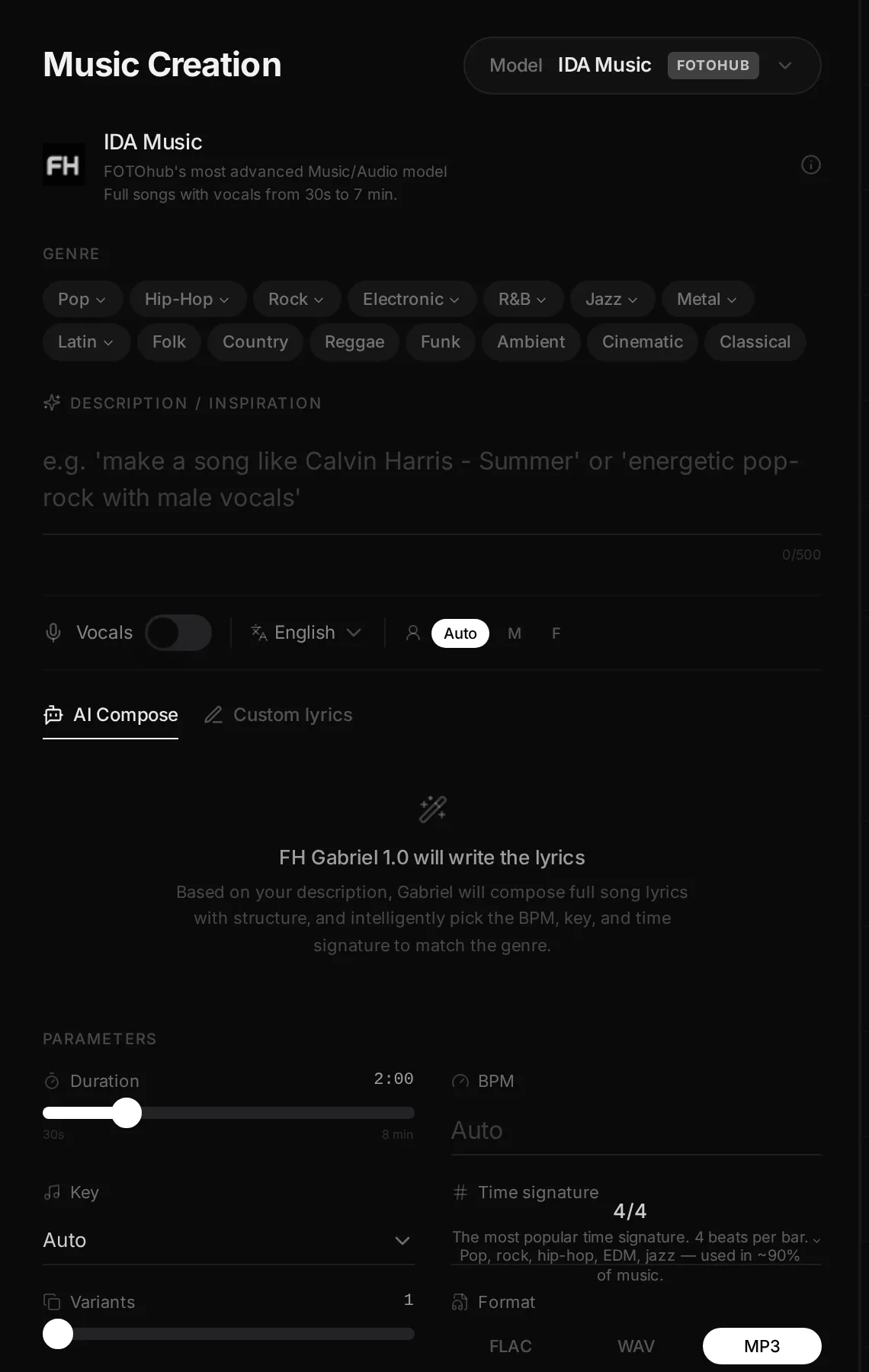
Music generation turns a description into a finished piece of audio. You can ask for a full song with a sung vocal and lyrics, or for an instrumental: a loop for a video, a calm bed for a podcast, a cinematic cue. The model is IDA Music, FOTOhub's own music model. It composes the structure, the instruments, the vocal and the mix in one pass.
- Full songs with vocals, in many languages, from 30 seconds up to several minutes.
- Instrumentals with no singing.
- Lyrics written by FOTOhub AI from your description, or your own words with section tags.
- Control of genre, tempo, key, time signature, number of versions and file format.
- Reuse: every result is saved in My Work, can be downloaded, shared as a link, reused as a starting point for a new run, or sent into the Studio Music workstation.
Open the music generator
Open Audio & Voice AI in the sidebar, then Music under Create. The form is on the left, your tracks on the right.
Make your first song
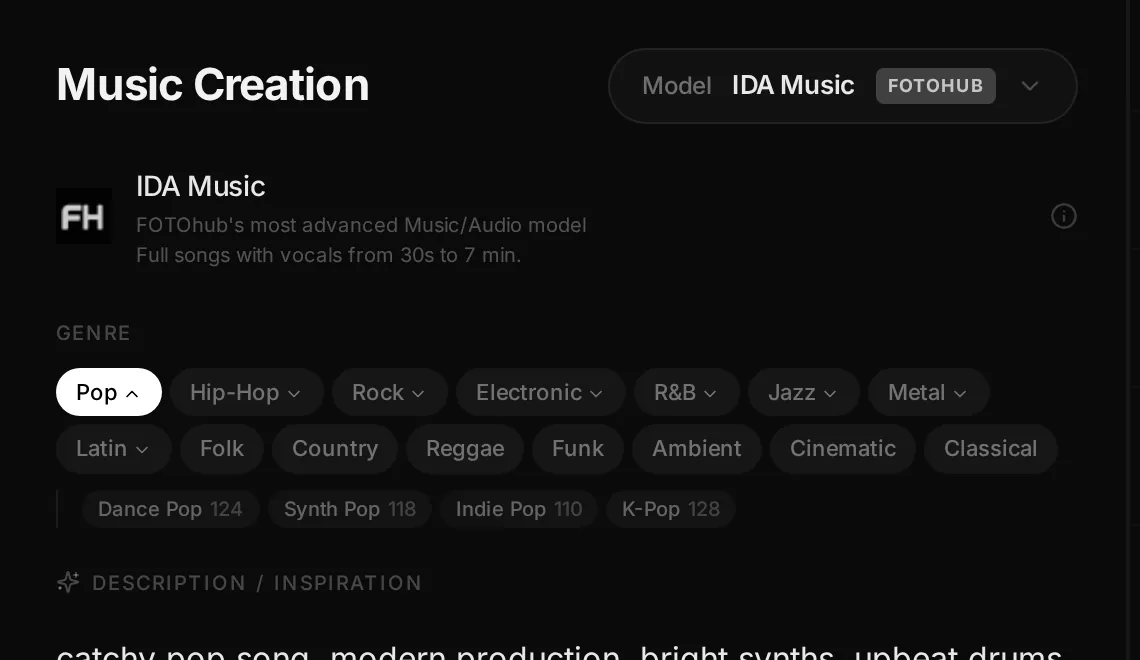
- Choose a genre Click a chip: Pop, Hip-Hop, Rock, Electronic, R&B, Jazz, Metal, Latin, Folk, Country, Reggae, Funk, Ambient, Cinematic or Classical. A chip fills in a starting description and sets a suitable tempo and key. Click it again to open sub-genres.
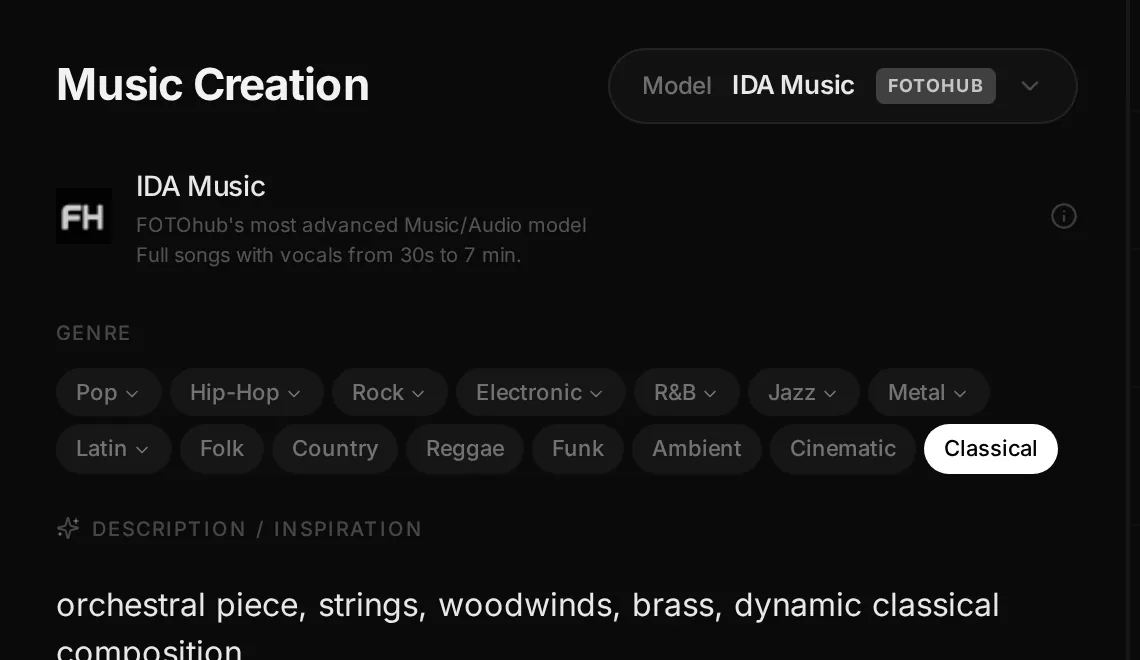
- Describe the song Write what you want in Description / Inspiration, up to 500 characters: genre, mood, instruments, tempo, vocal character. “Warm lo-fi hip-hop, dusty drums, mellow Rhodes, rainy evening” works better than “chill music”.
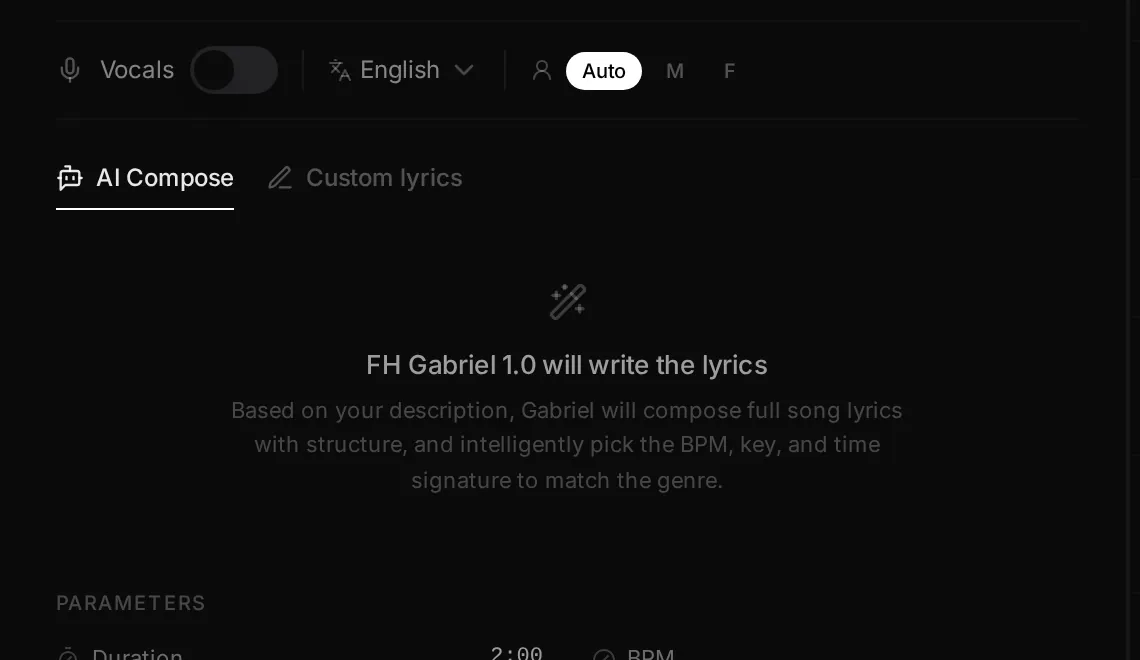
- Choose vocals Pick the vocal language, then Auto, M or F for the voice. Auto chooses from the genre. Turn on the switch next to Vocals for no singing: the row then reads Instrumental mode and the lyrics section disappears.
- Lyrics: AI or yours In AI Compose FOTOhub AI writes full lyrics with a structure from your description, and picks the tempo, key and time signature to match. You can also use the preview button under the AI Compose text to generate the lyrics and read them first. In Custom lyrics you write them yourself.
- Set the parameters Duration is a slider from 30 seconds to 8 minutes. BPM, Key and Time signature can stay on Auto.
- Generate Choose Variants (1 to 4 versions) and the Format, then click Generate Music. The price is shown on the button before you start. The result appears under My Work.
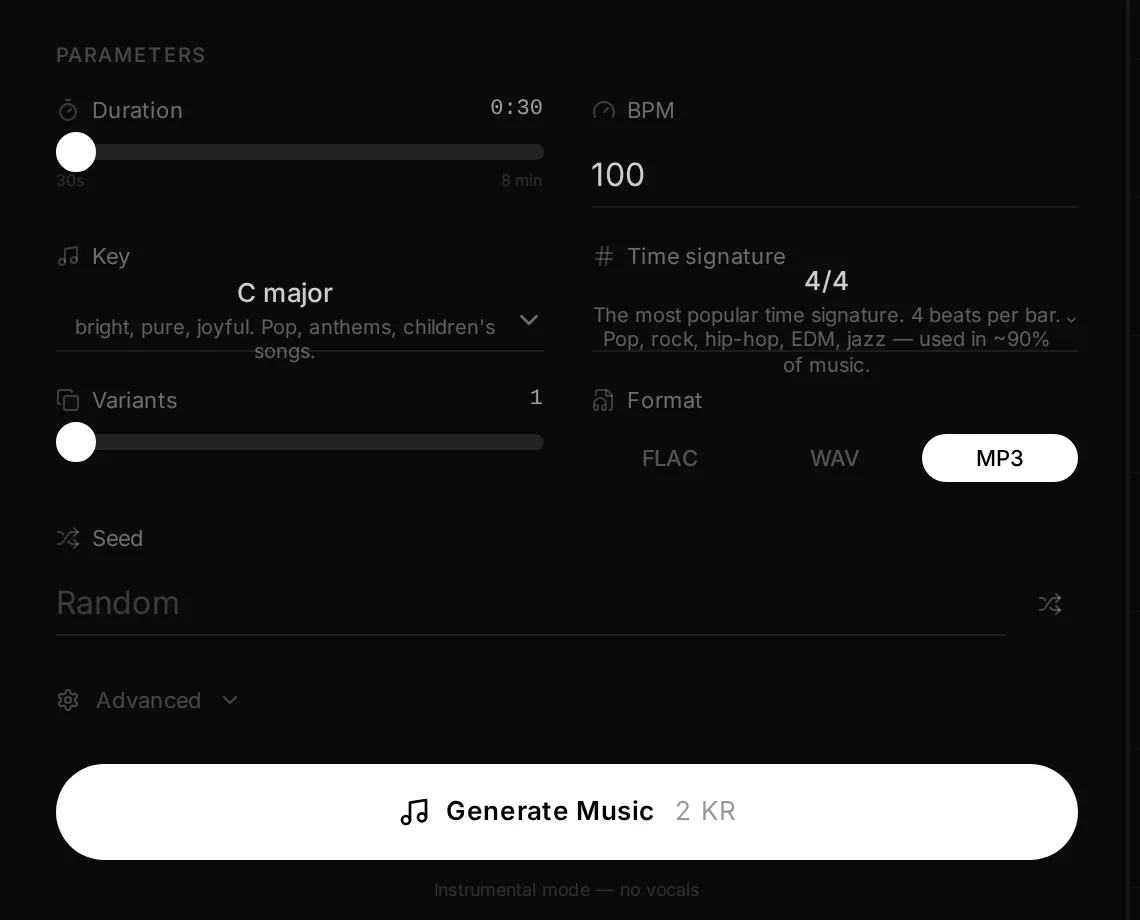
Every setting explained
| Setting | Values | Notes |
|---|---|---|
| Genre | 15 chips with sub-genres | Fills the description and a matching BPM and key. You can edit the text afterwards. |
| Description / Inspiration | Up to 500 characters | Name the genre, mood, instruments, tempo and the kind of voice. Referencing a well-known style helps. |
| Vocals | Language, Auto / M / F, Instrumental mode | Instrumental mode ignores lyrics and vocals. |
| Lyrics | AI Compose or Custom lyrics | Custom lyrics accept section tags such as [intro], [verse], [pre-chorus], [chorus], [bridge], [outro], [hook], [interlude], [rap], [instrumental], [ad-lib]. Tag buttons above the box insert them. |
| Duration | 30 s to 8 min | Short (30 to 60 s) for jingles and loops, 2 to 3 min for a standard song, longer for full-length pieces. |
| BPM | Auto or a number | 60 to 80 ballads and ambient, 90 to 110 hip-hop and R&B, 110 to 130 pop and rock, faster for dance music. |
| Key | Auto or any of 24 keys | Major sounds brighter, minor darker. Each key shows a hint about its mood. |
| Time signature | 4/4, 3/4, 6/8, 2/4, 5/4, 7/8, 12/8 | 4/4 is by far the most common. 3/4 is a waltz, 6/8 a swaying ballad, 12/8 a slow blues. |
| Variants | 1 to 4 | Several arrangements of the same idea in one run. More variants take longer, and the price on the Generate button updates with the number you pick. |
| Format | FLAC, WAV, MP3 | FLAC is lossless and compact, WAV is uncompressed, MP3 is the smallest. |
| Advanced | Seed, Chain-of-Thought, Steps, Guidance, LLM temperature | For repeatable or fine-tuned runs. The same seed with the same settings gives the same track. |
Advanced settings
- Seed: leave it on Random to explore. Note a seed you like and reuse it to repeat a result.
- Chain-of-Thought: the model plans the structure, harmony and dynamics before it generates the sound. It tends to give more coherent songs and takes a bit longer.
- Steps: more steps give cleaner detail and take longer.
- Guidance: low values interpret your description loosely, high values stick to it closely.
- LLM Temp.: lower values give predictable lyrics and plans, higher values more surprising ones.
Writing lyrics that sing well
In Custom lyrics structure the text with tags on their own line. Click a tag button above the box to insert it at the cursor; hover a button for a short explanation.
[intro]

[verse]
City lights on the window glass
Coffee cooling, the night goes past

[chorus]
Stay a little, stay with me
We are older than we used to be

[bridge]
One more song and then we go

[outro]
(fade out)
A lyric skeleton that sings well
- Keep lines of similar length inside a section; the melody follows the rhythm of the words.
- Repeat the chorus almost word for word. That is what makes it a chorus.
- Write non-English lyrics in their own language and set the vocal language to match.
- Use the [instrumental] tag for a part without singing.
- You need at least a description or lyrics. With both empty, Generate shows “Enter a style description or song lyrics.”
Your tracks: play, download, share, reuse
The right side has two tabs: My Work (what you generated, with the prompt) and Collection (featured tracks from FOTOhub to listen to). Click a track to play it. The player opens at the bottom with Now playing.
| Action | What it does |
|---|---|
| Play | Click a track to play it in the page. |
| Download | Saves the track as a file. Hover a track to see the button, or use the three-dot menu. |
| Copy link / Share | Copy link is on the track row, Share is in the three-dot menu. Both give you a shareable link. |
| Regenerate | Copies the prompt and genre of that track back into the form. Click Generate Music to run it again, which is charged like any new generation. |
| Full view | Opens a full-screen player with the lyrics, a download button and Open in Studio. Find it in the three-dot menu. |
Continue in other tools
- Open in Studio: in Full view, this button adds the track to your Studio Music project, where you can arrange it with other sounds.
- Separation and Mastering are separate tools in the Audio & Voice AI sidebar. Download your track and upload it there to split it into stems or finish its loudness.
- Auto soundtrack in the video editor composes music for a clip on your timeline.
Worked examples
A calm instrumental for a product video
Goal. A 45-second, loop-friendly piano bed with no vocals.
Input you can copy.
Calm solo piano, soft felt tone, slow tempo, warm and spacious, no percussion, gentle ending| Setting | Value |
|---|---|
| Genre | Classical, sub-genre Piano |
| Mode | Instrumental |
| Duration | 0:45 |
| BPM / Key | 72, C major |
| Format | MP3 |
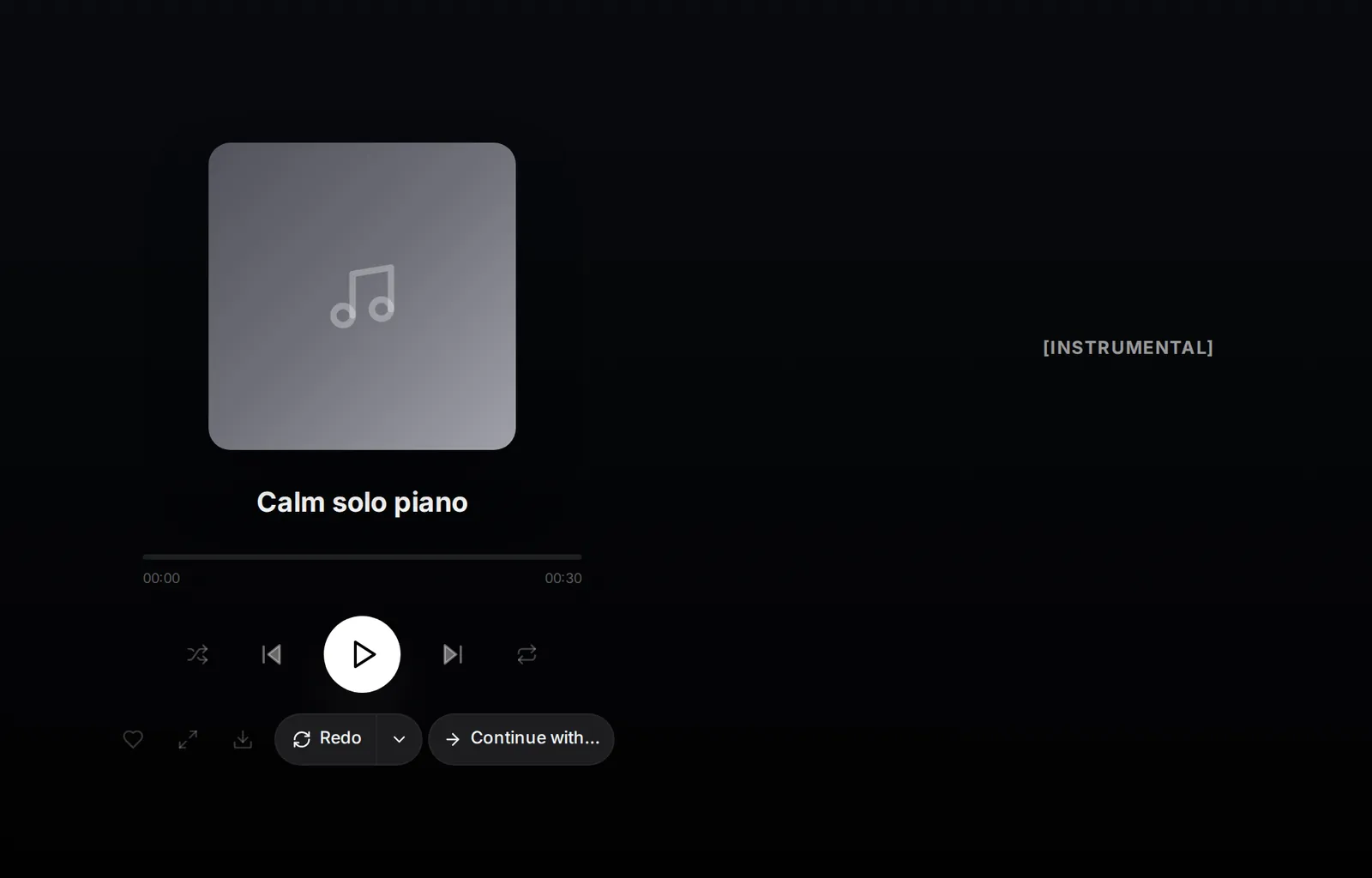
Why it works. A single instrument and no percussion leaves room for a voiceover. A slow tempo and an explicit gentle ending give you a clean place to cut or fade.
A short upbeat electronic loop
Goal. A 30-second loop for a social video intro.
Input you can copy.
Short upbeat electronic loop, four on the floor, bright synth arpeggio, clean punchy drums| Setting | Value |
|---|---|
| Genre | Electronic |
| Mode | Instrumental |
| Duration | 0:30 |
| BPM | 124 |
Why it works. At 124 BPM with a steady kick the loop is easy to cut on the beat in the video editor with Beat sync.
Limits, pricing and rights
- Price is shown on the Generate button before you generate and changes with duration and variants. If a generation fails, the credits are returned.
- Limits: plans have a daily song limit and a limit per rolling four-hour window, and the page shows a message when you reach one. The messages say to wait for the four-hour window to reset, to try again tomorrow, or to buy a Buster Pack or upgrade when your monthly allowance is used up.
- Real artists: edits that imitate a real artist's voice are not allowed. Describe a style instead.
- The song does not match my description.
- Shorten it to the essentials, raise Guidance in Advanced, or generate several variants and pick the closest.
- The vocal language is wrong.
- Set the vocal language before you generate and write the lyrics in that language.
- I got an error about my daily limit.
- Your plan's daily song limit is used up. Try again tomorrow, or move to a higher plan.
- Can I extend a song?
- Use Studio Music: select the clip and choose Extend, or rewrite a part with AI edit.