Voice cloning: your own voice in Voiceover
Create a private digital copy of a voice from a short recording, with the rights confirmation the page requires, then use it for voiceovers, dubbing and in Studio Music.
What voice cloning does
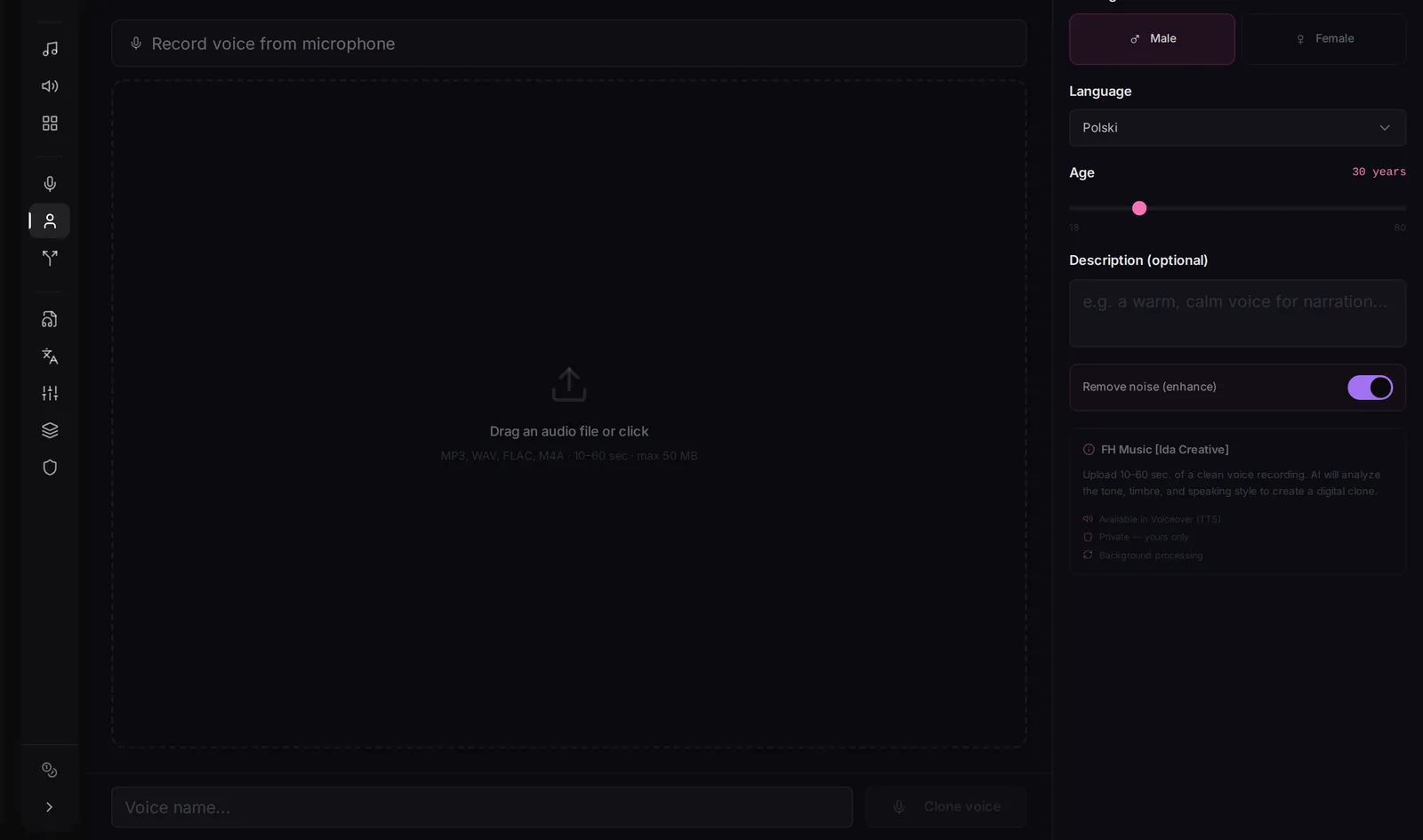
Voice cloning turns a clean recording of one voice, 10 to 60 seconds long, into a voice profile you can reuse. The profile captures the tone, the timbre and the speaking style. After that you type text and it is spoken in that voice, in Voiceover (text to speech), in dubbing and in the Studio Music workstation.
- Private. A cloned voice is yours only. It appears in your own My voices list and nowhere else.
- Reusable. Clone once, use it for any number of voiceovers.
- Background processing. The job runs on our servers; you can stay on the page while it works.
- Rights come first. You must confirm that the voice is yours or that you have written consent from its owner. Cloning a person's voice without consent is prohibited.
Prepare a good sample
The quality of the clone follows the quality of the sample. A few minutes of preparation changes the result more than any setting.
- One voice only, no music, no one else talking, no TV in the background.
- 10 to 60 seconds of natural speech. Read a paragraph of a book or tell a short story; avoid whispering or shouting.
- Quiet room, steady distance. A phone held 20 cm from the mouth in a carpeted room beats a laptop microphone in a kitchen.
- Formats: MP3, WAV, FLAC or M4A, up to 50 MB.
Clone a voice step by step
- Open Cloning In Audio & Voice AI choose Cloning under Voice. The page header reads Voice Clone with the note “From an audio recording” and shows whether the clone is included in your plan or what it costs. If the price cannot be loaded, the page says so and cloning waits until you try again.
- Add the recording Drag an audio file onto the drop area, or click it to browse. Or click Record voice from microphone, allow the microphone in your browser, read your text and click Stop. The recording appears with a player so you can listen to it.
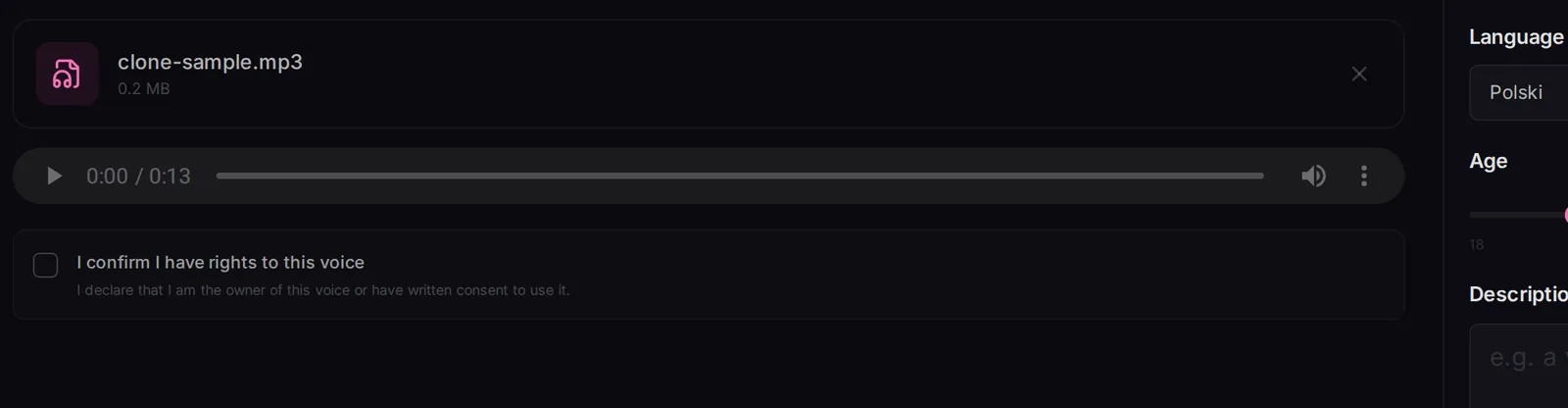
- Set the voice details Open the Settings tab on the right. Choose the Voice gender (Male or Female), the Language, the Age (18 to 80) and, if you like, a Description such as “calm, slightly husky”. Leave Remove noise (enhance) on unless your recording is already clean.
- Name the voice Type a name in the Voice name box at the bottom (up to 50 characters). Choose one you will recognise in a list, for example “Narrator, calm”. The Clone voice button stays inactive until the box has a name.
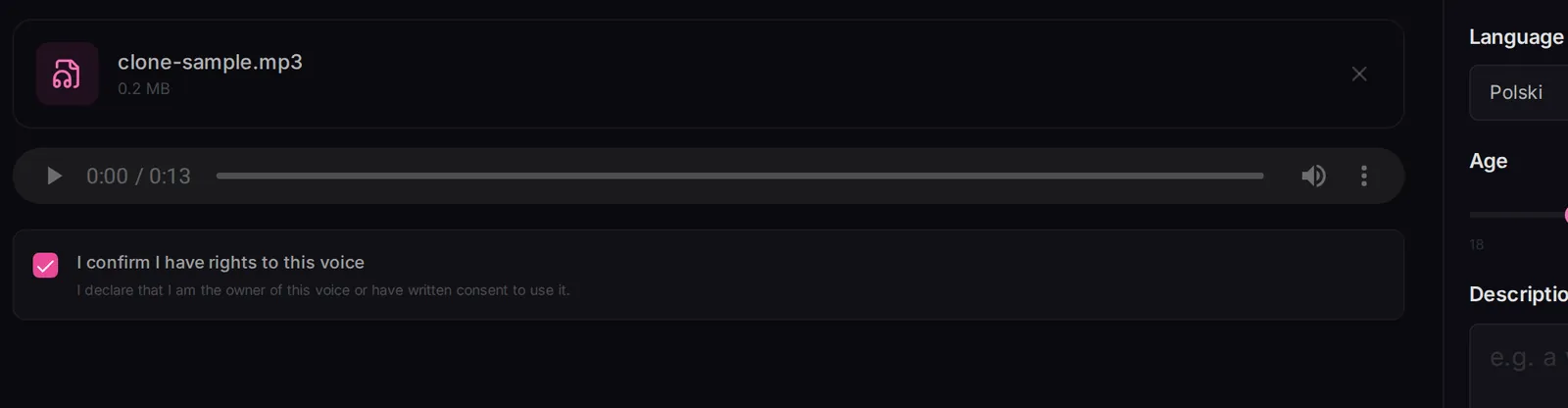
- Confirm your rights Tick I confirm I have rights to this voice. If you click Clone voice without it, the page says “Confirm rights to the voice” and does not start.
- Clone Click Clone voice. A progress list moves through preparing, uploading audio, analysing the voice, creating the profile, generating a sample and finalising. The result card shows Voice created, the voice ID, a sample to play and Download sample. New voice returns to the form.
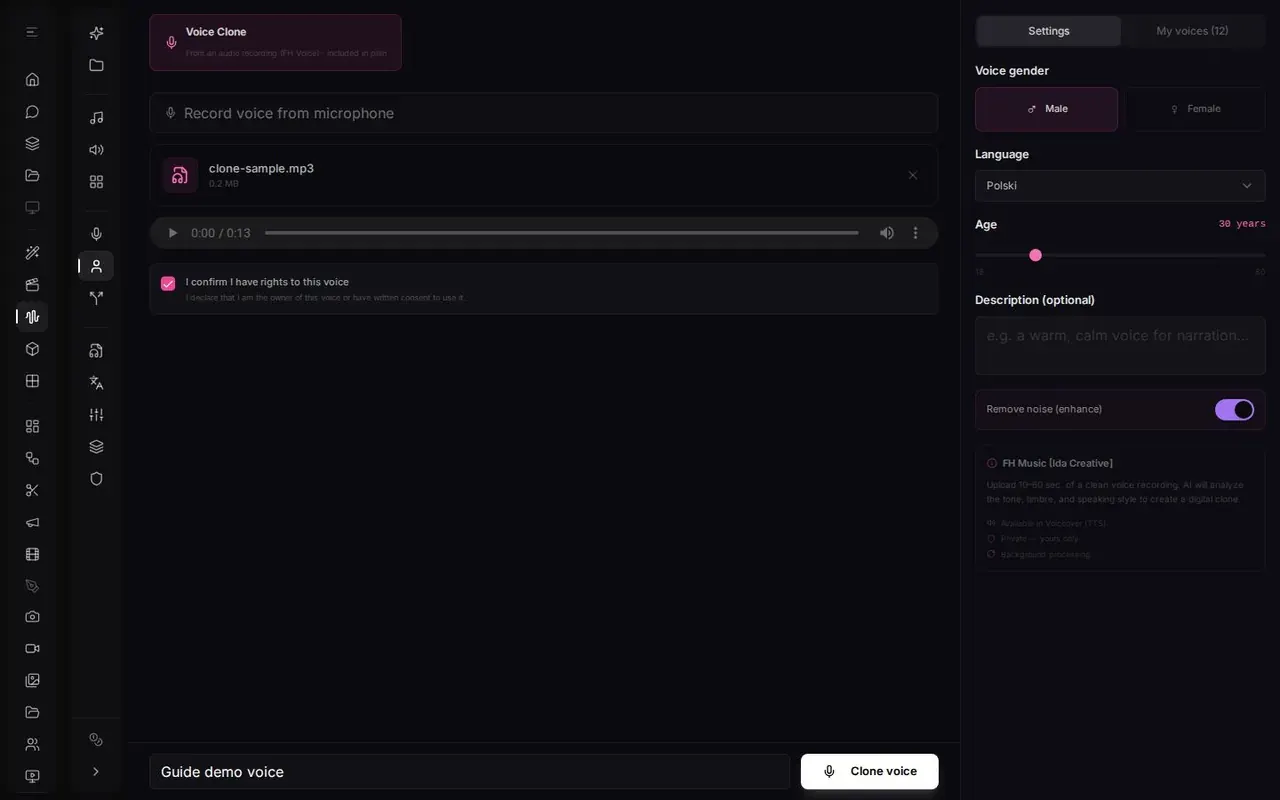
A narrator voice from a 30-second sample
Goal. Create a reusable narrator for a series of product videos.
Input you can copy.
A 30 second recording of calm, clear narration with no background noise.| Setting | Value |
|---|---|
| Voice name | Guide demo voice |
| Language | English |
| Remove noise | On |
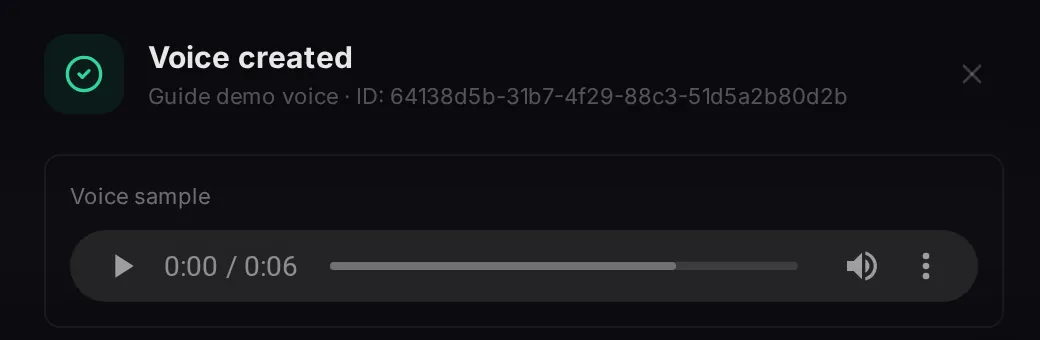
Why it works. A single clean take is enough. The sample the page plays at the end lets you judge the clone before you spend credits on a long voiceover.
Use your voice
| Where | How |
|---|---|
| Voiceover | Open AI Voiceover, choose IDA Voice Clone under Model in the settings, pick your voice from Cloned voice and write the text. + Clone new offers a quick clone from a short recording without leaving the page. |
| Dubbing | In the Dubbing Studio you can have the dub speak in a clone of a voice from your own recording. See the dubbing guide for the exact steps and the confirmation required there. |
| Studio Music | Select a voice clip in the project and use Clone voice from clip in the inspector. |
| My voices | The My voices tab lists every voice with its name, date, type (Clone or Design), language and ID. Play a sample, refresh or delete a voice. |
Limits and fixes
- The Clone button is inactive.
- The button needs a voice name. Without an audio sample the page says “Add an audio sample”, and without the rights confirmation it says “Confirm rights to the voice”.
- “File too large”.
- The limit is 50 MB, and the sample should be 10 to 60 seconds. Export a shorter or compressed copy.
- The clone sounds robotic or different.
- Re-record in a quieter place with natural, even speech and clone again. Set the Language to the language of the sample.
- Microphone access denied.
- Allow the microphone for this site in your browser settings, then reload the page.
- Can others use my voice?
- No. A cloned voice is private to your account.