Agent tools, connections, memory and knowledge
Give an agent hands and a memory: the tool catalogue, connections and the secret Vault, custom nodes, documents it can search, long-term memory, and the consent that irreversible tools need.
Tools: what an agent can do
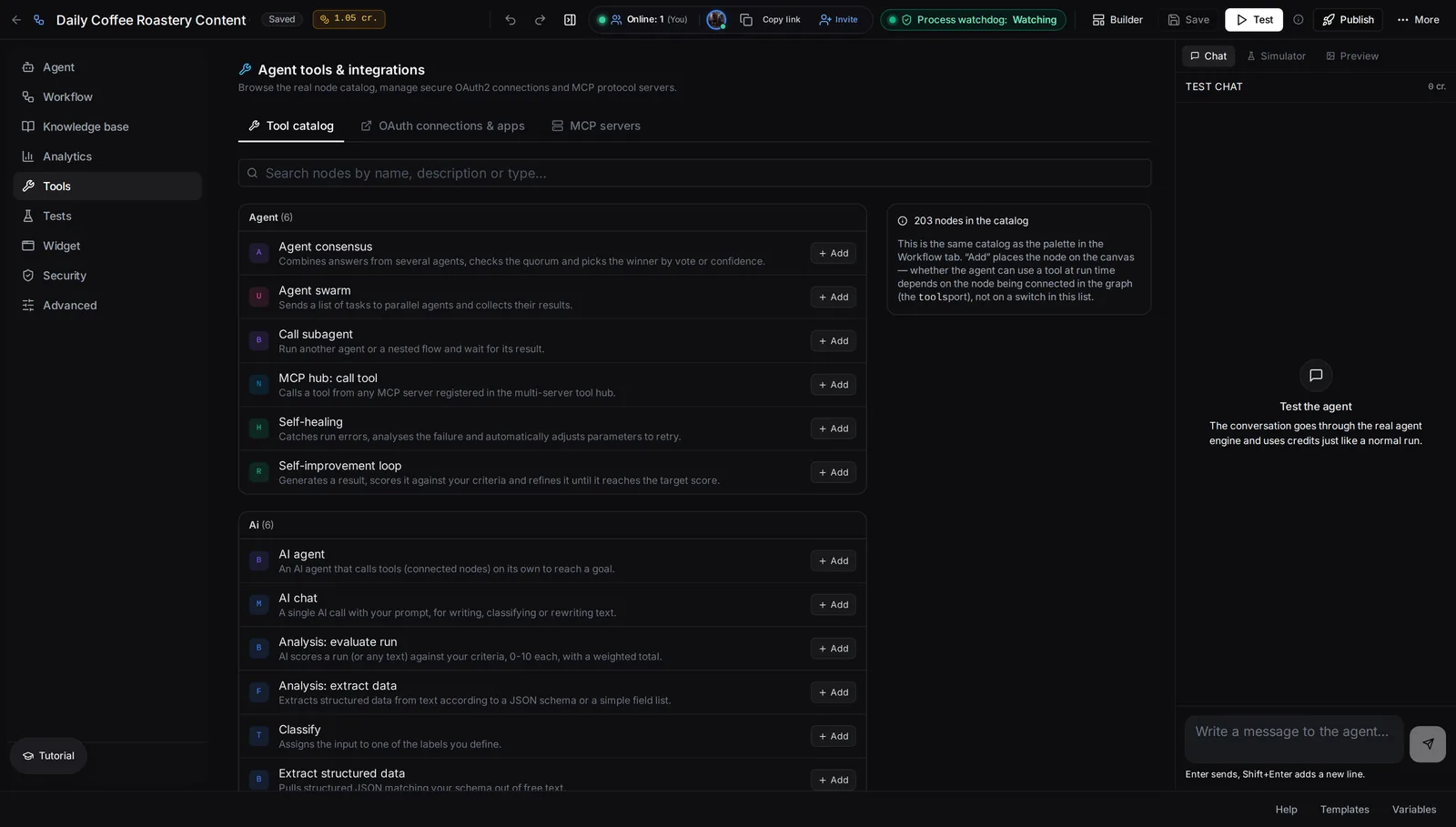
A tool is an action the agent may call during a run: generate or edit an image, make a video, write a caption, post to a network, read a spreadsheet, call a web address, search your documents, or hand work to another agent. The catalogue is the same set of nodes that appears in the builder's palette, so a tool you add in the wizard becomes a node you can also wire by hand. Add tools from the wizard's Tools step, or from the builder's Tools tab, where Add places the node on the canvas.
| Tag on a tool | Meaning |
|---|---|
| needs a connection | The tool uses an external account (a shop, a social network, a spreadsheet). Connect it first, or the node fails with a message that no connection is configured. |
| irreversible | The tool changes something outside FOTOhub (publish, send, pay, delete). The agent will not use it until you allow it, see below. |
| free / per run / per 1K tok | How the tool is priced: nothing extra, a price per call, or per thousand tokens of the AI model. |
| Soon | Greyed out: the integration is still being built and cannot be added. |
Fixed parameters
Under an added tool, Fixed parameters lets you pin values the agent must always use as they are, for example a channel, a recipient or a chat id. The agent fills in only the empty fields itself. Use it to stop an agent from posting to the wrong place.
Consent for irreversible tools
The Security tab has a section Tools - approvals and limits. Require approval for irreversible actions is on by default: tools whose names match patterns such as publish, send, email, payment, delete or deploy are blocked unless they appear on the Approved tools list. Without your consent the agent gets a refusal and reports that it could not do the action. Two more lists tighten control: a Tool allowlist (if filled, the agent may call only those tools) and a Tool blocklist (these are always blocked, whatever the allowlist says). In the wizard's Tools step, an irreversible tool shows Allow this tool, which asks you to confirm that the agent will be able to perform it without asking, for the whole agent.
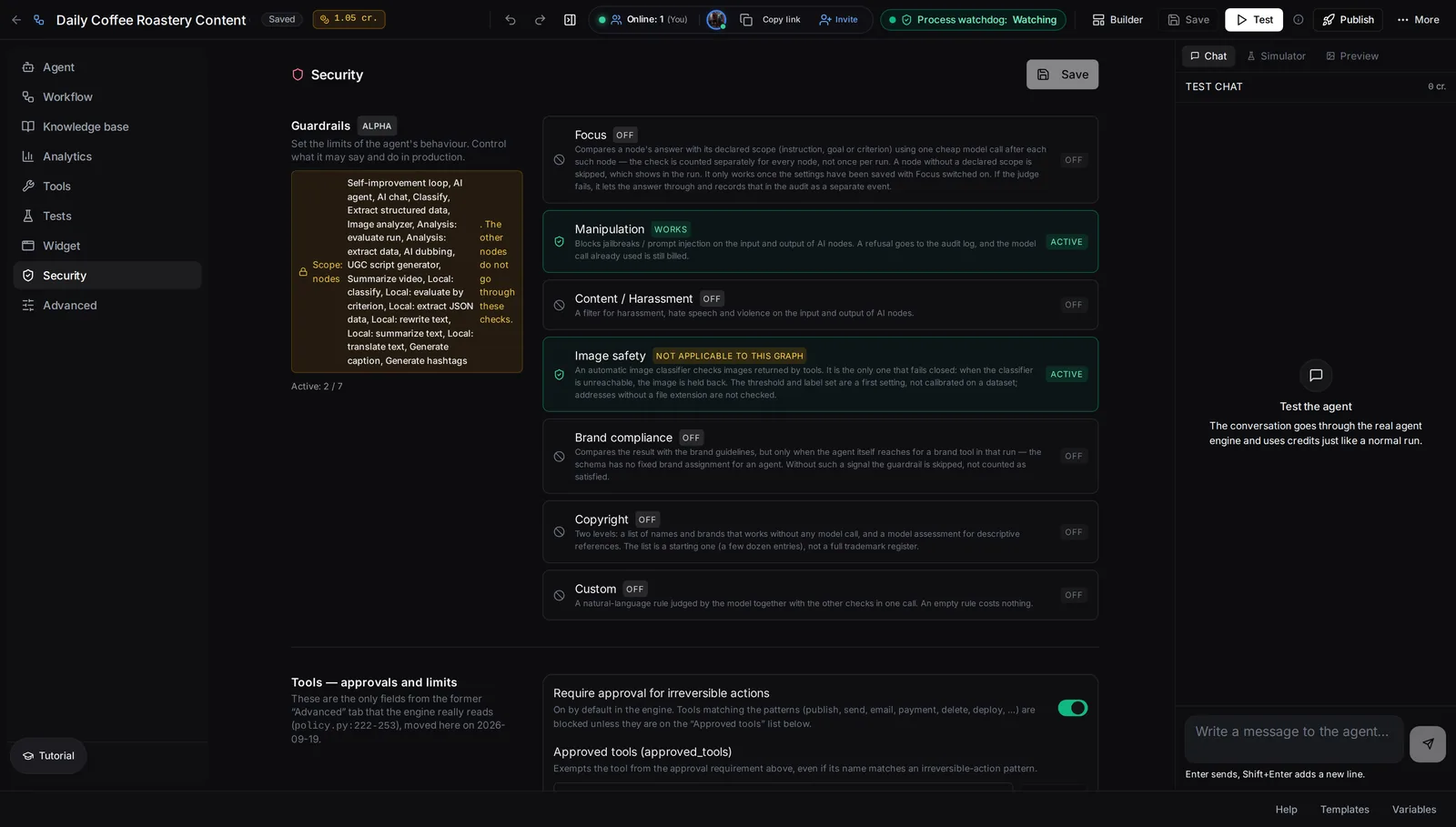
The Guardrails section (marked Alpha) adds checks on what the agent says and returns: Focus (stays within its declared scope), Manipulation (blocks jailbreak and prompt injection), Content / Harassment, Image safety (a classifier on FOTOhub's own GPU that withholds an image if it cannot be checked), Brand compliance, Copyright and a Custom rule in plain language. Each is a switch with its own description; some only apply to certain node types, and the page states which nodes a guardrail covers.
Connections and the Vault
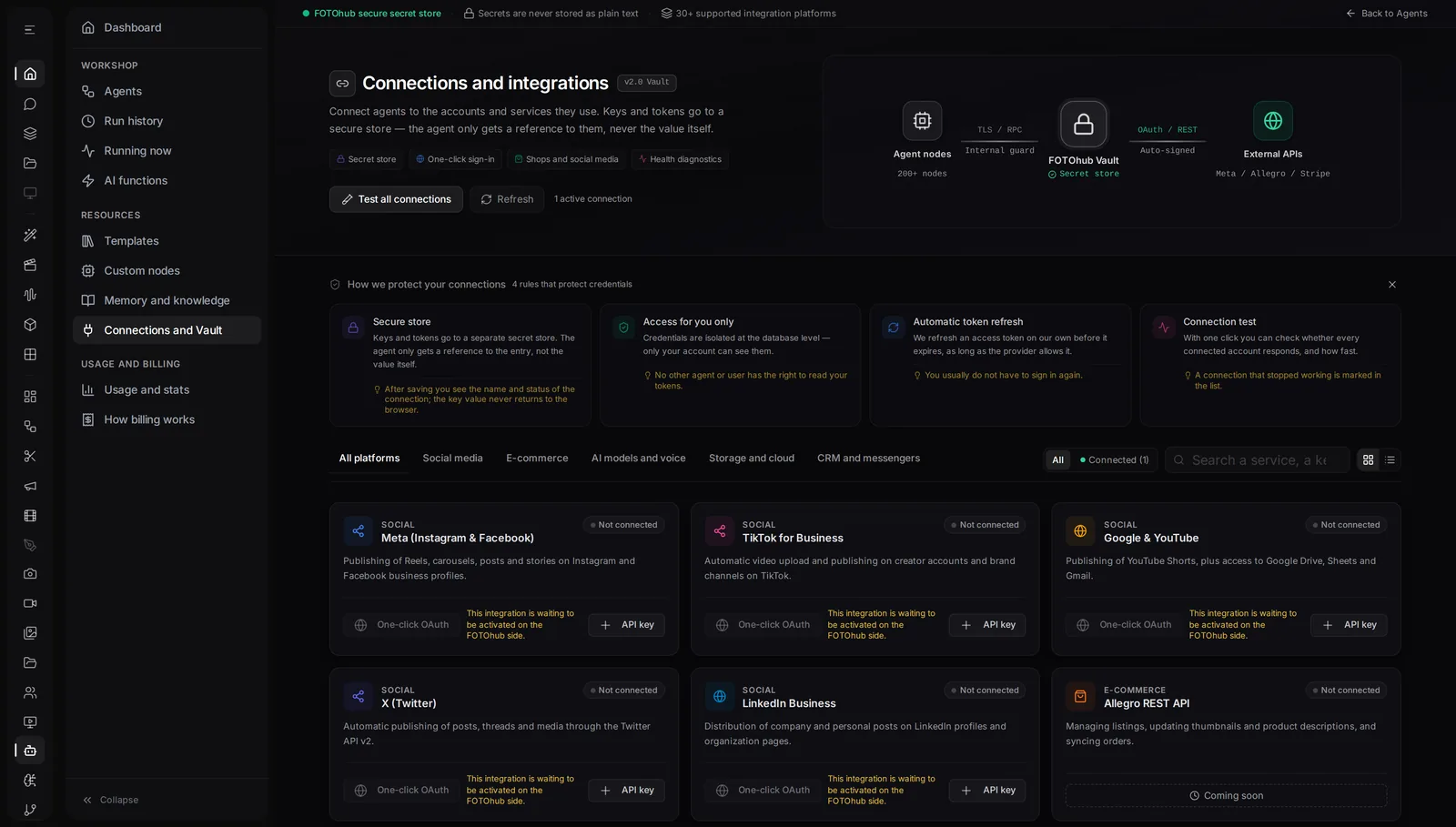
Connections and Vault (/dashboard/agents/connections) is where agents get access to your accounts. The page promises that keys and tokens go into a secure store and the agent only receives a reference, never the value. Platforms are grouped (All platforms, Social media, E-commerce, AI models and voice, Storage and cloud, CRM and messengers); each card shows its state (Connected, Not connected), and Test all connections and Refresh check health.
- One-click sign-in (OAuth) is offered per platform, but many cards currently say that the integration is waiting to be activated on the FOTOhub side. Where that notice appears, use the API key button instead.
- API key opens a form: a Connection name you choose and the secret (key or token). The note says it is encrypted on save. You can hide or show what you type, and later Test this connection or Remove from Vault; removal asks for confirmation.
- In a node that needs a connection, a Choose a connection list shows your saved ones, with a state (connected, expired, not connected) and Reconnect when access has expired.
Custom nodes
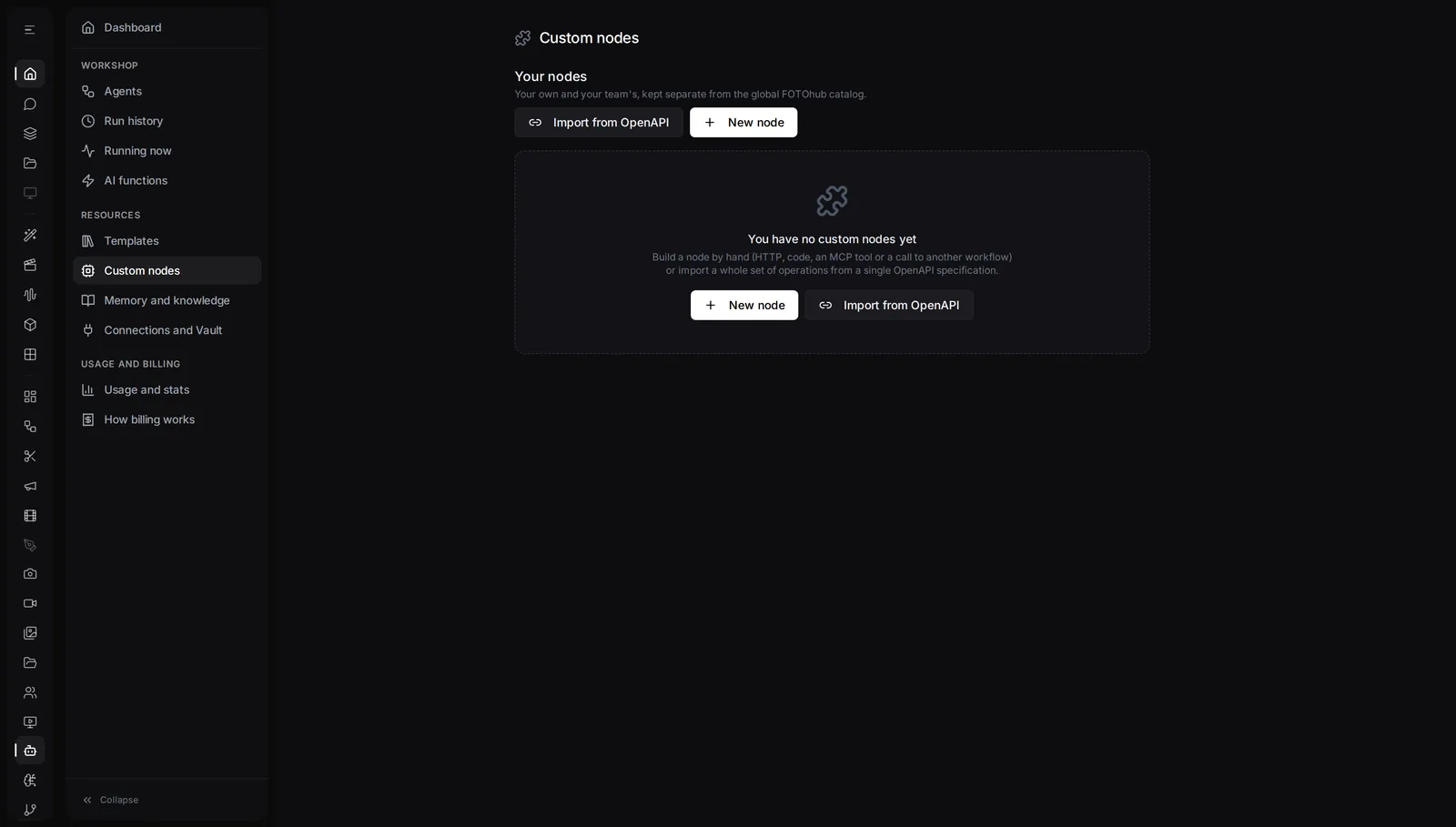
Custom nodes holds nodes you build yourself, kept apart from the global catalogue and shared with your team. New node builds one by hand, by wrapping an HTTP call, a snippet of code, an MCP tool or a call to another workflow, with a wizard for basics, ports, a test and publishing. Import from OpenAPI turns a whole OpenAPI specification into a set of nodes in one go. Use custom nodes for an internal API that the catalogue does not cover.
Knowledge and memory
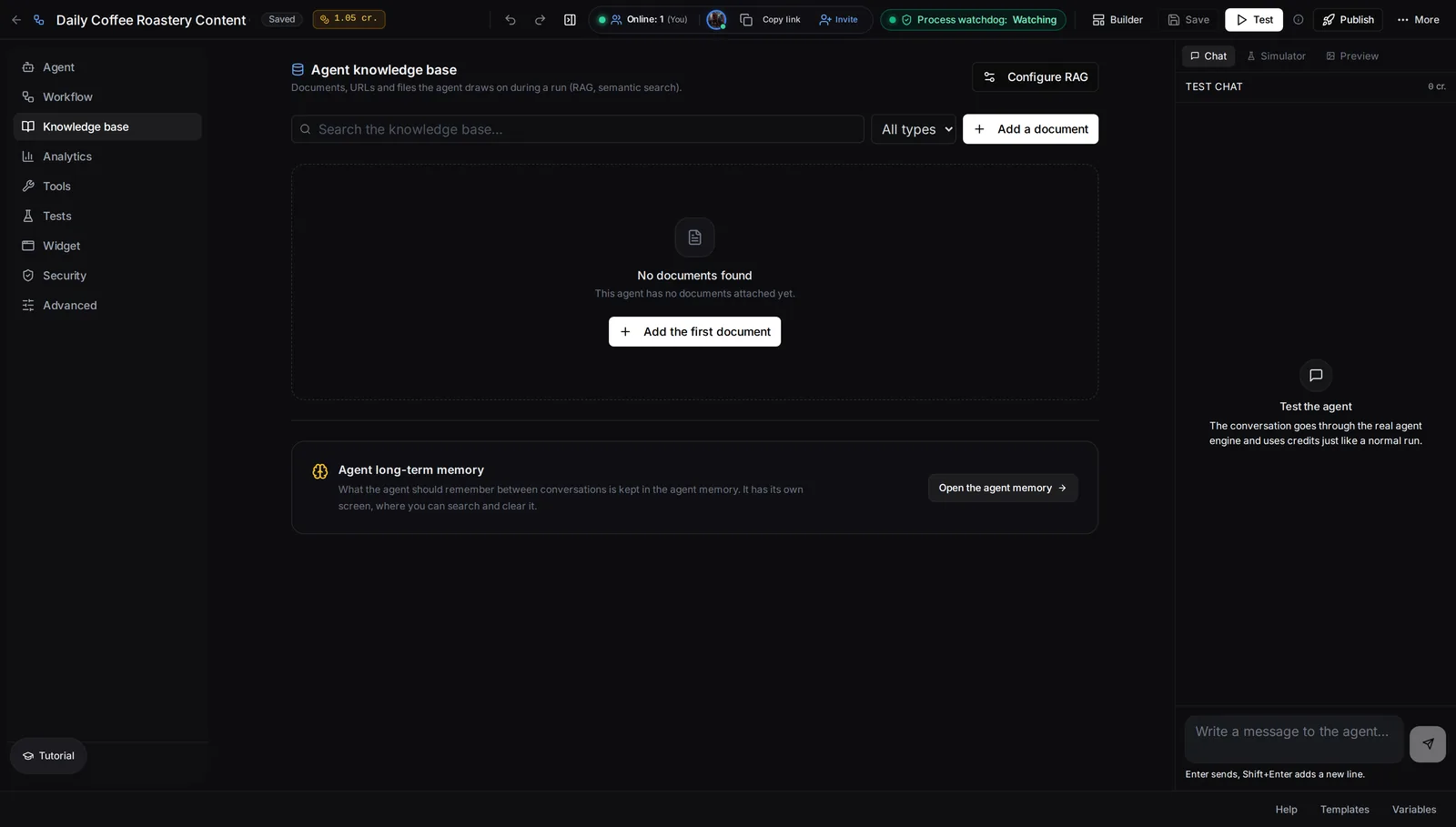
An agent answers better when it can read your material. In the builder's Knowledge base tab, Add a document accepts text, a URL or a file (price lists, terms, manuals). Each document shows a status: Ready, Indexing..., Pending or Error, and how many chunks it was split into; Retry and Remove are on the row. The agent searches these documents before it answers when the knowledge switch is on. Below, Agent long-term memory holds what the agent should remember between conversations.
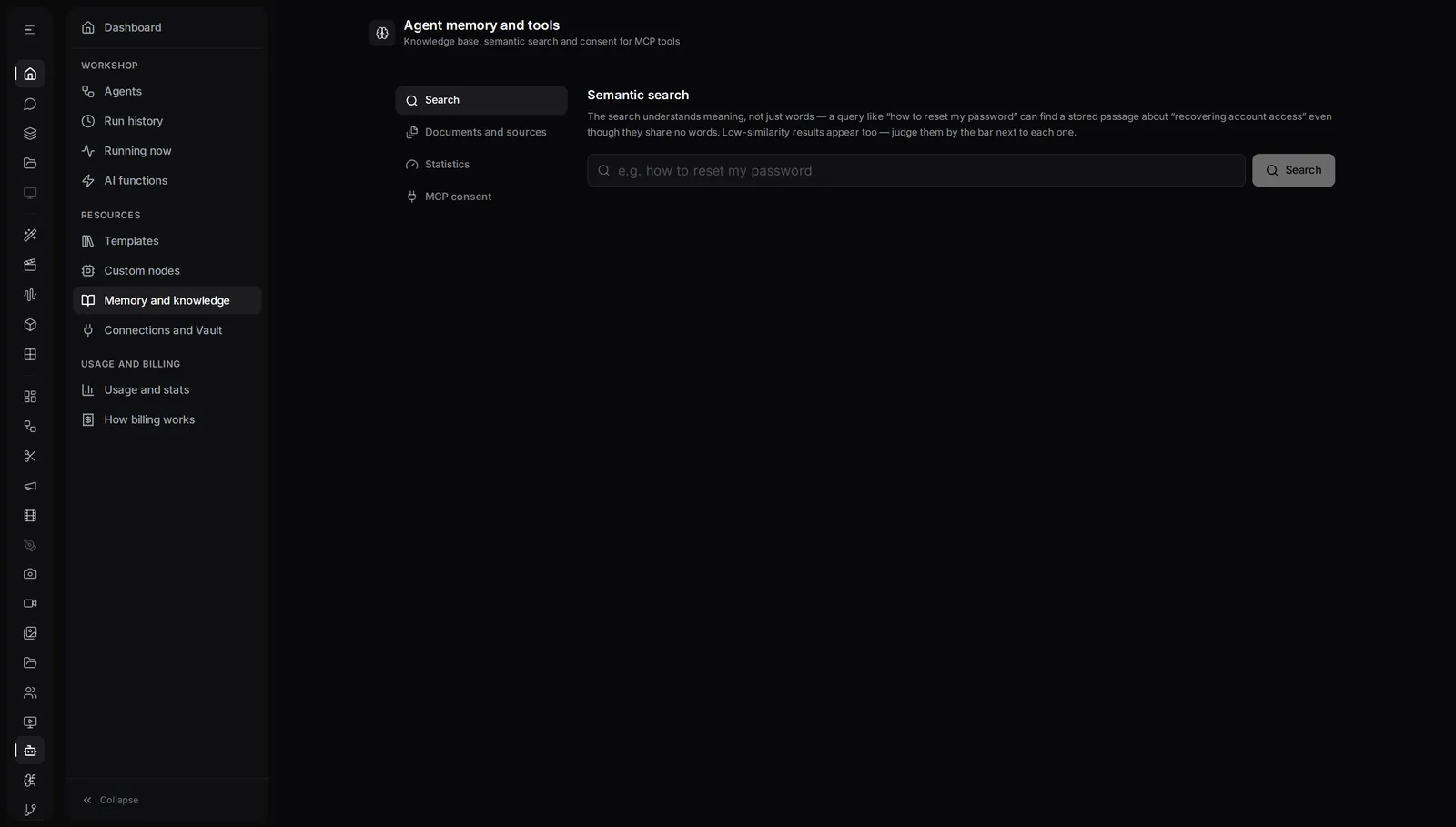
The Memory and knowledge page in the module menu is the account-wide view: Search runs semantic search over everything (the search understands meaning, not just words, and shows a similarity bar so you can judge weak matches), Documents and sources lists the material, Statistics summarises it and MCP consent records which external tool servers an agent may use. Documents belong to a saved agent, so save the agent before you add the first one.
A shop assistant that knows your return policy
Goal. Make an agent answer from your own text, not from guesses.
| Setting | Value |
|---|---|
| Knowledge | On |
| Document status | Ready |
Why it works. Save the agent, add the return policy as a text document or a link, wait for the status to read Ready, switch on The agent uses the knowledge base, and ask the test chat a question only the policy can answer. If the answer is wrong, the document may still be indexing or its text may not contain the answer.
- A tool says it needs a connection and I cannot connect.
- If one-click sign-in is not available for that platform, add an API key in the Vault. If neither is possible, choose a tool that does not need an account.
- The agent refused to publish a post.
- Publishing is an irreversible tool. Add it to Approved tools in Security, or put an approval step before it, which is usually the safer choice.
Open Agent tools, connections, memory and knowledge in FOTOhub