Audio API: speech, sound effects, transcription and music
Turn text into speech, make sound effects, transcribe recordings and understand how each audio endpoint is billed and what to do when a model is unavailable.
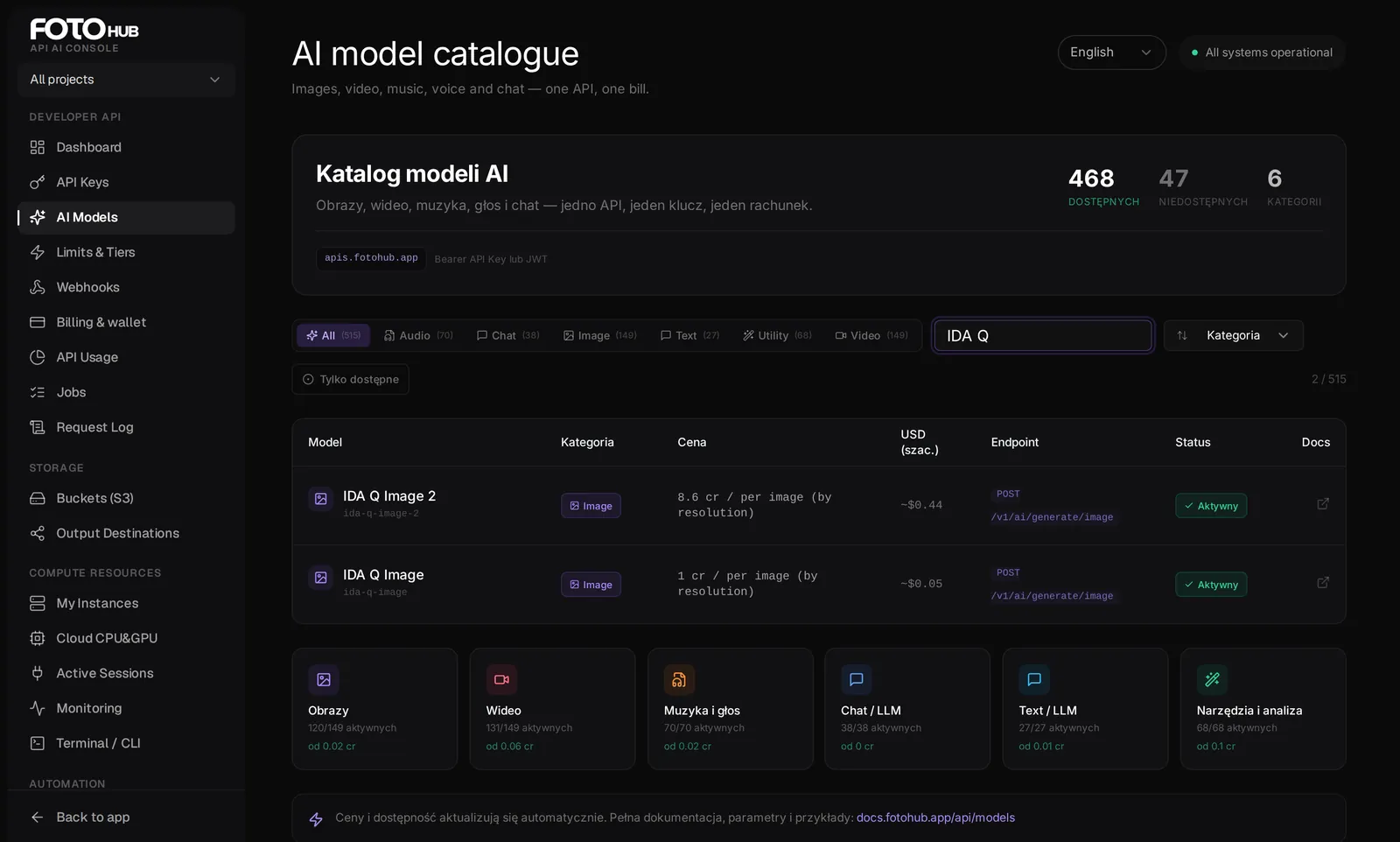
The audio endpoints at a glance
Audio endpoints are synchronous: you send a request and the answer comes back on it with a link to the audio file. The catch is the billing unit, which differs per endpoint, so check it before you plan a batch.
| What | Endpoint | Billed per |
|---|---|---|
| Speech | POST /v1/ai/generate/speech | 1,000 characters of input text |
| Sound effects | POST /v1/ai/generate/sfx | request |
| Transcription | POST /v1/ai/transcribe | started minute of input audio |
| Music | POST /v1/ai/generate/music | minute of output |
Read the live rate for any model from GET /v1/models?category=audio (request_price and price_unit) or GET /v1/pricing. The exact amount of a call is in its response as cost_usd.
Which audio endpoint do you need?
Start from what you have and what you want to end up with. Most audio work is one of four jobs, and each has exactly one route.
| You have | You want | Use |
|---|---|---|
| A script or a caption | A spoken voice-over | POST /v1/ai/generate/speech |
| A short description of a sound | A sound effect of up to 30 seconds | POST /v1/ai/generate/sfx |
| A recording at a reachable URL | The words as text, with speakers | POST /v1/ai/transcribe |
| A mood, a genre, a length | A music track of 10 to 300 seconds | POST /v1/ai/generate/music (optional, see availability below) |
Some neighbouring jobs are not audio routes at all. A face video that speaks a recording is lip-sync in the video API. Voice cloning, stem separation, mastering and audio translation are priced in the catalogue but have no public route yet, so there is nothing to call.
Two properties are shared by every audio route. They are synchronous, so the answer carries the result and there is no job to poll. And they need the audio scope on your key. A key created in the console with all five scopes is unrestricted, so it covers audio; a key limited to other scopes is refused on these routes.
Text to speech
Send the text, a model and a language. FOTOhub's own voice is ida-voice; ida-voice-pro is the higher-quality variant. Other voices exist in the catalogue under their own ids.
curl -s -X POST https://apis.fotohub.app/v1/ai/generate/speech \
  -H "Authorization: Bearer $FOTOHUB_API_KEY" \
  -H "Content-Type: application/json" \
  -d '{
    "text": "Welcome to FOTOhub. This is a short speech test.",
    "model": "ida-voice",
    "language": "en"
  }' | tee speech.json | jq '{model, cost_usd, characters_processed}'

# The audio link is signed and expires: download it now.
curl -s -o welcome.mp3 "$(jq -r .audio_url speech.json)"
ls -l welcome.mp3
{
"model": "ida-voice",
"cost_usd": 0.03,
"characters_processed": 48
}The trimmed answer of a real call: 48 characters, 0.03 USD. The full body also carries billing and the signed audio_url.
| Field | Notes |
|---|---|
text | Required. Up to 3,000 characters; the IDA voices accept up to 1,200 per request because they render in real time inside one HTTP request. Longer text is refused before anything is charged: split it into paragraphs. |
model | ida-voice, ida-voice-pro and others from the catalogue. An unknown id returns a 400 that lists the supported ones. |
language | A language code such as en, pl or de |
voice_id | Optional, specific to the model. Leave it out for the model's default voice. |
speed, pitch | Speed multiplier (default 1.0) and pitch shift (default 0) |
from fotohub import FotoHub

client = FotoHub()

speech = client.generate_speech(
    "Welcome to FOTOhub. This is a short speech test.",
    model="ida-voice",
    language="en",
)
print(speech["audio_url"], speech["cost_usd"])

text = client.transcribe(speech["audio_url"], language="en")
print(text)
The Python SDK, speech then transcription
Long text, limits and timing
A narration longer than one request allows is the most common reason a speech call fails. Plan for it from the start instead of waiting for the 400.
| Limit | Value | What happens beyond it |
|---|---|---|
| Characters per request, most models | 3,000 | 400 before any charge |
Characters per request, ida-voice and ida-voice-pro | 1,200 | 400 before any charge |
| Sound effect length | 30 seconds | Not accepted |
| Transcription input | 240 minutes | Not accepted |
Split on paragraph boundaries
Cut the script at paragraph breaks, and at sentence ends only when a single paragraph is itself too long. Cutting mid-sentence gives each file its own intonation arc, and the seam is audible when you join the files. Keep chunks safely under the limit, for example 1,000 characters for the IDA voices, so a stray character count difference (a counted newline, say) never trips the 400.
// Pack whole paragraphs into chunks of at most maxChars characters.
export function chunkScript(script: string, maxChars = 1000): string[] {
  const chunks: string[] = [];
  let current = "";
  for (const paragraph of script.split(/\n{2,}/).map((s) => s.trim()).filter(Boolean)) {
    if (current && current.length + paragraph.length + 2 > maxChars) {
      chunks.push(current);
      current = "";
    }
    if (paragraph.length > maxChars) {
      // One paragraph is too long on its own: fall back to sentences.
      for (const sentence of paragraph.match(/[^.!?]+[.!?]*\s*/g) ?? [paragraph]) {
        if (current && current.length + sentence.length > maxChars) {
          chunks.push(current.trim());
          current = "";
        }
        current += sentence;
      }
    } else {
      current = current ? current + "\n\n" + paragraph : paragraph;
    }
  }
  if (current.trim()) chunks.push(current.trim());
  return chunks;
}
A short chunker in TypeScript. A sentence longer than the limit is the one case it does not handle: shorten such a sentence at the source.
- Send the chunks one after another and keep their order. Number the output files (
part-001.mp3,part-002.mp3) so a joiner can sort them. - Join the files after downloading them, with any audio tool you already use, for example the concat feature of a command-line media converter. The API returns one file per request and does not stitch.
- Set the same
model,language,voice_id,speedandpitchon every chunk, or the voice will drift between files.
Expect real-time rendering
The IDA voices render inside the HTTP request, at roughly 0.058 seconds per character. The 48-character test line takes under three seconds, but a full 1,200-character chunk takes about 70 seconds. Raise your HTTP client timeout to at least 120 seconds for speech, and do not retry blindly on a timeout: send the same X-Idempotency-Key so a retry cannot double-charge you.
A narration of 5,000 characters is therefore five or six requests and a few minutes of wall-clock time. Run them in sequence, or a few in parallel if your per-minute rate limit allows it (see the error table below).
Sound effects and transcription
Sound effects
curl -s -X POST https://apis.fotohub.app/v1/ai/generate/sfx \
  -H "Authorization: Bearer $FOTOHUB_API_KEY" \
  -H "Content-Type: application/json" \
  -d '{"prompt": "a heavy wooden door closing in a stone hall", "duration": 3}' \
  | jq '{cost_usd, audio_url: (.audio_url | split("?")[0])}'
Send a prompt and a duration of up to 30 seconds. The price is per request, so a 5-second and a 30-second effect cost the same. The answer carries audio_url and cost_usd.
Transcription
# AUDIO_URL: a link to an audio file, for example the signed link from the speech call.
AUDIO_URL=$(curl -s -X POST https://apis.fotohub.app/v1/ai/generate/speech \
  -H "Authorization: Bearer $FOTOHUB_API_KEY" -H "Content-Type: application/json" \
  -d '{"text": "Welcome to FOTOhub. This is a short speech test.", "model": "ida-voice", "language": "en"}' \
  | jq -r .audio_url)

curl -s -X POST https://apis.fotohub.app/v1/ai/transcribe \
  -H "Authorization: Bearer $FOTOHUB_API_KEY" \
  -H "Content-Type: application/json" \
  -d "{\"audio_url\": \"$AUDIO_URL\", \"language\": \"en\"}" \
  | jq '{language, duration, minutes_billed, cost_usd, text}'
{
"language": "en-US",
"duration": 2.35,
"minutes_billed": 1,
"cost_usd": 0.006,
"text": "# Raport Transkrypcji\n\n## [TRANSKRYPCJA]\n\n**spk_0** [00:00]:\nWelcome to Photohub This is \n**spk_1** [00:00]:\na short speech test\n"
}A real answer, trimmed. The text is a report with speaker labels, whose headings are in Polish.
audio_urlmust be reachable by FOTOhub; the file is fetched, measured and billed per started minute, so a 2-second clip bills one minute. Up to four hours of audio is accepted.- Common formats work: mp3, wav, m4a, mp4, ogg, flac and webm.
languagecan be a code such asenorpl, orauto.- The transcript comes back in
textas a formatted report with speaker labels and timestamps. Parse the lines that start with a speaker marker if you need structured data, and do not rely on the report's heading wording, which is Polish.
Music, and when a model is unavailable
POST /v1/ai/generate/music takes a prompt, a model, a duration of 10 to 300 seconds, an optional bpm (60 to 200), mood, instrumental and, for some models, a required genre. The price is per started minute of output. The values are validated before billing, so an out-of-range duration or tempo costs nothing.
- The catalogue also lists audio capabilities that have no public endpoint yet: voice cloning, stem separation, audio mastering and audio translation. They carry prices because they run inside the platform. Do not build against them until they appear in the reference.
- Three provider-specific speech routes exist under
/v1/ai/tts/(each with a/synthesizeand a/voicesroute). They return raw audio bytes rather than JSON and are exempt from idempotency. - To make a face video speak a recording, use lip-sync in the video API guide.
Plan the cost of a batch
You can price a batch before you run it, for free, with three inputs: how many calls, the billing unit of the endpoint, and the rate of the model. The rate is request_price in GET /v1/models?category=audio, and price_unit tells you what it applies to.
price_unit | Applies to | Units in your batch |
|---|---|---|
1k_characters | Speech | Characters of input text divided by 1,000 |
request | Sound effects | Number of calls, whatever the duration |
minute | Transcription and music | Started minutes: input for transcription, output for music |
The total is the number of units times the rate, summed over your calls. Two details matter. Minutes are counted as started, so every transcription is rounded up to a whole minute and a batch of many short clips costs one minute each. And a very short speech call is not free: the 48-character test line was billed 0.03 USD, so do not assume a per-character fraction for tiny inputs. When you plan, treat each speech request as at least one billed unit, and compare your estimate against the real cost_usd of the first calls.
A pipeline of one hundred short clips
Goal. Know what a batch costs before you press go.
Input you can copy.
100 voice-over lines of about 50 characters each, one 2-second clip each transcribed to verify, and 10 sound effects.| Setting | Value |
|---|---|
| Speech | 100 calls at the observed 0.03 USD for a 48-character line = 3.00 USD |
| Transcription | 100 clips, each rounded up to 1 minute = 100 minutes at the observed 0.006 USD per minute = 0.60 USD |
| Sound effects | 10 calls at the observed 0.040193 USD = 0.40193 USD |
Why it works. About 4.00 USD in total, using the cost_usd values of real calls as example rates. Use your own numbers from GET /v1/pricing: the rates can change, and the point is the shape of the sum. Notice that transcription is billed on minutes, not seconds, so verifying every line costs a minute each even though the clips are 2 seconds long. If that matters, transcribe a sample or concatenate lines into one file first.
To get a quote from the platform instead of doing the arithmetic yourself, send the same operations to POST /v1/billing/estimate as a list of {type, model, count} items. It is free and also tells you whether your current balance covers the total. Take the operation types and model ids from GET /v1/pricing.
A worked pipeline: script, voice, check, effect
This is the sequence the guide's examples were checked with against production. Each step uses the output of the previous one, and each one reports its own cost_usd, so you can see where the money goes.
- Generate the voice-over Send the script line to
/v1/ai/generate/speechwithmodel: ida-voiceandlanguage: en. In the real call, a 48-character line answered200withcharacters_processed: 48andcost_usd: 0.03, plus a signedaudio_url. - Save the file at once Download the
audio_urlbefore you do anything else. It is valid for about one hour, and the later steps should work from your stored copy, not from the expiring link. - Transcribe it to verify Pass the link to
/v1/ai/transcribewithlanguage: en. The 2.35-second clip returnedduration: 2.35,minutes_billed: 1andcost_usd: 0.006, with the speaker lines insidetext. - Compare, then add the effect If the transcript matches the script, ask
/v1/ai/generate/sfxfor the matching sound. A sound effect call cost 0.040193 USD in the real run, whatever the duration up to 30 seconds. Mix the two files in your own editor.
The three example calls together cost 0.076193 USD (0.03 + 0.006 + 0.040193). They are separate real calls, so read them as an illustration of the proportions: the effect cost more than the whole voice-over, and the verification cost a fifth of it.
Download the signed audio link
Whatever language you write in, the pattern is the same: call the endpoint, read audio_url from the answer, and fetch it immediately into your own storage. Do not send your FOTOhub API key to the audio link. It is a signed link, and the signature is the credential.
import { writeFile } from "node:fs/promises";

const res = await fetch("https://apis.fotohub.app/v1/ai/generate/speech", {
  method: "POST",
  headers: {
    Authorization: "Bearer " + process.env.FOTOHUB_API_KEY,
    "Content-Type": "application/json",
    "X-Idempotency-Key": crypto.randomUUID(),
  },
  body: JSON.stringify({ text: "Welcome to FOTOhub.", model: "ida-voice", language: "en" }),
  signal: AbortSignal.timeout(120_000), // speech renders inside the request
});
if (!res.ok) throw new Error("speech failed: " + res.status + " " + (await res.text()));
const speech = await res.json();

const audio = await fetch(speech.audio_url); // no Authorization header here
if (!audio.ok) throw new Error("download failed: " + audio.status);
await writeFile("welcome.mp3", Buffer.from(await audio.arrayBuffer()));
console.log("saved, cost_usd:", speech.cost_usd, "request id:", res.headers.get("x-request-id"));
Node 20 or newer, TypeScript. Plain fetch, no SDK needed.
import os
import uuid

import requests

resp = requests.post(
    "https://apis.fotohub.app/v1/ai/generate/speech",
    headers={
        "Authorization": "Bearer " + os.environ["FOTOHUB_API_KEY"],
        "X-Idempotency-Key": str(uuid.uuid4()),
    },
    json={"text": "Welcome to FOTOhub.", "model": "ida-voice", "language": "en"},
    timeout=120,  # speech renders inside the request
)
resp.raise_for_status()
speech = resp.json()

audio = requests.get(speech["audio_url"], timeout=60)  # no Authorization header here
audio.raise_for_status()
with open("welcome.mp3", "wb") as f:
    f.write(audio.content)
print("saved, cost_usd:", speech["cost_usd"], "request id:", resp.headers.get("X-Request-Id"))
Python with the requests package. The same flow as above.
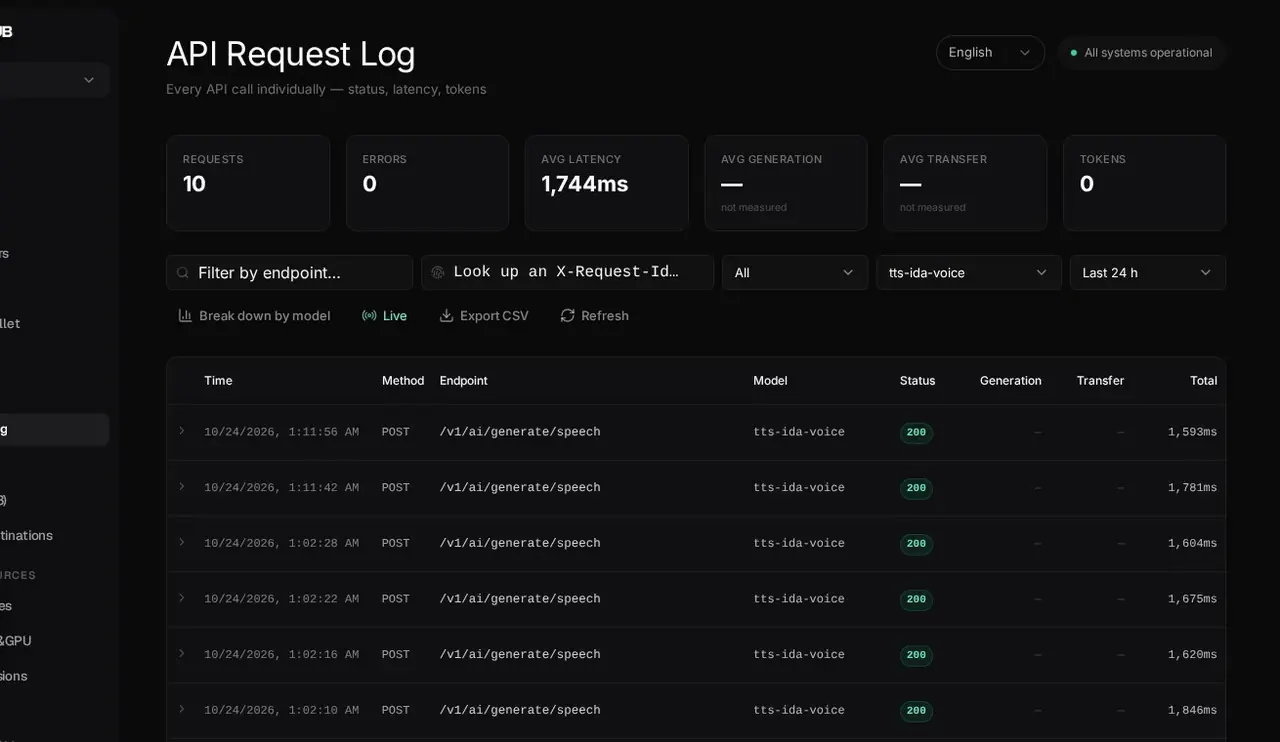
In the console, open the Request Log to see each call. Speech calls appear under the model name tts-ida-voice. Switch Live on and the list refreshes every 10 seconds, which is handy while a batch is running.
Audio errors and what to do
Errors follow the platform's shared format. For 400, 401, 404 and 424 the body is {"detail": "..."} with a readable string. A 402 and a 429 carry a detail object instead, so branch on the status code first and parse the body second.
| Status | Audio cause | Charged? | What to do |
|---|---|---|---|
400 | Text over the character limit, an unknown model id, or a duration or tempo out of range | No | Read detail: it names the limit or lists the supported models. Fix the request, do not retry as is. A music 400 can also mean the provider needs a paid plan. |
401 | Missing, malformed or revoked key | No | Check the Authorization header, and that the key has the audio scope, in the console. |
402 | The wallet cannot cover the call | No | detail has error: insufficient_funds, required_usd, balance_usd, shortfall_usd and topup_url. Top up, then retry. |
424 | The model's provider is unavailable, for example a music provider that closed its API to new accounts | No, the message says the wallet was not charged | Do not loop on it. Check is_active in the model list and offer your user another model or a fallback. |
429 | Too many requests per minute | No | detail has error: rate_limit_exceeded, limit_rpm and scope; the Retry-After header says how many seconds to wait. Wait that long, then retry. |
{ "detail": "<readable message, for example the limit that the text exceeded>" }The shape of a 400, 401, 404 or 424 body. The exact wording differs per error, so log it and do not match on it in code.
Retrying safely
Send an X-Idempotency-Key on every audio POST. If a retry reaches the server with the same key, it returns the stored answer with the header Idempotent-Replay: true and does not bill a second time. This is exactly what you want after a client timeout on a slow speech call: you do not know whether the first attempt finished, and the key makes it safe to ask again. Use a fresh key for each new piece of audio, and the same key only for retries of one request. The raw-bytes speech routes under /v1/ai/tts/ are exempt from idempotency.
Production checklist
Before audio features reach real users, walk through this list once.
- The key has the audio scope, lives in an environment variable on your server, and is never shipped to a browser or app.
- Every audio POST carries an
X-Idempotency-Key, and you store the key with the job so a restart reuses it. - The HTTP timeout for speech is at least 120 seconds, and text is chunked to stay under the limit with margin.
audio_urlis downloaded into your own storage in the same step, and your product serves the stored copy, never the expiring link.- You run
POST /v1/billing/estimateor your own arithmetic before large batches, and you compare the first realcost_usdvalues with the estimate. 402is handled with a clear message and a top-up link, not a generic failure, and429honoursRetry-After.- Music is optional: the feature checks
is_activeand degrades gracefully on400and424. - You log
X-Request-Idwith every call and keep the console's Request Log within reach during a launch. - Names, numbers and legal wording in transcripts get a human check.
- You re-read
GET /v1/pricingwhen you budget, because rates and model availability change.
- How do I know which voices exist?
- Read
GET /v1/models?category=audiofor model ids and the provider voices route for voice ids. Ifvoice_idis omitted the model's default voice is used. - Why did a long text fail with a 400?
- It exceeded the model's character limit. The error names the limit and nothing was charged. Split the text and join the audio files afterwards.
- Can I get word timestamps?
- The default transcript has per-speaker lines with start times. Some alternative models add per-word timestamps; check the model's features in the catalogue.
- Why did a 2-second clip bill a whole minute?
- Transcription is billed per started minute of input. The test clip lasted 2.35 seconds and the answer said
minutes_billed: 1. Join many short clips into one file if you want to pay for the real length. - Why are the transcript headings in Polish?
- The report template is fixed, while the spoken words are in the language of the audio. Read the speaker lines and ignore the heading wording, which may change.
- How long does an audio link stay valid?
- About an hour. After that the signed link stops working, so download the file in the same step as the call.
- Do I pay when a call is refused?
- Not in the cases this guide covers: an over-limit text, an unknown model, an out-of-range music value and an unavailable music provider were all answered with an error before anything was charged. The
cost_usdandbillingfields of a successful answer are the record of what you paid. - Can I use the SDKs instead of raw HTTP?
- Yes. The Python and TypeScript SDKs wrap speech and transcription, as the Python example earlier shows. Raw HTTP, as used in the download examples, gives you direct control over the timeout and the idempotency key.