Video API: generate, poll and post-produce
Submit a video job, poll it to completion, handle models that are down, and finish clips with speed, transcode, watermark, effects and lip-sync.
How video generation works
Video takes time, so the endpoint does not hold the connection open. You submit a job and get a job_id back; you then poll GET /v1/ai/generate/video/{job_id} until the status is completed (with a signed video_url) or failed. The charge is taken at submit time, covers the requested duration, and is refunded automatically if the job fails.
| Step | Call | You get |
|---|---|---|
| 1 | GET /v1/models?category=video | Active models with request_price per second |
| 2 | POST /v1/ai/generate/video | job_id, status (processing or queued), cost_usd, duration |
| 3 | GET /v1/ai/generate/video/{job_id} | progress, then completed with video_url |
Choose a model from the live catalogue
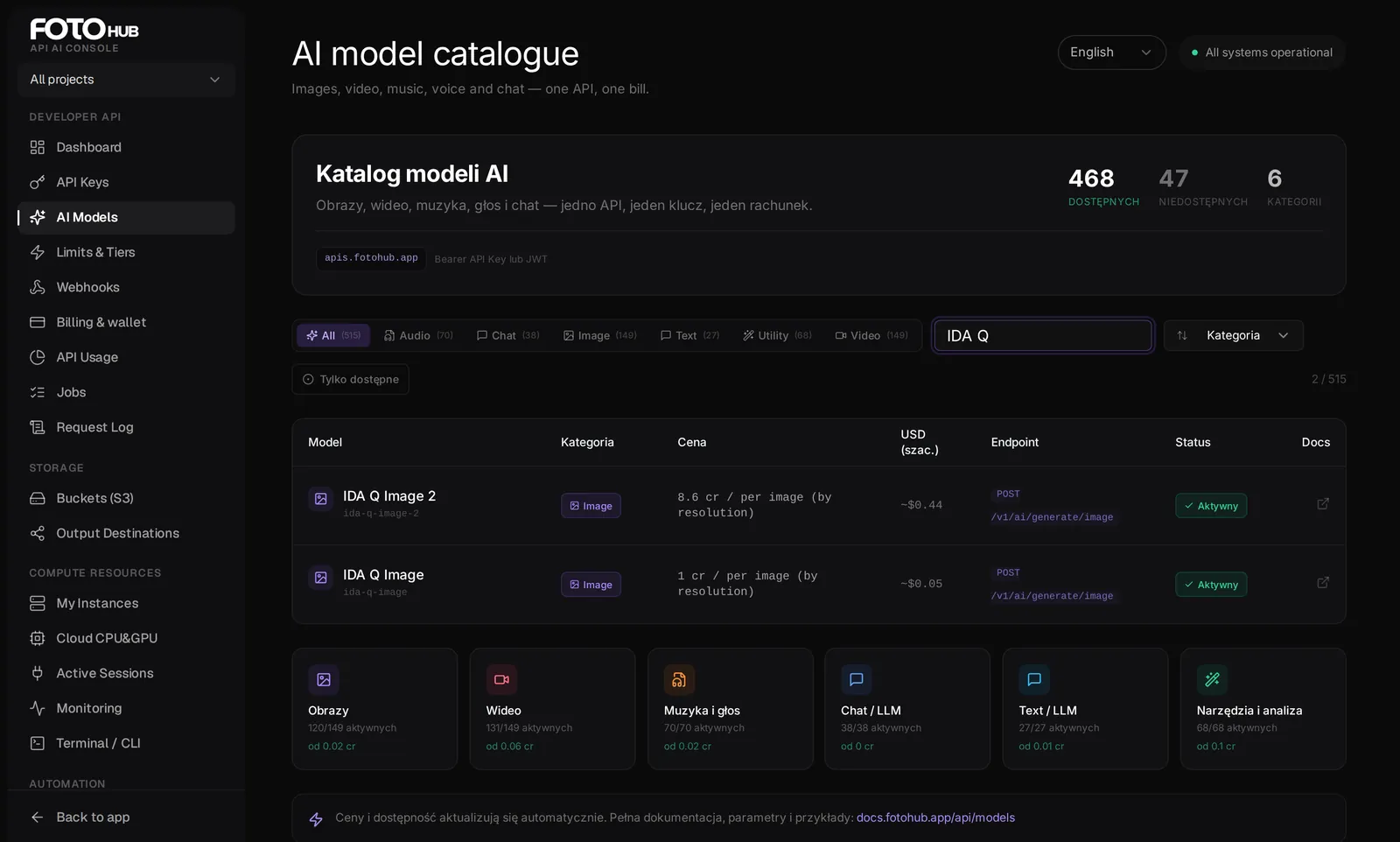
Never hard-code a video model id. The catalogue changes, and a model that worked last week can be switched off today. GET /v1/models?category=video returns every model with is_active, request_price, price_unit (second for every video model) and request_price_per ("one second of output video"). Its features list tells you what the model accepts: t2v for text-to-video, i2v for animating an image, audio for a native soundtrack, reference for reference material.
curl -s "https://apis.fotohub.app/v1/models?category=video" \
  | jq -r '.models[] | select(.is_active) | "\(.request_price)\t\(.id)\t\(.features | join(","))"' \
  | sort -n | head -10
The ten cheapest active video models, price per second first. Pick an id from this list and export it as MODEL.
| Catalogue field | How to use it |
|---|---|
is_active | Skip models where it is false. A submit to an inactive model is not worth the attempt. |
request_price and price_unit | Price per second of output. For models whose metadata.pricing is per_second_per_resolution the rate depends on the resolution, so treat it as a starting point and quote with POST /v1/billing/estimate. |
Fall through when a model is down
A reliable client treats the catalogue as an ordered list of candidates. Sort the active text-to-video models by request_price, submit to the first, and move on after a 424, a 5xx or a 501: none of them created a job or charged you. Cap the attempts (the SDK examples below stop after eight), because every submit counts against your rate limit.
Generate a video and poll it
Set MODEL to an active text-to-video id from the catalogue first. The script submits, then polls every six seconds. Polling is free.
MODEL="${MODEL:?set MODEL to an active video model id from GET /v1/models?category=video}"

JOB=$(curl -s -X POST https://apis.fotohub.app/v1/ai/generate/video \
  -H "Authorization: Bearer $FOTOHUB_API_KEY" \
  -H "Content-Type: application/json" \
  -d "{\"model\": \"$MODEL\", \"prompt\": \"a green apple slowly rotating on a white studio table, soft light\", \"duration\": 5, \"aspect_ratio\": \"16:9\", \"resolution\": \"720p\"}")
echo "$JOB" | jq '{job_id, status, duration, cost_usd}'

ID=$(echo "$JOB" | jq -r .job_id)
while true; do
  R=$(curl -s "https://apis.fotohub.app/v1/ai/generate/video/$ID" -H "Authorization: Bearer $FOTOHUB_API_KEY")
  STATUS=$(echo "$R" | jq -r .status)
  echo "$STATUS $(echo "$R" | jq -r '.progress // 0')%"
  case "$STATUS" in completed|failed|cancelled) break;; esac
  sleep 6
done
echo "$R" | tee video-result.json | jq '{status, duration, resolution, video_url: (.video_url // "" | split("?")[0]), error}'
{
"job_id": "5808a189-6337-4a80-ad96-f197aca981f8",
"status": "completed",
"progress": 100,
"duration": 4,
"resolution": "1280x720",
"created_at": "2026-10-24T01:00:32.017135+00:00",
"completed_at": "2026-10-24T01:01:22.681+00:00",
"video_url": "https://s1.fotohub.app/storage/v1/object/sign/api-generations/.../video.mp4?token=..."
}A real completed job: a 4-second clip finished about 50 seconds after the submit. The rendered duration can differ from what you asked for.

| Field | Notes |
|---|---|
prompt | Required. |
model | An active video id from the catalogue. If you omit it, a default premium model is used, which is expensive: always set it. |
duration | Seconds. Models snap it to a length they actually render (some accept only a few fixed lengths), and the charge follows the snapped value. Read duration on the response, not your request. |
aspect_ratio | 16:9, 9:16, 1:1 |
resolution | 720p, 1080p or 4k, as far as the model supports it. Higher resolution costs more. The response shows the resolution that was rendered, and resolution_requested appears when it differs from what you asked. |
image_url | Animate a still image (image-to-video). Some models need it; the ones named like i2v do. |
- A
424or5xxon submit means no job exists. Nothing was charged. Try another model. - A job that later reports
failedhas anerrorand is refunded; polling it tells you so. - Send an
X-Idempotency-Keyheader per logical job while retrying a submit, so a lost response never starts a second render. A repeat of the same key and body within 24 hours returns the first answer withIdempotent-Replay: true, and a repeat while the first call is still running is a409.
A polling loop that survives real conditions
The bash loop is fine for a terminal. A service also needs a growing delay, a hard deadline and tolerance for a transient 429 or 5xx on the poll. Treat completed, failed and cancelled as final, and do not read progress as a heartbeat: in the real run it stayed 0 for the whole render and jumped to 100 at the end. A job stuck in processing for 20 minutes is marked failed and refunded by the poll route, and the long-clip family caps a job at 30 minutes, so a 30-minute deadline is generous.
import os
import time

import httpx

BASE = "https://apis.fotohub.app"
HEADERS = {"Authorization": f"Bearer {os.environ['FOTOHUB_API_KEY']}"}
FINAL = {"completed", "failed", "cancelled"}


def wait_for_video(job_id: str, timeout: float = 30 * 60) -> dict:
    deadline = time.monotonic() + timeout
    delay = 3.0
    with httpx.Client(base_url=BASE, headers=HEADERS, timeout=30) as http:
        while time.monotonic() < deadline:
            r = http.get(f"/v1/ai/generate/video/{job_id}")
            if r.status_code == 429 or r.status_code >= 500:
                delay = min(delay * 2, 30)  # transient: back off harder
            else:
                r.raise_for_status()
                job = r.json()
                if job["status"] in FINAL:
                    return job
                delay = min(delay * 1.5, 15)
            time.sleep(delay)
    raise TimeoutError(f"video job {job_id} still running after {timeout:.0f}s")
Python: grows from 3 to 15 seconds, backs off up to 30 on transient errors, and gives up at the deadline.
const BASE = "https://apis.fotohub.app";
const FINAL = new Set(["completed", "failed", "cancelled"]);
const sleep = (ms: number) => new Promise((resolve) => setTimeout(resolve, ms));

export async function waitForVideo(jobId: string, timeoutMs = 30 * 60_000) {
  const deadline = Date.now() + timeoutMs;
  let delay = 3_000;
  while (Date.now() < deadline) {
    const res = await fetch(`${BASE}/v1/ai/generate/video/${jobId}`, {
      headers: { Authorization: `Bearer ${process.env.FOTOHUB_API_KEY}` },
      signal: AbortSignal.timeout(30_000),
    });
    if (res.status === 429 || res.status >= 500) {
      delay = Math.min(delay * 2, 30_000); // transient: back off harder
    } else {
      if (!res.ok) throw new Error(`poll failed: ${res.status}`);
      const job = await res.json();
      if (FINAL.has(job.status)) return job;
      delay = Math.min(delay * 1.5, 15_000);
    }
    await sleep(delay);
  }
  throw new Error(`video job ${jobId} still running after ${timeoutMs / 1000}s`);
}
TypeScript: the same loop with fetch.
When the job ends in completed, download the file soon and store it yourself. video_url is signed and time-limited, and a later poll of the same job_id gives you a freshly signed address if you need one. When it ends in failed, the body carries error and refunded.
The same with an SDK
Both SDKs submit and poll for you, and this version walks down the cheapest models so a down provider does not stop you.
import httpx

from fotohub import FotoHub, FotoHubError

client = FotoHub()

# Read the live catalogue and try active text-to-video models from the cheapest up.
# A model that is down answers 424 "not charged", so falling through to the next costs nothing.
catalogue = httpx.get("https://apis.fotohub.app/v1/models", params={"category": "video"}, timeout=30).json()["models"]
needs_input = ("i2v", "kf2v", "r2v", "s2v", "vace")  # these also need an image or reference
candidates = sorted(
    (m for m in catalogue if m["is_active"] and not any(t in m["id"] for t in needs_input)),
    key=lambda m: m["request_price"],
)

for model in candidates[:8]:
    try:
        # generate_video submits the job and polls until it is finished (or raises).
        video = client.generate_video(
            "a green apple slowly rotating on a white studio table, soft light",
            model=model["id"],
            duration=5,
            aspect_ratio="16:9",
            resolution="720p",
        )
    except FotoHubError as error:
        print(f"{model['id']} unavailable: {error.message[:70]}")
        continue
    print(video["status"], video["video_url"])
    print("cost:", video.get("cost_usd"), "duration:", video.get("duration"))
    break
import { FotoHub, FotoHubError } from "fotohub";
const client = new FotoHub({ apiKey: process.env.FOTOHUB_API_KEY! });
// Read the live catalogue and try active text-to-video models from the cheapest up.
// A model that is down answers 424 "not charged", so falling through to the next costs nothing.
const needsInput = ["i2v", "kf2v", "r2v", "s2v", "vace"]; // these also need an image or reference
const candidates = (await client.listModels("video"))
.filter((m) => m.is_active && m.request_price !== null && !needsInput.some((t) => m.id.includes(t)))
.sort((a, b) => a.request_price! - b.request_price!);
for (const model of candidates.slice(0, 8)) {
try {
// generateVideo submits the job and polls until it is finished, or throws.
const video = await client.generateVideo({
prompt: "a green apple slowly rotating on a white studio table, soft light",
model: model.id,
duration: 5,
aspect_ratio: "16:9",
resolution: "720p",
onProgress: (job) => console.log(job.status, job.progress ?? 0),
});
console.log(video.status, video.video_url);
break;
} catch (error) {
if (!(error instanceof FotoHubError)) throw error;
console.log(`${model.id} unavailable: ${error.message.slice(0, 70)}`);
}
}A first video on the cheapest working model
Goal. Get one short clip of a rotating apple and see what a job costs before you build anything bigger.
Input you can copy.
Prompt: "a green apple slowly rotating on a white studio table, soft light". Duration 5, aspect ratio 16:9, resolution 720p. Five candidates from the catalogue were tried.Why it works. Four of the five answered 424 with "Your wallet was not charged for this request"; the fifth returned job_id and status: processing with cost_usd 0.12 for a 4-second clip. The poll then reported processing for about 50 seconds and completed with the video_url. Those are figures from one real call, not a price list: your model and day will differ.
The long-clip family and its extra controls
One family of video models answers 202 Accepted with a poll_url and accepts a much wider set of parameters. Its clips are longer and can use reference material. If a model returns 202, these fields apply to it:
| Field | Meaning |
|---|---|
duration | Seconds within the model's range; clamped and billed as clamped |
resolution, aspect_ratio | A value the model does not support is a 400, never a silent downgrade, because the price scales with it |
generate_audio | A native soundtrack, which can change the rate |
image_url, last_frame_url | First and final frame |
reference_images, reference_videos, reference_audios | Up to 9 images, 3 videos and 3 audio files as references (audio needs at least one image or video) |
asset_ids | Pre-registered portrait assets, for face consistency |
callback_url | An HTTPS URL that receives the finished job once, with the same body as the poll route; retried a few times on a non-2xx answer |
seed, negative_prompt | Recorded on the job |
The 202 body carries more than the other models give you: estimated_seconds (a measured hint for sizing your poll interval, from about 40 seconds for a short low-resolution clip to several minutes for a long 1080p one), poll_url, generate_audio, aspect_ratio and queue_position when the job has to wait. There is no cancel call for these jobs: the response reports can_cancel: false, so choose duration and resolution before you submit.
Reusable portrait assets
A plain URL of a real person's photo is often rejected by the provider's face checks. Register the portrait once and reuse it. Upload the file with POST /v1/photos/upload first, because image_url must be an HTTPS address on a FOTOhub host. Registration is free. Pass retention_hours (1 to 8760) and the asset deletes itself after that time, which keeps biometric data around only as long as you need it; without it the face stays until you remove it. The response gives asset_id, uri (asset://...), status and expires_at. Use either the uri or the bare id in asset_ids.
curl -s -X POST https://apis.fotohub.app/v1/ai/assets/register \
  -H "Authorization: Bearer $FOTOHUB_API_KEY" -H "Content-Type: application/json" \
  -d "{\"image_url\": \"$PORTRAIT_URL\", \"retention_hours\": 24}" \
  | jq '{asset_id, uri, status, expires_at}'
Register a portrait that deletes itself after 24 hours. Then pass its uri in asset_ids.
List your assets with GET /v1/ai/assets (limit up to 200, offset), read one with GET /v1/ai/assets/{id} and remove it with DELETE /v1/ai/assets/{id}. Another account's id answers 404, never 403.
Callback or poll
With callback_url FOTOhub posts the finished job to your server once it reaches a final state. The body is the same as the poll route, and a non-2xx answer is retried at 1, 2 and 4 seconds and then dropped. Because a dropped callback is not repeated, treat it as a shortcut and keep a slow poll as the safety net. Registered account-wide webhooks, signature checking and the event list are in the api-webhooks article.
Post-production on a finished video
The /v1/video/* endpoints transform a video you already have. They are synchronous, take a video_url and return an output_url plus cost_usd, so you can chain them. The URL points at a publicly readable file with a random name; copy it to your own storage if the clip is private.
SRC="https://static.fotohub.app/video-samples/3004.mp4"

# Slow it down to half speed.
curl -s -X POST https://apis.fotohub.app/v1/video/speed \
  -H "Authorization: Bearer $FOTOHUB_API_KEY" -H "Content-Type: application/json" \
  -d "{\"video_url\": \"$SRC\", \"speed\": 0.5}" | jq '{operation, cost_usd, output_url}'

# Re-encode to a smaller 480p file.
curl -s -X POST https://apis.fotohub.app/v1/video/transcode \
  -H "Authorization: Bearer $FOTOHUB_API_KEY" -H "Content-Type: application/json" \
-d "{\"video_url\": \"$SRC\", \"output_format\": \"mp4\", \"quality\": \"draft\", \"resolution\": \"480p\"}" | jq '{operation, cost_usd, output_url}'| Endpoint | Fields |
|---|---|
/v1/video/transcode | output_format mp4, webm, mov, gif or prores; codec; quality draft, standard, high or ultra (default high); resolution 480p to 4K |
/v1/video/speed | speed 0.1 to 10 (0.25 is four times slower); interpolation none, blend (default) or mci, the smoothest and slowest |
/v1/video/merge | 2 to 20 video_urls joined in order, with transition and transition_duration (0.1 to 3 seconds) |
/v1/video/stabilize | preset smooth, very_smooth, cinematic or action |
/v1/video/subtitles | Burns an SRT you supply (srt_content), with font, font_size, position. It does not transcribe. |
/v1/video/effects | preset vintage, noir, warm, cool, cinematic or hdr, or adjustments: brightness, contrast, saturation, hue, gamma, sharpen, blur, denoise |
/v1/video/watermark | A text watermark: text (up to 200 characters), position (corners, center or tiled), opacity 0.05 to 1 (default 0.3, quite faint), font_size, color white, black, red, yellow or gray. No image watermarks. |
/v1/video/upscale | scale 2 to 4; quality standard or pro (the pro tier is an asynchronous job on higher plans) |
/v1/video/ai-director | mode plan (a shot plan from a prompt, no file), remix (an edit plan for clips you pass) or advanced-remix (renders and returns output_url) |
What the real calls returned, all on the same 5.2-second source clip.
| Operation | Output length | File size | cost_usd |
|---|---|---|---|
| transcode (draft, 480p) | 5.2 s | 0.5 MB | 0.053591 |
| speed 0.5 | 10.3 s | 4.0 MB | 0.107181 |
| watermark | 5.2 s | 3.9 MB | 0.107181 |
| effects | 5.2 s | 2.4 MB | 0.107181 |
A slow-motion product loop
Goal. Turn a 5-second clip into a smooth 10-second slow-motion version with a watermark.
Input you can copy.
1. `speed` with `speed: 0.5` (the 5.2-second source came back 10.3 seconds long).
2. `watermark` with `text: "FOTOhub demo"`, `position: "bottom_right"`, run on the `output_url` of step 1. In the recorded run the watermark call was made on the original clip, so its output stayed 5.2 seconds; chaining just means you pass the previous `output_url`.
Why it works. Operations are billed per call and each answer says what it cost, so a pipeline can stop when it has spent its budget. Pass the previous output_url as the next video_url.
Lip-sync and other video routes
POST /v1/video/lip-sync takes a face video and an audio track and returns a video whose mouth follows the audio. List the engines with GET /v1/video/lip-sync/models: three tiers named FOTOhub Sync Fast, HD and Ultra, each with its price_usd_per_second, a maximum length and an available flag. The route checks that a face is present before it charges you. Send duration (billed per second, capped by the engine's maximum), enhance_face and output_format.
# 1. Pick an available lip-sync engine (names: FOTOhub Sync Fast, HD, Ultra).
curl -s https://apis.fotohub.app/v1/video/lip-sync/models -H "Authorization: Bearer $FOTOHUB_API_KEY" \
  | jq -r '.models[] | "\(.name)\t\(.id)\tavailable=\(.available)\t$\(.price_usd_per_second)/s"'
ENGINE=$(curl -s https://apis.fotohub.app/v1/video/lip-sync/models -H "Authorization: Bearer $FOTOHUB_API_KEY" \
  | jq -r '[.models[] | select(.available)][0].id')

# 2. A short recording to lip-sync to.
AUDIO_URL=$(curl -s -X POST https://apis.fotohub.app/v1/ai/generate/speech \
  -H "Authorization: Bearer $FOTOHUB_API_KEY" -H "Content-Type: application/json" \
  -d '{"text": "Hello, this is a lip sync test.", "model": "ida-voice", "language": "en"}' | jq -r .audio_url)

# 3. Face video + audio in, lip-synced video out. Billed per second of output.
curl -s -X POST https://apis.fotohub.app/v1/video/lip-sync \
  -H "Authorization: Bearer $FOTOHUB_API_KEY" -H "Content-Type: application/json" \
  -d "{\"video_url\": \"$FACE_VIDEO_URL\", \"audio_url\": \"$AUDIO_URL\", \"model\": \"$ENGINE\", \"duration\": 3}" \
| jq '{operation, duration_billed_seconds, cost_usd, detail}'| Tier | Longest clip | Working resolution | State when tested |
|---|---|---|---|
| FOTOhub Sync Fast | 60 s | 512x512 | available |
| FOTOhub Sync HD | 30 s | 1024x1024 | available: false, temporarily_unavailable |
| FOTOhub Sync Ultra | 120 s | up to 4K | available |
- The call is synchronous. The server waits up to ten minutes for the engine, so give your HTTP client a timeout above that and expect the finished video in the response, not a job to poll.
- Billing follows the
durationyou send, not the length of your files. Without it the route assumes 5 seconds, bills at least 1 second and never more than the engine's maximum. The answer showsduration_billed_seconds. - Engines can be switched off. The list shows
available: falseand a reason, and calling one answers an uncharged 503 with aRetry-Afterheader. Pick from the list instead of hard-coding. - An unknown model id or a video without a detectable face answers
422(invalid_modelorno_face) withcharged: false. If the engine fails after the charge, the charge is refunded.
Shorts: one long video in, several clips out
POST /v1/shorts/clips turns a long video into short clips in one job: it downloads, transcribes, picks and scores the moments, reframes, captions, removes filler and renders. It answers 202 at once. Poll GET /v1/shorts/clips/{job_id}, stream GET /v1/shorts/clips/events, or pass webhook_url. The price is one flat charge per job, not per clip, because the video decides how many clips it yields.
| Field | Notes |
|---|---|
source_url, source_type | A public video URL; source_type is url, youtube, upload or fh_library and is detected from the URL if you omit it |
max_clips, min_duration, max_duration | 1 to 30 clips (default 10); clip length 5 to 180 s minimum (default 15) and 10 to 300 s maximum (default 60). The maximum must exceed the minimum or the call is a 400. |
aspect_ratio, caption_style | 9:16 (default), 1:1, 4:5 or 16:9; caption styles such as hormozi (default), clean, karaoke, minimal or none |
webhook_url, webhook_secret, reference | An HTTPS endpoint told when the job moves; a secret of at least 8 characters signs the payload as HMAC-SHA256 in X-FotoHub-Signature; reference is your own id, echoed in every payload |
curl -s -X POST https://apis.fotohub.app/v1/shorts/clips \
  -H "Authorization: Bearer $FOTOHUB_API_KEY" -H "Content-Type: application/json" \
  -d '{"source_url": "https://example.com/talk.mp4", "max_clips": 5, "aspect_ratio": "9:16", "caption_style": "clean", "reference": "talk-042"}' \
  | jq .
Five vertical, captioned clips from one talk. A rejected webhook URL is refunded straight away with a 400.
Around the job you also have GET /v1/shorts/clips to list jobs, POST /v1/shorts/clips/{job_id}/cancel to stop one, GET /v1/shorts/clips/webhook-deliveries to see what was sent to your endpoint and POST /v1/shorts/clips/webhook-test to try an endpoint first. Helper routes for captions, scene detection, reframing and transcription live under /v1/shorts/. The headless video editor (projects, timeline operations, render) is also exposed to assistants through the MCP server, and the SDKs wrap it too.
A pipeline: generate, finish, lip-sync
Real products chain these calls. The pattern is always the same: every step returns the URL of its result and its own cost_usd, you pass that URL on, and you keep a running total so the chain can stop before it overspends.
BUDGET_USD = 1.00

with httpx.Client(base_url=BASE, headers=HEADERS, timeout=120) as http:
    def post(path: str, **body) -> dict:
        r = http.post(path, json=body)
        r.raise_for_status()
        return r.json()

    job = post("/v1/ai/generate/video", model=MODEL, duration=5, resolution="720p",
               prompt="a green apple slowly rotating on a white studio table, soft light")
    spent = job["cost_usd"]
    done = wait_for_video(job["job_id"])
    if done["status"] != "completed":
        raise RuntimeError(done.get("error", done["status"]))

    url = done["video_url"]
    for path, extra in (("/v1/video/speed", {"speed": 0.5}),
                        ("/v1/video/watermark", {"text": "FOTOhub demo"})):
        if spent >= BUDGET_USD:
            break
        step = post(path, video_url=url, **extra)
        url, spent = step["output_url"], spent + step["cost_usd"]

print(url, round(spent, 6))
Generate, slow down, watermark, with a budget check between steps. Costs come from each response, never from a table in your code.
A talking product video
Goal. Take a spokesperson clip, give it new spoken audio and make the mouth follow it, without paying for a tier that is down.
| Setting | Value |
|---|---|
| 1. Audio | A speech clip from the audio API (see the api-audio article) |
| 2. Engine | First entry of GET /v1/video/lip-sync/models with available: true |
Why it works. At test time the Fast and Ultra tiers were available and HD was not, so a hard-coded HD id would have returned an uncharged 503. In the listing then, Fast was priced at 0.003 USD per second, so a 4-second take would be about 0.012 USD; read the rate from your own listing.
Plan the cost before you submit
Video is priced per second of output, so cost is rate x seconds, and two things move the result: the duration the model actually renders, and for some models the resolution or an audio track. Each charge is shown in four places: GET /v1/models and GET /v1/pricing before you run, the cost_usd on the submit response (and on the poll route of the long-clip family) after, and POST /v1/billing/estimate for a quote that does not need a job.
curl -s -X POST https://apis.fotohub.app/v1/billing/estimate \
  -H "Authorization: Bearer $FOTOHUB_API_KEY" -H "Content-Type: application/json" \
  -d "{\"operations\": [{\"type\": \"generate_video\", \"model\": \"$MODEL\", \"duration\": 8, \"resolution\": \"720p\"}]}" \
  | jq '{total_usd, priced, sufficient, balance_usd}'
Quote an 8-second render. Add a count for several renders of the same length, or more entries to price a whole batch (up to 100).
sufficientanswers the question you really have: can the prepaid wallet cover this? An operation without a published rate comes backpriced: falsewith a reason andamount_usd: null, never as 0, andtotal_usdthen covers only the priced parts.- Duration snapping changes the bill. Providers render only lengths they support, the route normalises your
durationbefore it charges, and the charge follows the length that renders. In the real call the response saidduration: 4and billed for 4 seconds. Quote with a duration the model really renders. - When the output length depends on a source clip (for example editing a reference video), the job is charged at the model's ceiling and the poll that sees the finished render gives back the difference, with
refunded_usdandbilling_settlementin the answer. - Free: polling, asset registration, listing lip-sync engines. Per call: each
/v1/video/*operation. Per second: lip-sync. Per job: a shorts clip job.
Errors and refunds
| Answer | Meaning | Charged? | What to do |
|---|---|---|---|
400 | Missing prompt, a duration that is not a positive number, an unknown model id, or (long-clip family) an unsupported resolution or ratio | No | Fix the request. An unknown id lists the supported ones in the message. |
424 | The provider failed, or its key is not configured | No, the message says so | Try the next model in your list. |
501 | The model exists but is not yet open to the public API | No | Choose another model. |
status: failed | The render failed after the job was accepted. The body has error and refunded. | Refunded once, however often you poll | Resubmit, possibly on another model. |
422 / 503 | Lip-sync: invalid_model, no_face, or temporarily_unavailable (with Retry-After) | No | Pick an available engine or a clip with a visible face. |
Refunds are automatic and need nothing from you. Repeated polling of a failed job pays it back once. If you use registered webhooks, a generation.refunded event tells you a reversal happened; the api-webhooks article lists it. Wallet balance, rate limits and the shared error envelope are covered in the api-errors-limits article.
Checklist and troubleshooting
Before you go to production
- Read the catalogue at run time, filter on
is_active, and keep an ordered fallback list instead of one model id. - Send an
X-Idempotency-Keyon every submit that you may retry. - Poll with backoff and a deadline, and treat
completed,failedandcancelledas final. - Download and store
video_urlyourself; do not persist the signed address. - Set a budget in any chain of paid steps and stop when the running total reaches it.
- For lip-sync, set an HTTP timeout above ten minutes and choose the engine from the live list.
- How long does a video take?
- A 4-second clip finished in about 50 seconds in testing. Longer clips and higher resolutions take longer; the long-clip family reports
estimated_secondson submit. Plan for minutes, not seconds, and set your deadline accordingly. - Do I pay if the video fails?
- No. A failed job is refunded automatically, and a submit that errors was never charged.
- Why is a model missing from my Jobs tab?
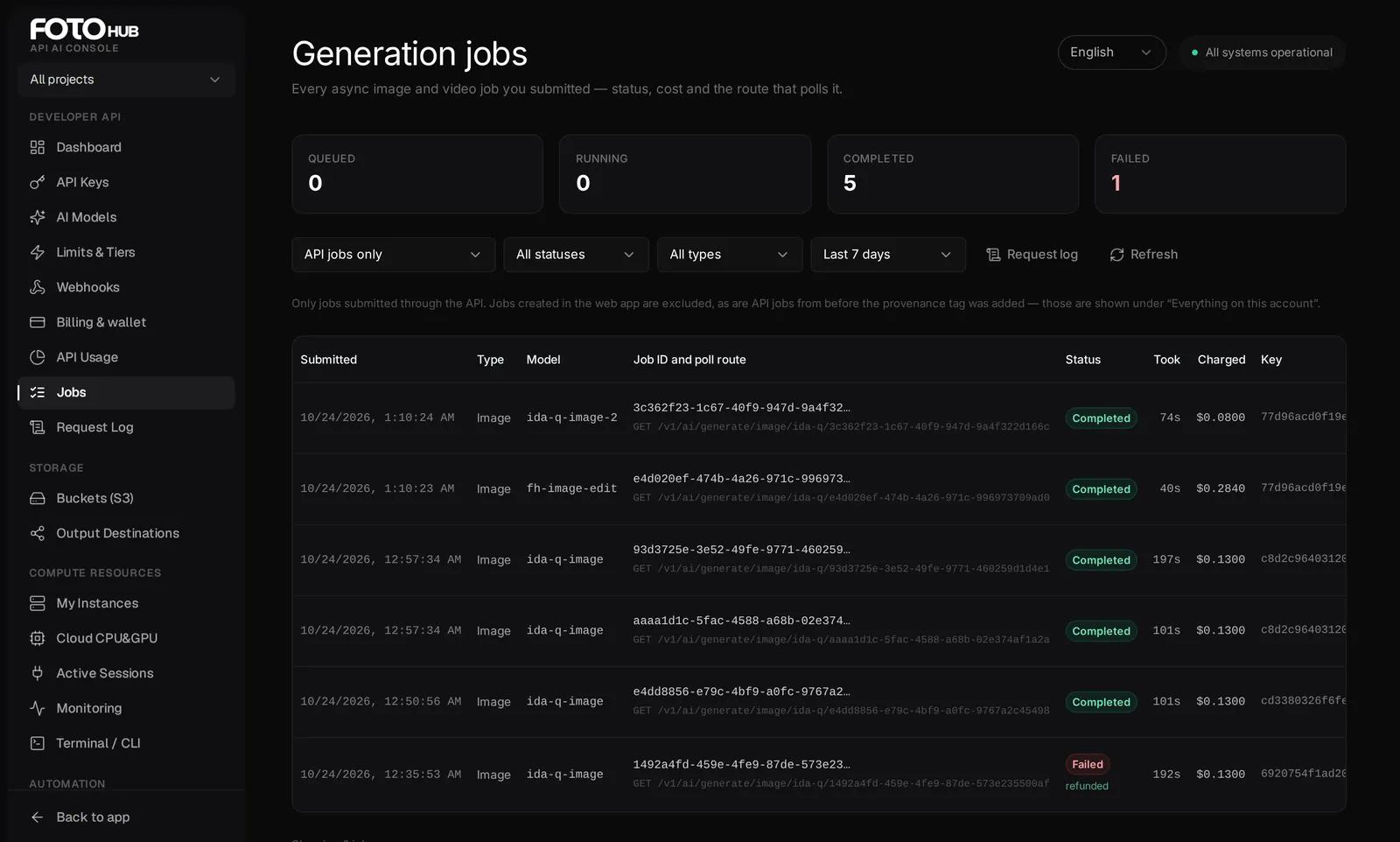
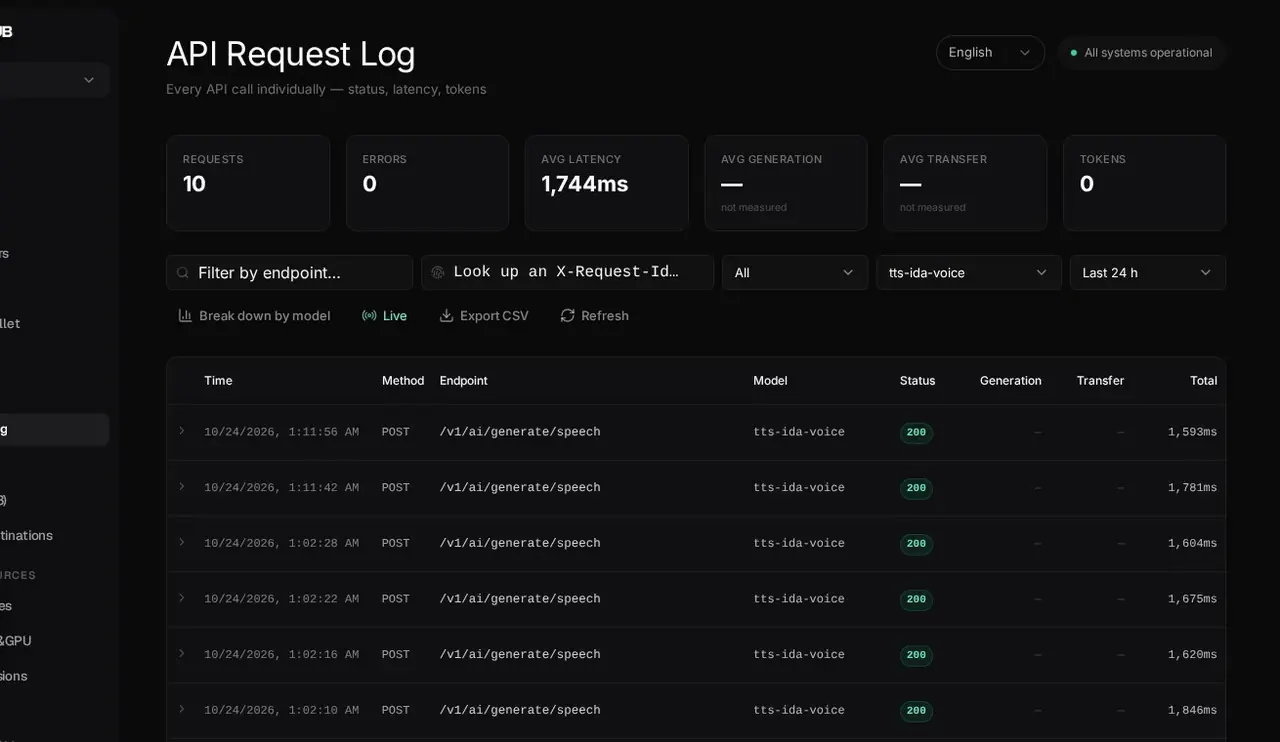
- The Jobs tab lists the long-clip family and image jobs. Other video models appear in the Request Log, and you poll them by
job_id. - My poll says
processingwith progress 0 for minutes. Is it stuck? - Not necessarily: for some models
progressonly moves at the end. Keep polling until your deadline. A job stillprocessingafter 20 minutes is markedfailedand refunded by the poll route. - Where do I read next?
- The api-webhooks article for callbacks and signatures, api-errors-limits for rate limits and the error envelope, api-images for making the first frame, api-audio for the speech you lip-sync to, and sdk-python or sdk-typescript for the typed clients.