Python SDK: complete guide
Install fotohub, call every part of the API from sync or async Python, handle typed errors and retry safely.
Install and first call
The official Python package is called fotohub (version 1.11.0 at the time of writing). It needs Python 3.9 or newer, depends only on httpx and pydantic, and ships type hints. It is a thin layer over the REST API: every method maps to one endpoint, so anything you read in the other API articles applies here too.
pip install fotohubCreate an API key in the console (see the API keys guide) and export it. The client reads FOTOHUB_API_KEY by itself, so no secret has to appear in your code.
export FOTOHUB_API_KEY="fh_live_your_key_here"from fotohub import FotoHub
client = FotoHub() # reads FOTOHUB_API_KEY from the environment
result = client.generate_image(
"a single green apple on a white studio backdrop, soft light",
model="seedream-5-0-260128",
aspect_ratio="1:1",
)
# generate_image returns a plain dict, not an object: use subscripts.
print(result["images"][0]["url"])
print(result["cost_usd"], result["currency"])
print(result["billing"]["balance_usd"])Your first call
Client options
from fotohub import FotoHub

client = FotoHub(
    api_key="fh_live_...",   # or set FOTOHUB_API_KEY
    base_url=None,           # default https://apis.fotohub.app (or FOTOHUB_BASE_URL)
    timeout=120.0,           # seconds per request
    max_retries=3,           # transient failures: 429, 5xx, network errors
)| Option | Default | Meaning |
|---|---|---|
api_key | FOTOHUB_API_KEY | The fh_live_ key |
base_url | FOTOHUB_BASE_URL or https://apis.fotohub.app | Point at a proxy or a test double |
timeout | 120.0 | Seconds per HTTP request. Raise it for slow synchronous models |
max_retries | 3 | Total attempts per call, so 1 means no retry. Covers 429, 5xx and connection errors, with exponential backoff |
One client, closed properly
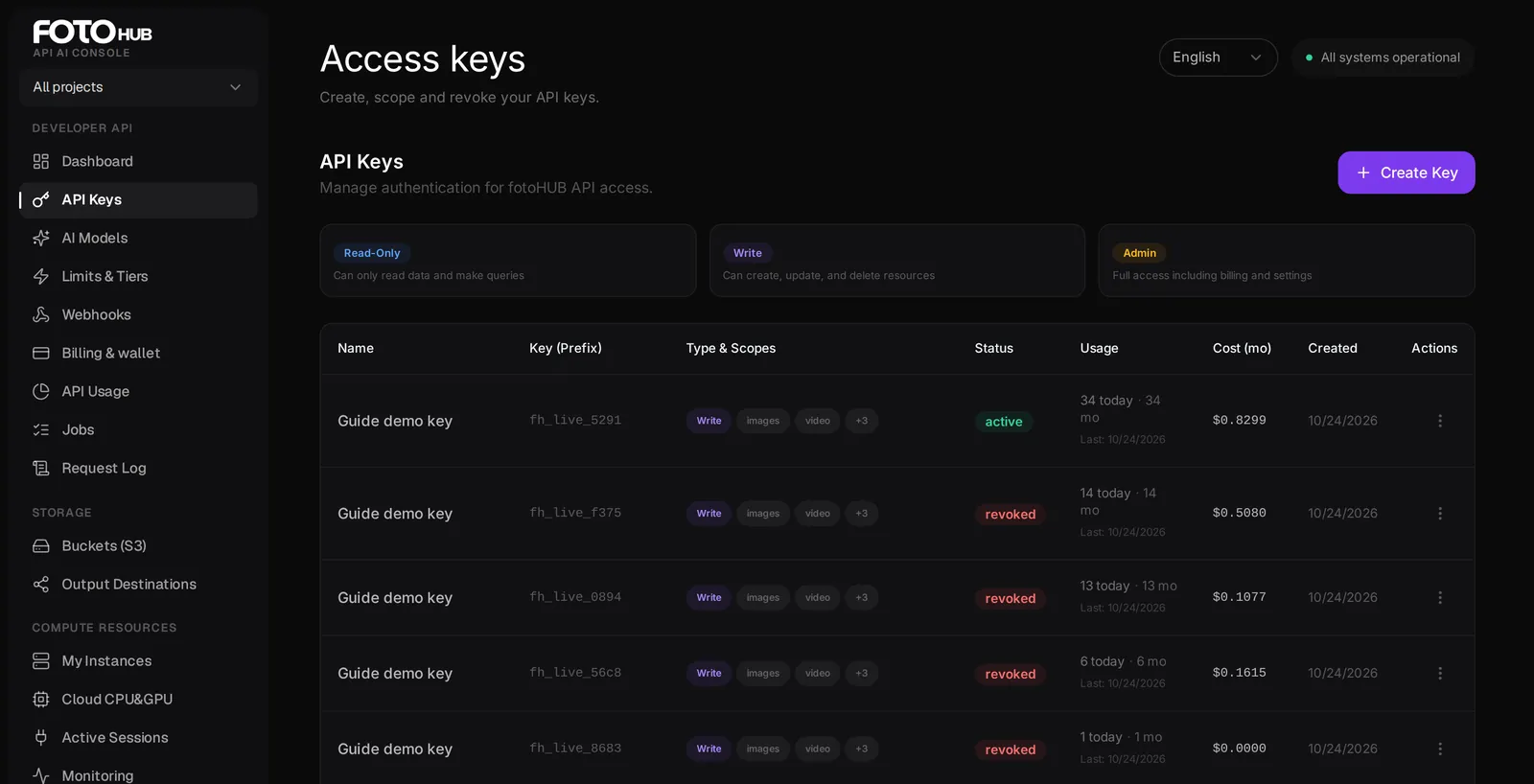
A client owns an HTTP connection pool, so create it once and reuse it. Use it as a context manager (with FotoHub() as client:) or call client.close() at shutdown. Create one key per service: the keys list in the console shows usage and cost per key, so you see which service spent what.
What comes back
Because results are dictionaries, the key names are the contract. These are the shapes seen on real calls. Every paid response carries cost_usd, currency and a billing block (cost_usd, balance_usd, method), so one logging helper can cover all methods.
| Call | Keys you will use |
|---|---|
generate_image | images (a list of objects, each with url), model, cost_usd, billing, usage |
generate_ida_q | images (a list of plain URL strings), job_id, cost_usd, billing, metadata |
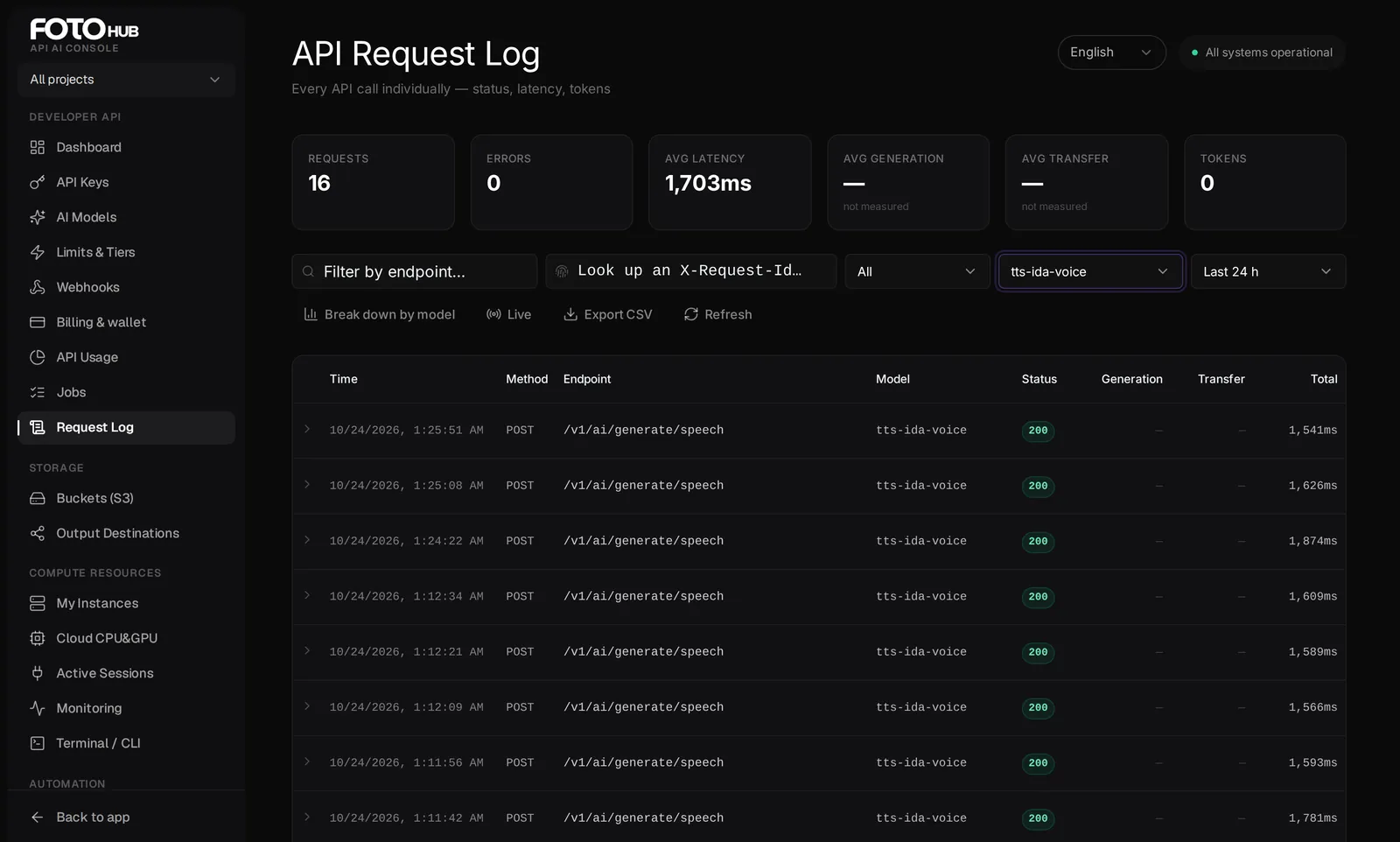
generate_speech, generate_sfx | audio_url, cost_usd, billing; speech also has characters_processed |
transcribe | text (a formatted report), language, duration, minutes_billed, cost_usd |
analyze_image | The features you asked for at the top level (labels, colors, ...), auto_tags, features_analyzed, cost_usd |
chat | choices[0]["message"]["content"], usage, cost_usd, billing["legs"] (input and output tokens priced separately) |
{
  "currency": "USD",
  "billing_model": "prepaid_wallet_usd",
  "total_usd": 0.063,
  "balance_usd": 82.0447,
  "sufficient": true,
  "priced": true,
  "breakdown": [
    { "type": "image", "model": "seedream-5-0-260128", "count": 2, "unit": "per_piece", "amount_usd": 0.063 }
  ]
}
estimate_cost for two images, trimmed, from a real call. Prices change, so treat the numbers as an example.
Images
generate_image(prompt, *, model, width, height, aspect_ratio, num_images, image_size, negative_prompt, style, seed) calls POST /v1/ai/generate/image. num_images is whole numbers 1 to 8 and is billed per image the provider actually delivers; if it returns fewer, the difference is refunded automatically. image_size (1K, 1.5K, 2K, 3K, 4K) is priced: leave it out and the model's 1K rate applies.
IDA Q, the asynchronous image model
FOTOhub's own image model queues, so it has a dedicated helper. generate_ida_q submits the job, polls it every poll_interval seconds and returns the finished result, or raises when the job fails or timeout passes. A failed job is refunded automatically.
from fotohub import FotoHub

client = FotoHub()

# IDA Q is asynchronous; the SDK submits the job and polls until it finishes.
result = client.generate_ida_q(
    "a ceramic coffee mug on a wooden table, warm morning light, shallow depth of field",
    aspect_ratio="4:3",
    image_size="1K",
    poll_interval=3.0,
    timeout=300.0,
)

print(result["images"][0])
print(result.get("cost_usd"))image_sizeis1K(about 30 seconds),1.5K(about 90 seconds) or2K(about 3.5 minutes).3Kand4Kare accepted but capped at2K.num_imagesis 1 or 2; higher values are clamped to 2 before billing.- The status endpoint is rate-limited per account, and the default
poll_interval=3.0spends 20 requests a minute on it. For2Krenders or several concurrent jobs, raise the interval (10 seconds is plenty) and thetimeout(300 seconds by default).
Editing and cut-outs
edit_image(image_url, prompt, *, mode="inpaint", mask_url=None)edits an image. The endpoint knows the modesinpaint,outpaint,bgswapandremove; an unknown mode falls back toinpaint.stability_tools()lists the advanced editing tools andstability_run(tool_id, image_base64, ...)runs one. The convenience wrappers (stability_inpaint,stability_search_replace,stability_recolor,stability_upscaleand others) take base64 strings, not URLs.
Video
Video models differ a lot in price and speed, and the model list changes. Instead of hard-coding an id, read the catalogue and choose. generate_video submits the job and polls until it is finished (poll_interval, default 5 seconds, and timeout, default 900 seconds), and raises FotoHubError when the job fails (the charge is refunded) or the SDK TimeoutError when the timeout passes, though the job itself may still finish.
import httpx

from fotohub import FotoHub, FotoHubError

client = FotoHub()

# Read the live catalogue and try active text-to-video models from the cheapest up.
# A model that is down answers 424 "not charged", so falling through to the next costs nothing.
catalogue = httpx.get("https://apis.fotohub.app/v1/models", params={"category": "video"}, timeout=30).json()["models"]
needs_input = ("i2v", "kf2v", "r2v", "s2v", "vace")  # these also need an image or reference
candidates = sorted(
    (m for m in catalogue if m["is_active"] and not any(t in m["id"] for t in needs_input)),
    key=lambda m: m["request_price"],
)

for model in candidates[:8]:
    try:
        # generate_video submits the job and polls until it is finished (or raises).
        video = client.generate_video(
            "a green apple slowly rotating on a white studio table, soft light",
            model=model["id"],
            duration=5,
            aspect_ratio="16:9",
            resolution="720p",
        )
    except FotoHubError as error:
        print(f"{model['id']} unavailable: {error.message[:70]}")
        continue
    print(video["status"], video["video_url"])
    print("cost:", video.get("cost_usd"), "duration:", video.get("duration"))
break- Video is billed per second of output, so a 5-second clip costs five times the model's per-second price. Check
price_unitin the catalogue. durationis snapped to a length the model really renders, and the charge follows the snapped value. Readdurationon the result, not your request.- If a model is down the API answers
424and says the wallet was not charged. CatchFotoHubError, wait and try another model. generate_seedance(...)andregister_video_asset(...)cover the long-clip family and portrait assets for face consistency.generate_seedancepolls every 10 seconds for up to 1800 seconds by default.
Polling helpers and their timeouts
| Helper | Interval / timeout | On failure or timeout |
|---|---|---|
generate_ida_q | 3 s / 300 s | FotoHubError (job failed), TimeoutError |
generate_video | 5 s / 900 s | FotoHubError (failed or cancelled), TimeoutError |
generate_seedance | 10 s / 1800 s | same as generate_video |
wait_for_tryon(job_id) | 3 s / 120 s | FotoHubError (failed or cancelled), TimeoutError. A partly failed outfit counts as success: check metadata["partial_failure"] |
wait_for_video_job(job_id) | 3 s / 1800 s | VideoJobFailedError, VideoJobTimeoutError |
Two more rules. generate_3d is synchronous and returns the finished model (file_id, a signed url, stats), so there is nothing to poll; wait_for_3d is deprecated, and get_3d_status(file_id) only mints a fresh download link after the first one expires. Also, TimeoutError in this package is fotohub.TimeoutError, a subclass of FotoHubError, not the built-in. Import it by name.
Video projects and editing
The SDK also wraps the headless video editor, which edits the same document as the browser editor. Free steps: create_video_project, apply_video_ops (up to 40 operations per request), digest_video_project, lint_video_project, get_video_project. Paid steps: render_video_project (per output minute), capture_video_project (flat fee), auto_edit_video_project and the detection calls (detect_video_scenes, detect_video_silence, detect_video_beats, transcribe_video). With wait=True the render and auto-edit calls poll for you; without it they return a queued job for wait_for_video_job or get_video_job.
from fotohub import FotoHub

client = FotoHub()

project = client.create_video_project(
    title="Teaser",
    aspect="16:9",
    media=[{"url": "https://example.com/clip.mp4"}],  # public HTTPS; FOTOhub copies it
)
project_id = project["projectId"]
print(project["editorUrl"])  # the same project opens in the browser editor

print(client.get_video_ops_catalog())  # the schema of every operation apply_video_ops accepts
print(client.lint_video_project(project_id))  # free: gaps, overlaps, clipping

job = client.render_video_project(project_id, format="mp4", quality="standard", wait=True)
print(job["outputUrl"])
A project from creation to render. Only the render is paid.
When the browser editor or another script may touch the same project, read saveRev and pass it to apply_video_ops as expected_save_rev. If the project moved on, nothing is written and SaveConflictError carries the current revision. Setting it also lets the client retry safely after a timeout; without it a timeout or 5xx on apply_video_ops is not retried, because the batch may already have been saved.
from fotohub import SaveConflictError

try:
    client.apply_video_ops(project_id, ops, expected_save_rev=rev)
except SaveConflictError as error:
    rev = error.current_save_rev  # re-read the project, re-apply your operations on top
Audio, speech and analysis
from fotohub import FotoHub

client = FotoHub()

speech = client.generate_speech(
    "Welcome to FOTOhub. This is a short speech test.",
    model="ida-voice",
    language="en",
)
print(speech["audio_url"], speech["cost_usd"])

text = client.transcribe(speech["audio_url"], language="en")
print(text)
Speech and transcription
generate_speech(text, *, voice_id, model, language, speed, pitch)is billed per 1,000 characters of input. The defaultlanguageis"pl", so pass your own, and passmodelexplicitly as the snippet does.speedis 0.5 to 2.0 andpitchis -10 to 10 semitones.transcribe(audio_url, *, language="auto")is billed per started minute of input and returns the transcript as a text report, with the detected language, the duration andminutes_billed. A 2.6-second clip was billed as one minute in our test.generate_sfx(prompt, *, duration=5)makes a sound effect of 1 to 30 seconds;generate_music(...)exists, but check the model'sis_activefirst because music providers change.analyze_image(image_url, *, features, language, max_labels, min_confidence)takes a public URL up to 20 MB. Valid features arelabels,objects,faces,nsfw,colors,ocr,landmarksandlogos; an unknown name is rejected with 400. Ask for everything you need in one call. Faces and safety return likelihood buckets (VERY_UNLIKELYtoVERY_LIKELY), not numbers.
from fotohub import FotoHub

client = FotoHub()

# 1. What would this cost? Quoting is free.
estimate = client.estimate_cost([{"type": "image", "model": "seedream-5-0-260128", "count": 2}])
print("estimated:", estimate["total_usd"], "sufficient:", estimate["sufficient"])

# 2. Analyse an image by URL.
analysis = client.analyze_image(
    "https://static.fotohub.app/home/hero/fashion-coral-photo-520.webp",
    features=["labels", "colors"],
)
print([label["name"] for label in analysis.get("labels", [])])

# 3. Where does my money stand?
balance = client.get_balance()
print("balance:", balance["wallet"]["balance_usd"], balance["wallet"]["currency"])
Analyse an image, quote a price, read the balance
Billing, usage and webhooks
| Method | Returns |
|---|---|
get_balance() | Wallet balance, pending amount, spend this month |
get_pricing(), list_models(category=None) | The public rate table and the catalogue |
estimate_cost(operations) | A free quote for a list of planned operations |
get_transactions(page=1, page_size=50, type_filter=None) | Wallet movements: charges, refunds, top-ups. page_size is at most 100; type_filter takes charge, topup, refund or bonus |
get_invoices(), set_overage_limit(hard_limit_usd) | Invoices and a spending cap. 0 removes the cap, leaving the wallet balance as the only limit |
Webhook management needs a Write or Admin key. create_webhook returns the signing secret once; see the webhooks guide for verifying deliveries.
from fotohub import FotoHub

client = FotoHub()  # needs a Write or Admin key

hook = client.create_webhook(
    "Docs demo",
    "https://example.com/webhooks/fotohub",
    ["generation.completed", "billing.charged"],
)
print("secret shown once:", bool(hook.get("secret")), "id:", hook["id"])

print([h["name"] for h in client.list_webhooks()])
client.delete_webhook(hook["id"])
Method reference by area
Every method below exists on both FotoHub and AsyncFotoHub (the async client lacks only gabriel_stream). Parameters after * are keyword-only. Billing methods are in the table above.
| Area | Methods and key parameters | Returns |
|---|---|---|
| Images | generate_image(prompt, model, aspect_ratio, num_images, image_size), generate_ida_q(prompt, aspect_ratio, image_size, poll_interval, timeout), edit_image(image_url, prompt, mode, mask_url) | images, cost_usd, billing |
| Video | generate_video(prompt, model, duration, aspect_ratio, resolution, image_url), generate_seedance(...) | video_url, job_id, status, duration, cost_usd |
| Audio | generate_speech(text, voice_id, model, language), generate_sfx(prompt, duration), generate_music(prompt, ...), transcribe(audio_url, language) | audio_url, or text with minutes_billed |
| Text and vision | chat(messages, model), translate(text, target_language), enhance_prompt(prompt), analyze_image(image_url, features) | choices, usage; enhance_prompt returns a string |
| 3D | generate_3d(mode, model, image, prompt, quality, format), get_3d_status(file_id), list_3d_models() | file_id, url (signed, valid 2 hours), stats |
| Try-on | tryon(person_image_url, garment_image_url or garment_id, category, num_images), get_tryon_status, wait_for_tryon | job_id, status, poll_url; later images |
| Video projects | create_video_project, apply_video_ops, lint_video_project, render_video_project, get_video_job, wait_for_video_job | projectId, saveRev, editorUrl; jobId, outputUrl |
The async client
AsyncFotoHub has the same methods as FotoHub, awaitable, and works as an async context manager. Use it to run independent calls concurrently.
import asyncio

from fotohub import AsyncFotoHub


async def main() -> None:
    async with AsyncFotoHub() as client:
        # Independent requests run concurrently on one connection pool.
        balance, models = await asyncio.gather(
            client.get_balance(),
            client.list_models(category="image"),
        )
        print(balance["wallet"]["balance_usd"], len(models), "image models")


asyncio.run(main())Do not launch hundreds of calls at once. A semaphore keeps the number in flight at a level your key's rate limit tolerates, and return_exceptions=True lets you keep every success and report each failure:
import asyncio

from fotohub import AsyncFotoHub

PROMPTS = ["a red kettle", "a green bicycle", "a blue door", "a yellow umbrella"]


async def one(client, gate, prompt):
    async with gate:  # at most 4 requests in flight
        result = await client.generate_image(prompt, aspect_ratio="1:1")
        return result["images"][0]["url"]


async def main():
    gate = asyncio.Semaphore(4)
    async with AsyncFotoHub() as client:
        outcomes = await asyncio.gather(
            *(one(client, gate, prompt) for prompt in PROMPTS),
            return_exceptions=True,
        )
    for prompt, outcome in zip(PROMPTS, outcomes):
        print(prompt, "->", f"failed: {outcome}" if isinstance(outcome, Exception) else outcome)


asyncio.run(main())
Errors, retries and idempotency
from fotohub import (
    AuthError,
    FotoHub,
    FotoHubError,
    InsufficientFundsError,
    RateLimitError,
    ServerError,
    ValidationError,
)

client = FotoHub()

try:
    result = client.generate_image("a lighthouse at dusk", aspect_ratio="16:9")
    print(result["images"][0]["url"])
except InsufficientFundsError as e:
    # 402: nothing was charged. The wallet needs a top-up.
    print(f"Wallet too low: needs ${e.required_usd}, has ${e.balance_usd}. Top up: {e.topup_url}")
except RateLimitError as e:
    print(f"Slow down, retry after {e.retry_after} seconds")
except ValidationError as e:
    print("Fix the request:", e.message)
except AuthError:
    print("Check FOTOHUB_API_KEY: missing, malformed or revoked")
except ServerError as e:
    print("Engine problem, safe to retry later:", e.message)
except FotoHubError as e:
print(f"HTTP {e.status_code}: {e.message}")| Exception | When |
|---|---|
FotoHubError | Base class; has status_code, message, response_body, code, details. Also raised for statuses without a subclass, such as 404, 409 and 424 |
AuthError | 401 or 403: bad or revoked key, missing scope |
InsufficientFundsError | 402 (and a 403 payment-required): wallet too low. required_usd, balance_usd, shortfall_usd, topup_url; charged is always False |
RateLimitError | 429, with retry_after |
ValidationError | 400 or 422: fix the request. errors lists the failing fields when the API sends them |
ServerError, TimeoutError | 5xx, or the request timed out or could not connect |
SaveConflictError | 409 save-conflict on a video project; current_save_rev says where the project is now |
VideoJobFailedError, VideoJobTimeoutError | Raised by wait_for_video_job for video-project render jobs. refunded tells whether the charge came back |
When the API sends an error envelope, the exception carries a machine-readable e.code (such as save-conflict or media-not-found) and e.details. Branch on e.code, not on message text, which can change.
The client retries 429, 500, 502, 503, 504, timeouts and connection failures, and honours Retry-After. Delays start at half a second and double (0.5, 1, 2 seconds and so on, capped at 30), so with the default max_retries=3 a persistently failing call gives up after about a second and a half. Status 400, 401, 402, 403, 404 and 424 are never retried: repeating them cannot change the answer. Every charged request carries an X-Idempotency-Key that stays the same across the retries of one call, so a retried call is still charged once. Two separate calls always get two different keys.
Worked examples
Quote first, then generate
Goal. Make two images only if the wallet can cover them, and log what they cost.
Input you can copy.
`estimate_cost([{"type": "image", "model": "seedream-5-0-260128", "count": 2}])`, then `generate_image(..., num_images=2)`.Why it works. The quote is free and answered total_usd: 0.063 with sufficient: true in a real call. Branch on sufficient, the server's own verdict, instead of comparing numbers yourself. The real charge then appears as cost_usd and the new balance as billing["balance_usd"].
A failed IDA Q job costs nothing
Goal. Know what your code sees when a queued image job fails.
Input you can copy.
`client.generate_ida_q("...", image_size="1K")` on a job that the engine rejects at 97% progress.Why it works. On a real failed job the status endpoint answered status: failed with the error text "The model returned an empty image. You were not charged for it. (OUTPUT_INVALID)" and a billing block with refunded: true and refunded_usd equal to the charge. The SDK turns that into a plain FotoHubError whose message is the error text and whose status_code is None, because the failure came from the job, not from an HTTP status. Retrying with the same prompt is safe; the wallet is whole.
Running it in production
A small wrapper turns the SDK into the one place that knows your policy: quote, call, log the cost, and translate failures into your own errors. Everything it reads (sufficient, total_usd, cost_usd, billing["balance_usd"]) is a key from the real responses above.
import logging

import httpx

from fotohub import FotoHub, FotoHubError, InsufficientFundsError

log = logging.getLogger("images")
client = FotoHub(timeout=120.0)  # one client for the whole process


class ImageUnavailable(Exception):
    """What the rest of the application sees."""


def render(prompt: str, *, model: str) -> str:
    quote = client.estimate_cost([{"type": "image", "model": model, "count": 1}])
    if not quote["sufficient"]:
        raise ImageUnavailable(f"wallet cannot cover {quote['total_usd']} USD")
    try:
        result = client.generate_image(prompt, model=model)
    except InsufficientFundsError as error:
        raise ImageUnavailable(f"top up: {error.topup_url}") from error
    except (FotoHubError, httpx.HTTPError) as error:
        raise ImageUnavailable(str(error)) from error
    log.info("image model=%s cost_usd=%s balance_usd=%s", result["model"], result["cost_usd"], result["billing"]["balance_usd"])
    return result["images"][0]["url"]
A synchronous wrapper with a quote, typed error handling and a cost log line.
In a web service use the async client and create it once in the application's lifespan. This FastAPI endpoint maps the SDK's errors to honest HTTP answers; it was run against a local stub and returned 200, 503 and 502 for success, an empty wallet and a rejected request:
from contextlib import asynccontextmanager

from fastapi import FastAPI, HTTPException

from fotohub import AsyncFotoHub, FotoHubError, InsufficientFundsError, RateLimitError


@asynccontextmanager
async def lifespan(app: FastAPI):
    async with AsyncFotoHub(timeout=120.0) as fotohub:  # one pool per process
        app.state.fotohub = fotohub
        yield


app = FastAPI(lifespan=lifespan)


@app.post("/cover")
async def cover(prompt: str):
    try:
        result = await app.state.fotohub.generate_image(prompt, aspect_ratio="16:9")
    except InsufficientFundsError:
        raise HTTPException(503, "Image budget is used up")
    except RateLimitError as error:
        raise HTTPException(429, "Busy", headers={"Retry-After": str(int(error.retry_after or 5))})
    except FotoHubError:
        raise HTTPException(502, "Generation failed")
    return {"url": result["images"][0]["url"]}
Production checklist
- Read the key from the environment or a secret store, never from source code, and use a separate key per service.
- Log
cost_usd, the model andbilling["balance_usd"]on every paid call, and alert on a falling balance. - Download generated files or route them to your own storage before the signed link expires (about an hour).
Testing without spending money
There is no sandbox, and the client does not take an injected transport, so there are two honest options. For unit tests, intercept the HTTP layer: the SDK's own test suite uses pytest-httpx (a dev dependency in its pyproject.toml), which patches httpx globally, and the example below passed against 1.11.0. Alternatively set base_url to a small local server. For integration tests against the real API, quote with estimate_cost first and use the cheapest model.
import pytest

from fotohub import FotoHub, InsufficientFundsError


@pytest.fixture
def client():
    # max_retries=1 is a single attempt, so a failing stub answers at once.
    with FotoHub(api_key="test-key", max_retries=1) as c:
        yield c


def test_image_url(client, httpx_mock):
    httpx_mock.add_response(
        method="POST",
        url="https://apis.fotohub.app/v1/ai/generate/image",
        json={"images": [{"url": "https://example.com/a.png"}], "cost_usd": 0.03, "currency": "USD"},
    )
    assert client.generate_image("a lighthouse")["images"][0]["url"].endswith(".png")


def test_empty_wallet(client, httpx_mock):
    httpx_mock.add_response(
        status_code=402,
        json={"detail": {"message": "Insufficient funds", "required_usd": 0.03, "balance_usd": 0.0, "shortfall_usd": 0.03}},
    )
    with pytest.raises(InsufficientFundsError) as info:
        client.generate_image("a lighthouse")
    assert info.value.shortfall_usd == 0.03
Two unit tests with pytest-httpx. No network, no cost.
Limits and billing behaviour
- Where prices live:
list_models()(each model'srequest_priceandprice_unit),get_pricing(), a freeestimate_cost, and thecost_usdon every paid response. Do not copy prices into code; they change. - The account is a prepaid USD wallet. A request the wallet cannot cover is refused with
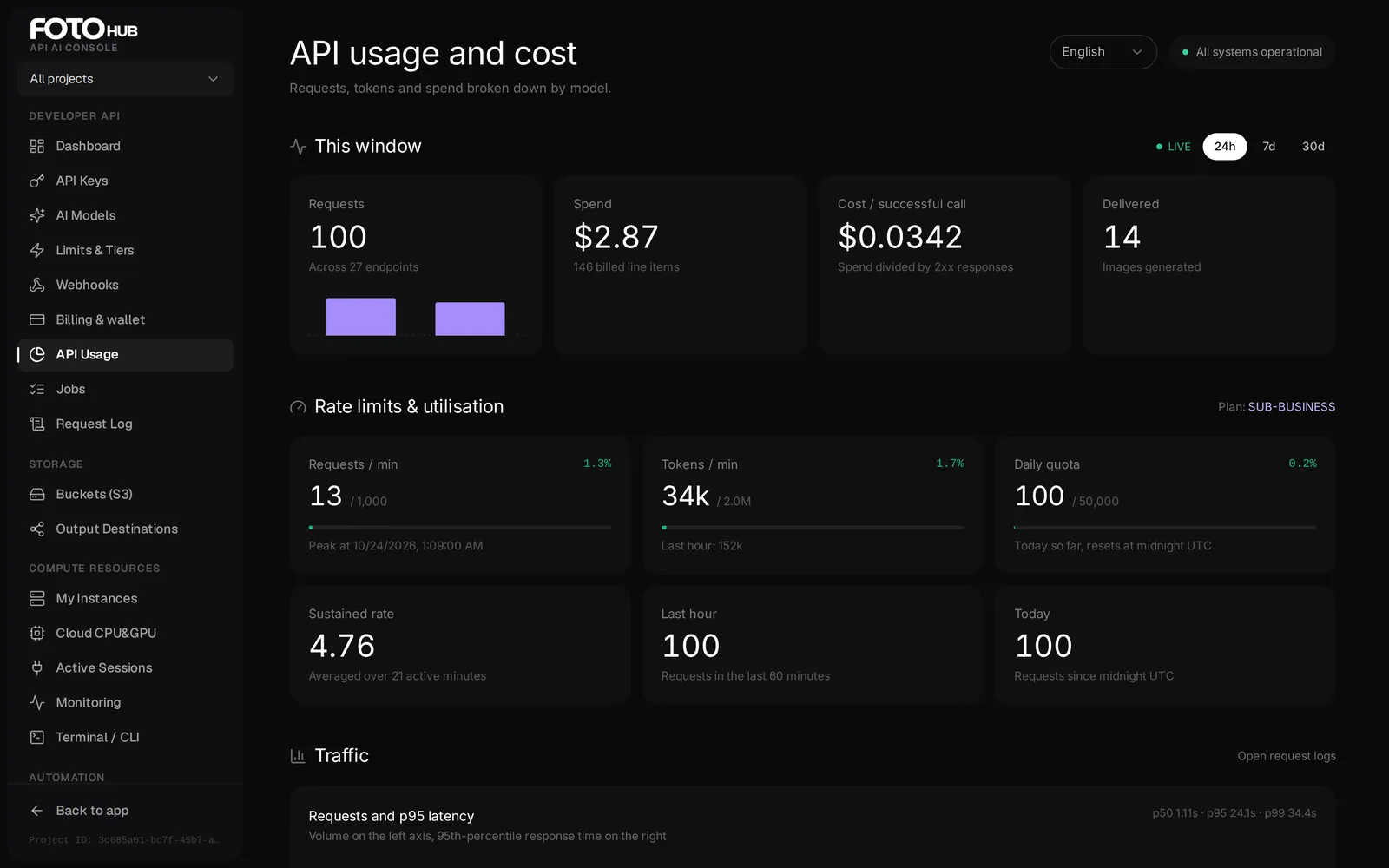
InsufficientFundsErrorand nothing is charged. - Queued jobs (IDA Q, try-on, long clips) are charged when you submit. A failed job is refunded; failed video-project renders refund too, and
VideoJobFailedError.refundedtells you. num_imagesis billed on what is delivered,generate_videoon the snappedduration,transcribeper started minute,generate_speechper 1,000 characters, andchaton real input and output tokens.- Generated files return as signed links that expire after about an hour, and the SDK methods have no
outputparameter. To keep results in your own storage, set the destination on the key (see the API keys guide) or download straight away.
Upgrading from older code
The API is prepaid in USD and has no credits, and several 1.x names still reflect the old model. They keep working, but new code should avoid them:
| Old | Use instead |
|---|---|
InsufficientCreditsError | InsufficientFundsError. The old name is the same class object, so an existing except InsufficientCreditsError still catches it. Removal is planned for the next major version |
e.credits_required, e.credits_available | e.required_usd, e.balance_usd, e.shortfall_usd |
get_credits(), get_plans() | get_balance(). get_credits returns the wallet; get_plans is always empty because there are no paid API plans |
result["credits_used"] | result["cost_usd"] |
wait_for_video, wait_for_3d | Read video_url from generate_video; use the generate_3d result directly |
chat(stream=True) | Not supported: raises ValueError before sending anything, so nothing is billed |
Troubleshooting
- Is there streaming chat?
chat(stream=True)raisesValueErroron purpose: the chat endpoint returns one complete answer. The agent stream endpoint is plain HTTP server-sent events with no SDK wrapper yet.- I get AuthError with "Missing Authorization header" or "Invalid API key".
- The first means the client found no key:
FOTOHUB_API_KEYis unset in that process, so noAuthorizationheader was sent. The second means a key was sent but is malformed or revoked. Printbool(client.api_key)to tell them apart, then check the key in the console. - A call with a wrong model id returns a 500 and takes a while.
- On a real call an unknown model answered 500 with "Pricing is not configured for ... your wallet was not charged". The SDK treats 5xx as transient, so it retried and then raised
ServerError. Check the id againstlist_models()before suspecting an outage. except TimeoutErrordoes not catch my timeout.- Without
from fotohub import TimeoutErrorPython resolves the built-in. Import the SDK class, or catchFotoHubError, which is its parent. - My video job timed out, was I charged?
- The job was charged when it was submitted and may still finish: the timeout only stops your polling. The error message gives the job id; poll
GET /v1/ai/generate/video/<job_id>or raisetimeout. If the job eventually fails, it is refunded.
Continue in the API errors and limits article for the full status table, the API keys article for scopes and per-key destinations, the webhooks article to replace polling, and the TypeScript SDK and CLI articles if part of your stack is not Python.