FOTOhub CLI: the API from your terminal
Install the fotohub command, sign in once, and generate images, video and speech, browse models, check your wallet and connect MCP from the command line or a script.
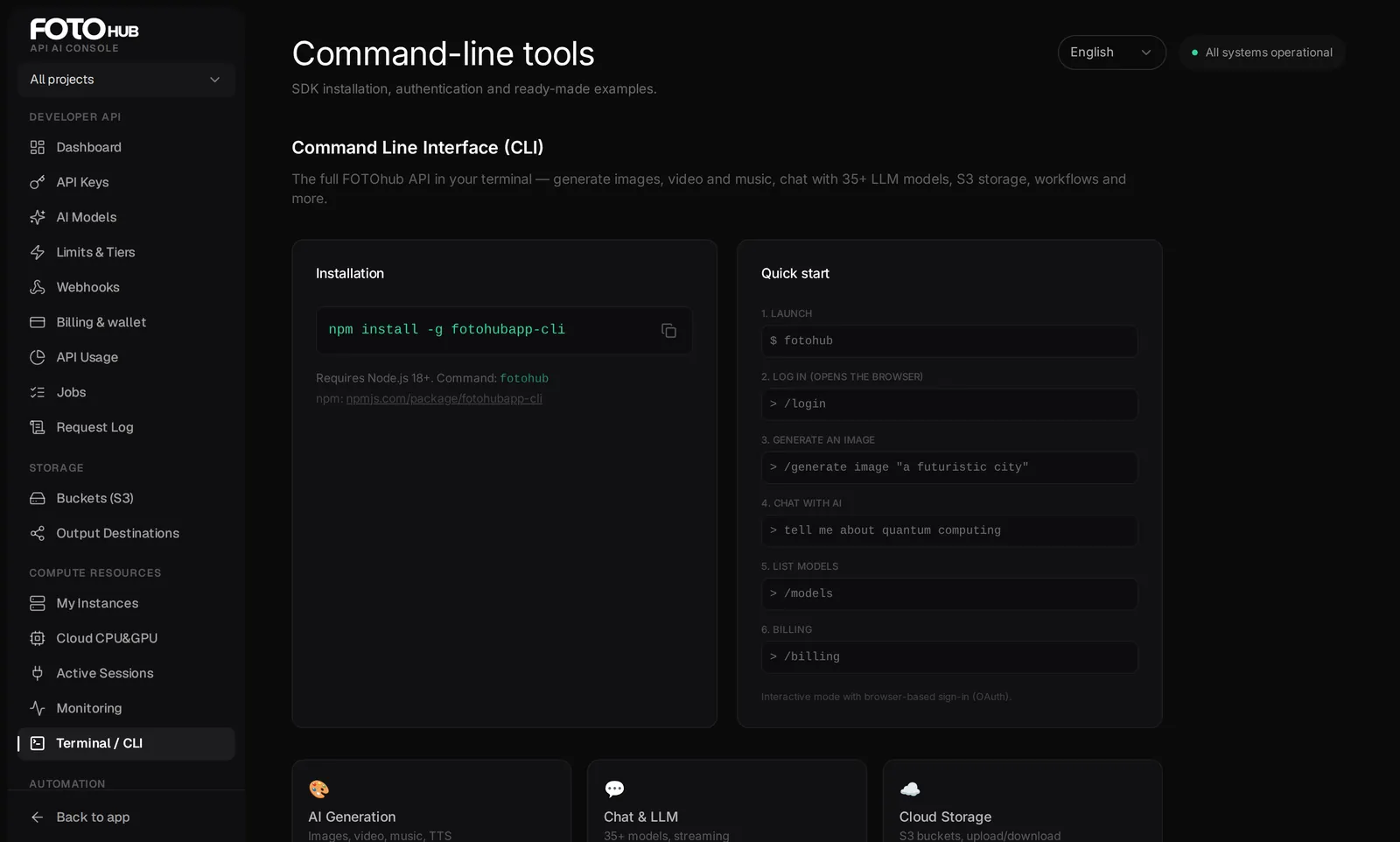
Install and sign in
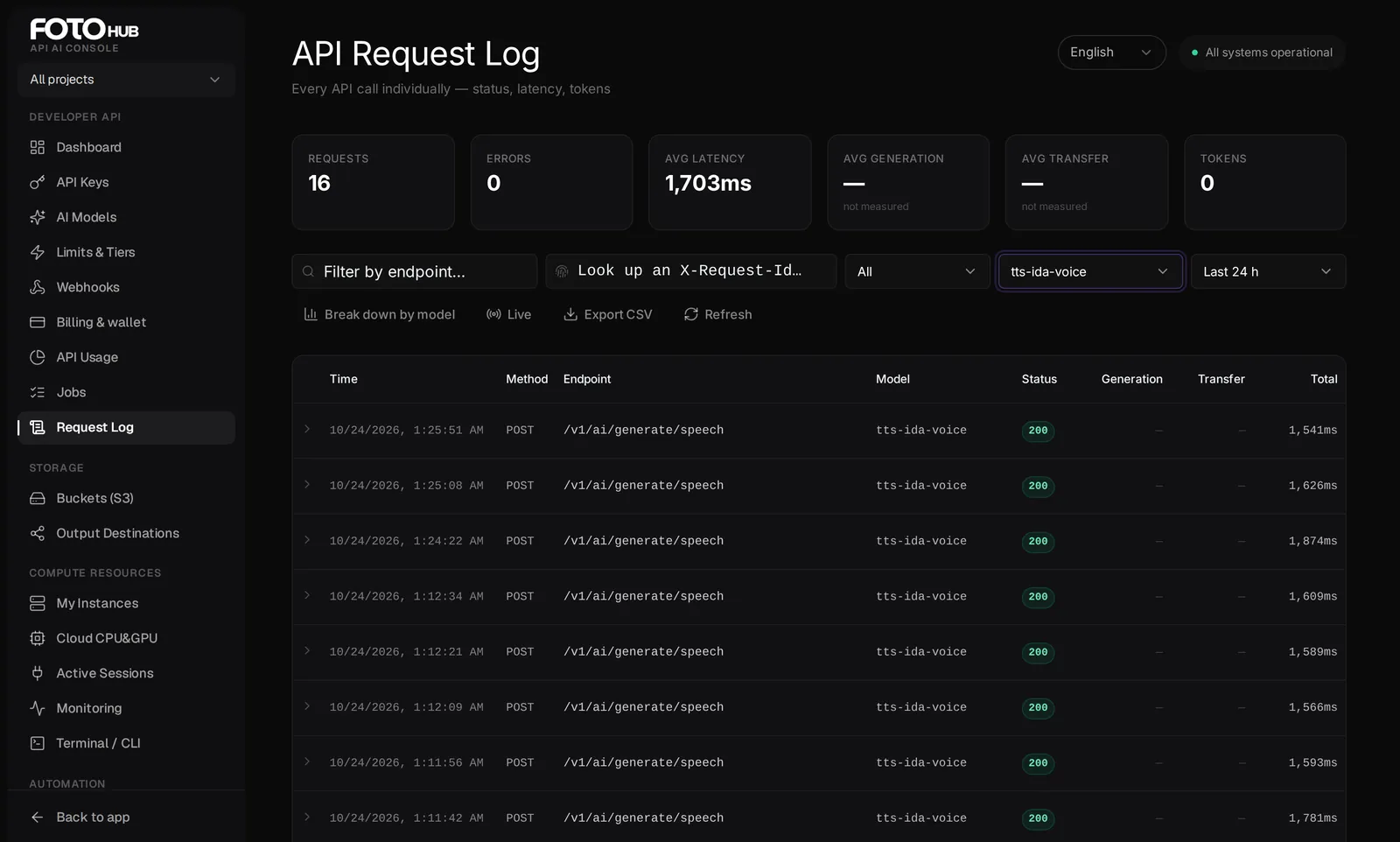
The command-line client is an npm package called fotohubapp-cli that installs a command named fotohub. It needs Node.js 20 or newer. It is a thin client of the same public API as the SDKs: every command is one or two HTTP calls to https://apis.fotohub.app, authenticated with your API key as a bearer token, so it spends from the same wallet and shows up in the same Request Log.
npm install -g fotohubapp-cli
fotohub --version
There are three ways to authenticate, in the order the client checks them: the --api-key flag, the FOTOHUB_API_KEY environment variable, and credentials stored by fotohub auth login. Use the first two in scripts and CI so nothing is written to disk.
# interactive: opens the browser and stores the credentials
fotohub auth login

# scripts and CI: no files written
export FOTOHUB_API_KEY="fh_live_your_key_here"
fotohub auth whoamiYour first five minutes
- Install and check the version Run
npm install -g fotohubapp-cli, thenfotohub --version. This guide was written against 2.3.0; the help text of your version (fotohub --help) is the final word on flags. - Sign in
fotohub auth loginopens your browser, you confirm, and the key is stored for you. On a machine without a browser runfotohub auth login --manualand paste a key from the API Keys tab, or skip storage and exportFOTOHUB_API_KEY. - Confirm who you are
fotohub auth whoamiprints the plan and a masked form of the key in use (the first twelve and last four characters). If it saysNo API key found, nothing from the list above is set. - Generate and save an image
fotohub generate image "a red cube on a white table" -o cube.pngcalls the image endpoint, prints the signed URL and writes the file. One image is one charge. - Look at what it cost
fotohub --json billing balance | jq '.wallet.balance_usd'prints the exact wallet balance in USD. The readablefotohub billing balanceview is less precise, see the troubleshooting section.
Where your credentials live
fotohub auth login never writes your key into a plain text file. The client first tries the operating-system keychain (service name fotohub-cli). Where no keychain is available, for example on a headless Linux server or in a container, it falls back to an encrypted file, ~/.fotohub/creds.enc (AES-256-GCM, mode 0600), whose key is derived from a salt stored next to it in creds.salt. Set FOTOHUB_CRED_PASSPHRASE before logging in and before every later run if you want a passphrase on top.
| Order | Source of the API key | Notes |
|---|---|---|
| 1 | --api-key <key> | This one call only |
| 2 | FOTOHUB_API_KEY | Wins over anything stored: a stale value here hides a fresh login |
| 3 | OS keychain | Written by auth login |
| 4 | ~/.fotohub/creds.enc | Encrypted fallback |
| 5 | apiKey in config.json | Legacy plain text from old versions: moved into secure storage on first use and removed from the file |
Everything else lives in the folder ~/.fotohub/ (mode 0700): config.json with the settings defaultModel and baseUrl (fotohub config set defaultModel <id> changes the model generate image uses when you pass no --model), and mcp.json with the MCP servers you registered. The API host is resolved as --base-url, then FOTOHUB_BASE_URL, then baseUrl in the config, then https://apis.fotohub.app. One exception: auth login with a key always validates it against the production host.
fotohub auth logout deletes the key from the keychain and the encrypted file and clears any legacy value. It does not revoke the key itself: do that in the API Keys tab (see the API keys guide) if the key left your machine. fotohub auth keys list and keys create [-n name] [-s scopes] manage keys from the terminal; a newly created key is printed once, so copy it at once. Accounts without API access are refused when minting a key.
The commands
| Command | What it does |
|---|---|
fotohub auth login | logout | whoami | keys list | keys create | Sign in, sign out, show the current user, list or create API keys |
fotohub generate image | video | 3d | music | speech <prompt> | Generate content. -o <path> saves the file; video and 3d wait for the job unless you pass --no-wait |
fotohub models list [--category c] | info <id> | Browse the catalogue and read one model's details |
fotohub billing balance | usage | history | Wallet balance, usage by endpoint and model, transactions |
fotohub chat send <message> | interactive | One-shot or interactive chat |
fotohub storage list | create | upload | download | ls | S3 buckets and objects |
fotohub workflow list | run <id> | status <id> | Run workflows and read their status |
fotohub mcp connect | add | list | remove | tools | serve | Connect MCP (see below) |
fotohub config set | get | list, fotohub status, fotohub completion <shell> | Settings, platform status, shell completion for bash, zsh or fish |
Options and defaults
| Command | Options (default) |
|---|---|
generate image <prompt> | -m/--model (the default named in --help, or defaultModel from the config), -W/--width (1024), -H/--height (1024), -n/--num (1), --aspect-ratio, --negative-prompt, --seed, -o/--output |
generate video <prompt> | -m/--model, -d/--duration (5 seconds), --aspect-ratio (16:9), --image <url> for image-to-video, -o/--output, --no-wait |
generate 3d | --mode image-to-3d | text-to-3d, -f/--file (input image), -p/--prompt, -m/--model, --format (glb), --quality (standard), -o/--output, --no-wait |
generate music <prompt> | -m/--model, -d/--duration (30 seconds, range 5 to 180), --instrumental, -o/--output |
generate speech <text> | -v/--voice, -l/--language (en), -o/--output |
chat send <message> | -m/--model, -s/--system, -t/--temperature (1), --no-stream |
models list | -c/--category (image, video, chat, audio, analysis), -p/--provider |
billing history | -l/--limit (20) |
storage upload <file> | -b/--bucket (required), -k/--key (file name), --content-type |
storage download <key> | -b/--bucket (required), -o/--output (the key's file name) |
storage ls <bucket> | -p/--prefix, -l/--limit (100) |
workflow run <id> | -i/--input (JSON text, or @file.json), --timeout (300 seconds). It always waits for the result. |
Generate
# an image from our own model, saved to a file
fotohub generate image "a ceramic coffee mug on a wooden table, warm morning light" \
  --model ida-q-image --aspect-ratio 4:3 -o mug.png

# a video; do not wait, collect it later from Jobs or the poll route
fotohub generate video "a green apple rotating on a white table" --duration 5 --no-wait
Run fotohub generate image --help for the list of model ids it knows; the live catalogue (fotohub models list) is always the authority, because ids and availability change. The client sends --model as you typed it and the API decides whether the id is valid and available.
Money from the terminal
fotohub billing balance
fotohub --json billing balance | jq '.wallet.balance_usd'
fotohub models info ida-q-image
models info matches the id exactly or as a substring and prints the first hit, so pass the complete id. It shows name, provider, category, status and description. It does not show a price: the Cost column of models list also prints - in 2.3.0. Prices are covered in the billing section below.
The interactive agent
Run fotohub with no command in a terminal and you get a full-screen chat instead of help text. The assistant can call the CLI's built-in tools (list models, wallet balance, bucket list, generate image, speech, video, music and 3D, usage summary, platform status) and the tools of any MCP server you registered, and shows each call inline. Slash commands include /model, /tools, /mcp, /usage, /export and /quit. The agent starts only when both input and output are a terminal and --json is absent, so a script that forgets its subcommand does not hang waiting for a chat.
Shell completion is built in: eval "$(fotohub completion bash)" in ~/.bashrc, the same with zsh in ~/.zshrc, or fotohub completion fish | source for fish. Without an argument the command guesses the shell from $SHELL.
Worked examples
One image, saved and priced
Goal. Generate a single image with the default model, keep the file, and read the exact cost from the response.
Input you can copy.
`fotohub generate image "a red cube on a white table" -o cube.png`, then the same prompt once more with `fotohub --json generate image "a red cube on a white table"`.| Setting | Value |
|---|---|
| Model | the default (no --model) |
| Size | 1024 x 1024 requested |
Why it works. The first run prints a line saying which model it is generating with, a success message, the signed image URL numbered #1, and Saved to cube.png. The JSON run, in a real call, returned cost_usd 0.0315 for one 1K-tier piece, billing.balance_usd with the wallet after the charge, a usage block with generation_ms and transfer_ms, and an images array whose first element holds the signed url. The 0.0315 is an example from one real call, not a price list. In the text view the same call printed Credits used: undefined: wallet accounts have no credit figure, so read the cost from --json.
A CI step that refuses to run on a low wallet
Goal. Stop a nightly pipeline before it generates anything if the wallet is under 5 USD.
Input you can copy.
`FOTOHUB_API_KEY` from the CI secret store and `fotohub --json billing balance | jq -e '.wallet.balance_usd >= 5'`.Why it works. jq -e exits with 1 when the expression is false, so the step fails without any extra if. The --json output carries wallet.balance_usd as a plain number (in one real run 79.907666), plus spend.this_month_usd and spend.monthly_limit_usd. Read the USD fields, not the text view: the text view labels the month's spend as PLN.
Scripting and CI
- Use
FOTOHUB_API_KEYfrom your CI secret store and--jsonso you can parse results withjq. - The exit code is 0 on success and 1 on any failure, so
set -escripts stop when a call is refused. There are no finer codes: an empty wallet, a bad key and a server error all exit 1. - In
--jsonmode a failure prints{"error": ..., "hint": ...}on stdout, so check the exit code before you pipe intojq. --jsonprints the response body without the API'ssuccesswrapper; a response that is a single list (such as the model list) comes out as a bare array.generate video --no-waitreturns once the job is accepted, and the charge is taken then. The text view suggestsfotohub generate video-status, but 2.3.0 has no such command: poll the route yourself, as in the third recipe below.- The CLI is a client of the same API as everything else: its calls appear in your console Request Log and spend from the same wallet.
#!/usr/bin/env bash
set -euo pipefail

# One product photo per line in prompts.txt, results in ./out
mkdir -p out
n=0
while IFS= read -r prompt; do
  [ -z "$prompt" ] && continue
  n=$((n + 1))
  fotohub generate image "$prompt" --model ida-q-image --aspect-ratio 1:1 \
    -o "out/$(printf '%03d' "$n").png" > /dev/null
done < prompts.txt

fotohub --json billing balance | jq '.wallet.balance_usd'
A small batch script. With set -e the loop stops at the first refused call, for example an empty wallet.
#!/usr/bin/env bash
set -euo pipefail

# Gate: fail the pipeline when the wallet is under 5 USD
fotohub --json billing balance | jq -e '.wallet.balance_usd >= 5' > /dev/null \
  || { echo "wallet below 5 USD, stopping" >&2; exit 1; }

# JSON mode: take the URL yourself and download it
res=$(fotohub --json generate image "a red cube on a white table" --model ida-q-image)
echo "$res" | jq '{model, cost_usd, balance_usd: .billing.balance_usd}'
curl -sS -o cube.png "$(echo "$res" | jq -r '.images[0].url')"
The image URL is signed and short-lived (about an hour in our test), so download it in the same job.
#!/usr/bin/env bash
set -euo pipefail

# Submit without waiting, then poll the job route (polling is free)
job=$(fotohub --json generate video "a green apple rotating on a white table" --duration 5 --no-wait | jq -r '.job_id')
while true; do
  curl -sS -H "Authorization: Bearer $FOTOHUB_API_KEY" \
    "https://apis.fotohub.app/v1/ai/generate/video/$job" > job.json
  case "$(jq -r '.status' job.json)" in completed|failed) break ;; esac
  sleep 6
done
jq '{status, video_url: (.video_url // "" | split("?")[0])}' job.json
Stops on completed or failed. Add a maximum number of rounds before you run it unattended.
Quote before a batch. A loop that generates a thousand images is a thousand charges, and the CLI asks nothing before it spends. The estimate route takes the operations you plan and answers with the total and whether the wallet covers it:
curl -s -X POST https://apis.fotohub.app/v1/billing/estimate \
  -H "Authorization: Bearer $FOTOHUB_API_KEY" \
  -H "Content-Type: application/json" \
  -d '{"operations": [{"type": "image", "model": "seedream-5-0-260128", "count": 2}]}' \
  | jq '{total_usd, sufficient, balance_usd}'
The real output of this call was a total of 0.063 USD for two images with the default model, with sufficient true.
Connect MCP from the CLI
Two commands bridge the CLI and the MCP world. fotohub mcp connect registers the FOTOhub MCP server inside the CLI with the key you are already using. It adds a server named fotohub that points at https://apis.fotohub.app/mcp/, saves the key as that server's bearer token in the credential store (not in mcp.json), and lists the tools it found. Running it again replaces the entry. It does not edit the config of desktop apps or editors: those you configure yourself, see the MCP server guide.
fotohub mcp serve goes the other way: it exposes your CLI session as a local stdio MCP server with ten built-in tools (list models, wallet balance, bucket list, generate image, speech, video, music and 3D, usage summary, platform status). Editors that only speak stdio can use it with this config:
{
  "mcpServers": {
    "fotohub": { "command": "fotohub", "args": ["mcp", "serve"] }
  }
}
fotohub mcp add <name> --url <url> [--token <t>] registers any other HTTP MCP server; the client refuses addresses that resolve to localhost or private networks. fotohub mcp add <name> --command <cmd> --args "..." registers a local command, and because that runs a program every time the server connects it asks for confirmation unless you pass -y. mcp list shows the entries, mcp tools <name> [--refresh] the announced tools and mcp remove <name> deletes one. The generating tools exposed by mcp serve are billed like the matching commands.
Limits and billing
Billing is the API's, not the CLI's. Every generating command is a normal paid call against your prepaid USD wallet; the CLI adds no discount, no confirmation and no dry run. Where you can see a price: the cost_usd field of the response (use --json), billing.balance_usd right after it, the estimate route shown above, and the public catalogue, which carries request_price and price_unit per model:
fotohub --json models list --category image \
| jq -r '.[] | select(.id == "ida-q-image") | [.id, .request_price, .price_unit] | @tsv'- A call the platform could not serve is not charged. In the test run where a speech request failed with a server error, the API said so explicitly: the wallet was not charged.
- A wallet that cannot cover a request answers 402
insufficient_funds; the CLI printsNot enough credits for this operation.with a hint to checkfotohub billing balance. At exactly zero the API answers 403 instead (api_access_required) and the CLI prints the server's message plus a hint about plan or key. The errors guide lists both. - There is no automatic retry. A 429 prints
Rate limit exceeded.and, when the server sends one,Retry after Ns.; wrap the call in your own backoff if you run many in parallel. - Waiting has a ceiling:
generate videopolls every 3 seconds for up to 6 minutes,generate 3dfor about 2 minutes,workflow runfor 300 seconds unless you set--timeout. When the CLI gives up waiting it does not cancel the job; keep the printed job or execution id. storage createcalls the storage purchase route (/v1/storage/s3/buy) with a size in GB, default 10. Read the S3 storage guide before you create a bucket from a script.
Troubleshooting
command not found: fotohubafter installing.- Your global npm bin directory is not on
PATH. Runnpm prefix -g, add itsbinfolder to yourPATH, or usenpx fotohubapp-cli. - "No API key found".
- Run
fotohub auth loginor setFOTOHUB_API_KEY. The message names both. - "Authentication failed" right after a fresh login.
- An old
FOTOHUB_API_KEYin your shell wins over the stored key. Runenv | grep FOTOHUB, unset it, or pass--api-keyto test a specific key. - The browser login hangs on a server.
- The login waits up to five minutes for a callback on a local port between 19280 and 19290 and prints the URL to open. On a remote or headless machine use
fotohub auth login --manual, or just setFOTOHUB_API_KEY. - "Could not decrypt local credential store".
- The encrypted file is tied to the machine and to
FOTOHUB_CRED_PASSPHRASE. After copying~/.fotohubto another host, or changing the passphrase, runfotohub auth logoutandfotohub auth loginagain. billing balancesays Plan: Free and shows an overage in PLN.- The text view is older than the USD wallet. It falls back to
Freewhen the response has no plan, and it prints the month's spend (a USD number) with a PLN label. The exact figures are infotohub --json billing balance:wallet.balance_usdandspend.this_month_usd.billing usagelikewise prints the 30-day spend once per currency. generate speechfails with "Server error (503)".- On the day we tested, the speech route answered
provider_unavailable("This tool is temporarily unavailable") and the wallet was not charged. Add--verboseto see the server's body on stderr, retry later, and checkfotohub status. Do not build a pipeline on speech through the CLI without a fallback. Credits used: undefinedafter an image.- A cosmetic leftover: wallet charges are reported in USD, not credits. Use
--jsonand readcost_usd.
Continue with the API keys guide to scope a key down before you put it in CI, the errors and limits guide for what each refusal means, the video API guide for the full polling loop, the TypeScript SDK or Python SDK guides when the work grows into an application, and the MCP server guide for connecting editors.