Public API quickstart: your first request
Go from an empty account to a generated image with curl, TypeScript or Python, and learn the two response shapes every endpoint uses.
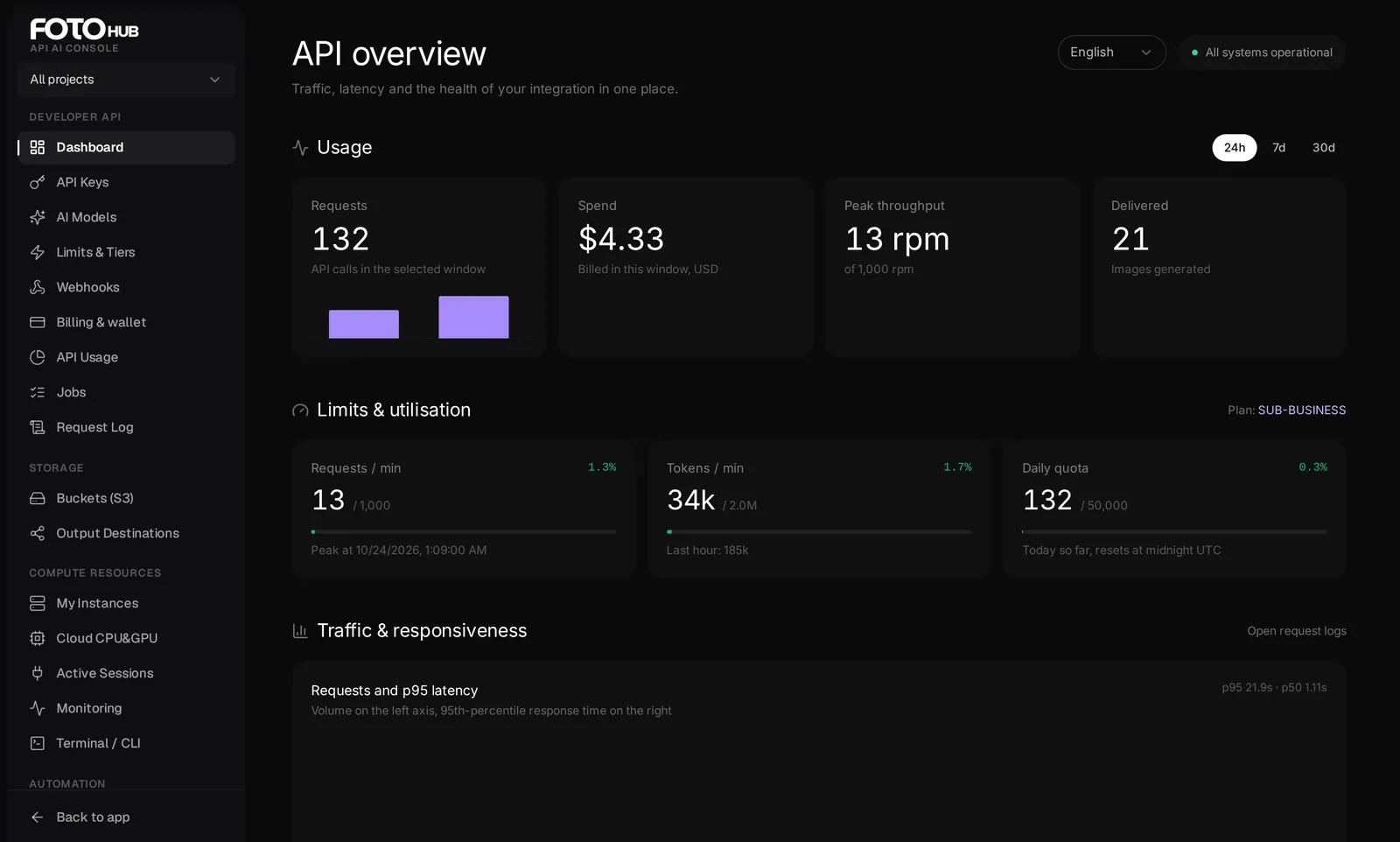
What the API gives you
The FOTOhub API is one HTTPS interface in front of images, video, audio, speech, analysis, 3D, chat and more. You authenticate with one key, you pay from one prepaid USD wallet, and every endpoint lives under one base URL:
https://apis.fotohub.app/v1/| Area | Main endpoints |
|---|---|
| Images | POST /v1/ai/generate/image, /v1/ai/edit/image, /v1/images/* |
| Video | POST /v1/ai/generate/video, /v1/video/* |
| Audio | /v1/ai/generate/speech, /sfx, /music, /v1/ai/transcribe |
| Vision and documents | /v1/ai/analyze/image, /v1/vision/*, /v1/ai/document/* |
| Account | /v1/models, /v1/pricing, /v1/billing/*, /v1/console/* |
Your first 15 minutes
The order matters more than the speed. Each step ends with a checkpoint, a thing you can see that tells you it worked, so a problem shows up one step after it was caused and not five. The rest of this guide is the detail behind each line.
- Fund the wallet and create a key A few dollars are plenty. Checkpoint: the key is on your clipboard and the console shows a balance above zero.
- Prove the key works Call the balance endpoint, the cheapest authenticated request there is. Checkpoint: you get your balance back as JSON and not a
401. - Pick a model from the catalogue Read
GET /v1/models, which needs no key. Checkpoint: you have one id withis_activeset to true, copied rather than typed. - Ask the estimator Quote the exact call you plan to make. Checkpoint:
sufficientis true and the total is a number you are happy to spend. - Send one synchronous request Generate a single image. Checkpoint: the answer holds a URL that opens the picture and a
cost_usdequal to the quote for one piece. - Run one asynchronous job Submit an IDA Q job and poll it. Checkpoint: you see
queued, thenprocessing, thencompleted, orfailedwithrefunded: true. Both endings are normal. - Find your calls in the Request Log Open Console → Request Log. Checkpoint: every call above is a row, with its status and timings.
Get a key and a funded wallet
- Fund the wallet Open Console → Billing & wallet (
/console/billing) and top up. A small amount is enough for this guide; the console shows the available balance, what you spent this month and the top-up options.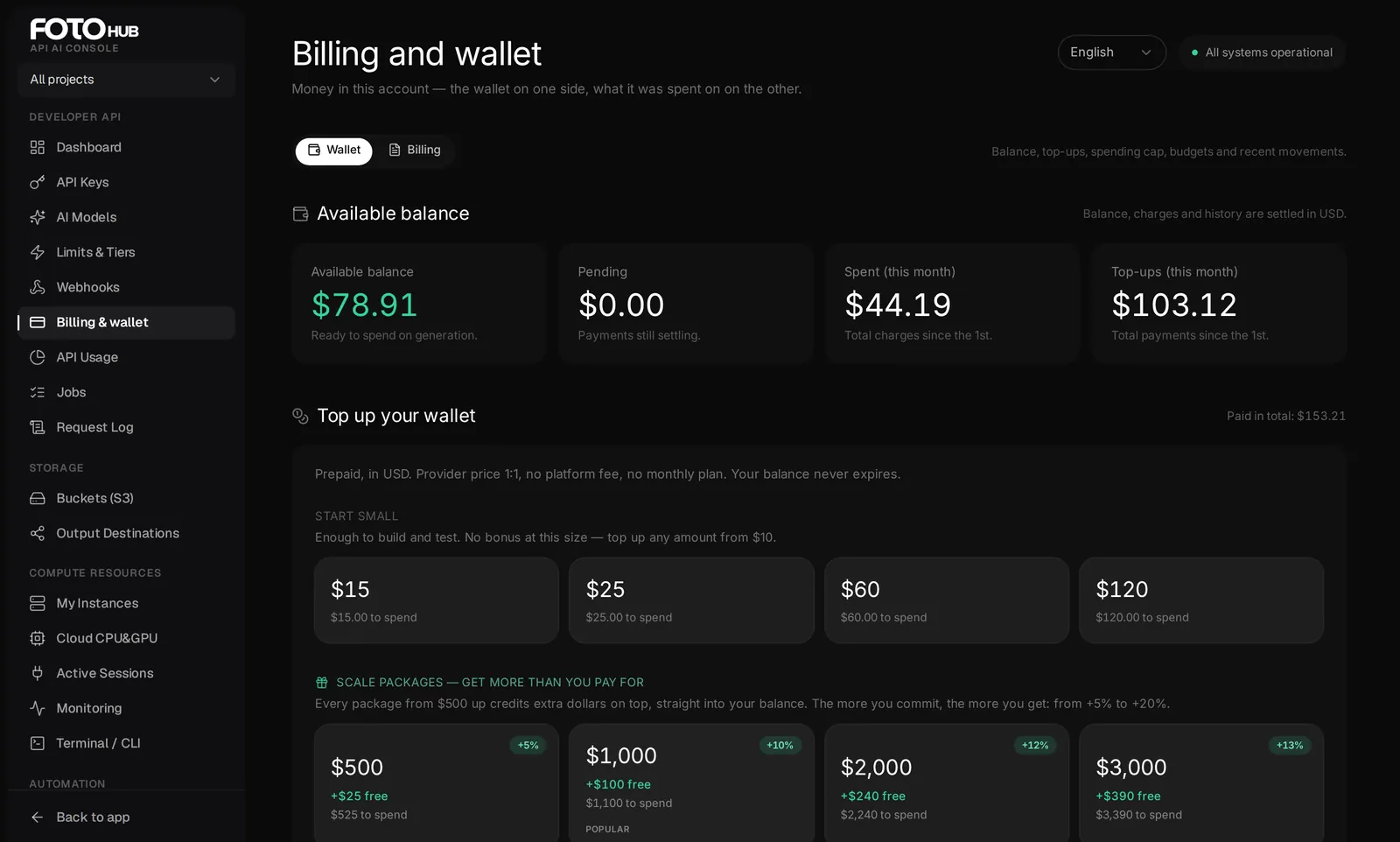
- Create an API key Open Console → API Keys, press Create Key, name it and copy the secret that appears once. The article on API keys explains types, scopes and limits.
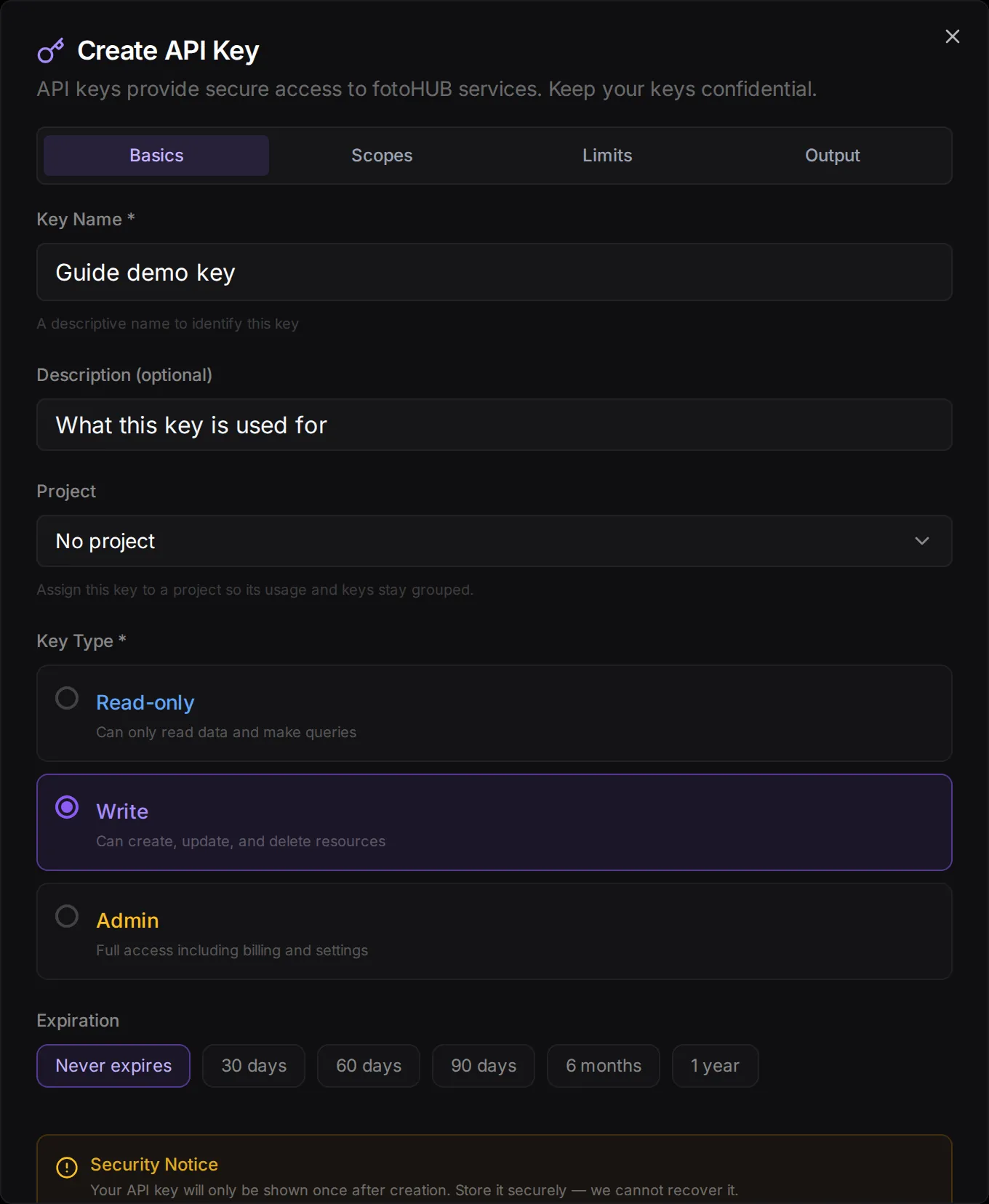
- Keep it in an environment variable Export the key once per shell. Every example below reads it from there, so nothing secret ends up in a script.
export FOTOHUB_API_KEY="fh_live_your_key_here"Check the key before you build on it. This call spends nothing and shows the two numbers you will watch for the rest of the guide:
curl -s https://apis.fotohub.app/v1/billing/balance \
  -H "Authorization: Bearer $FOTOHUB_API_KEY" \
  | jq '{balance: .wallet.balance_usd, spent_this_month: .spend.this_month_usd}'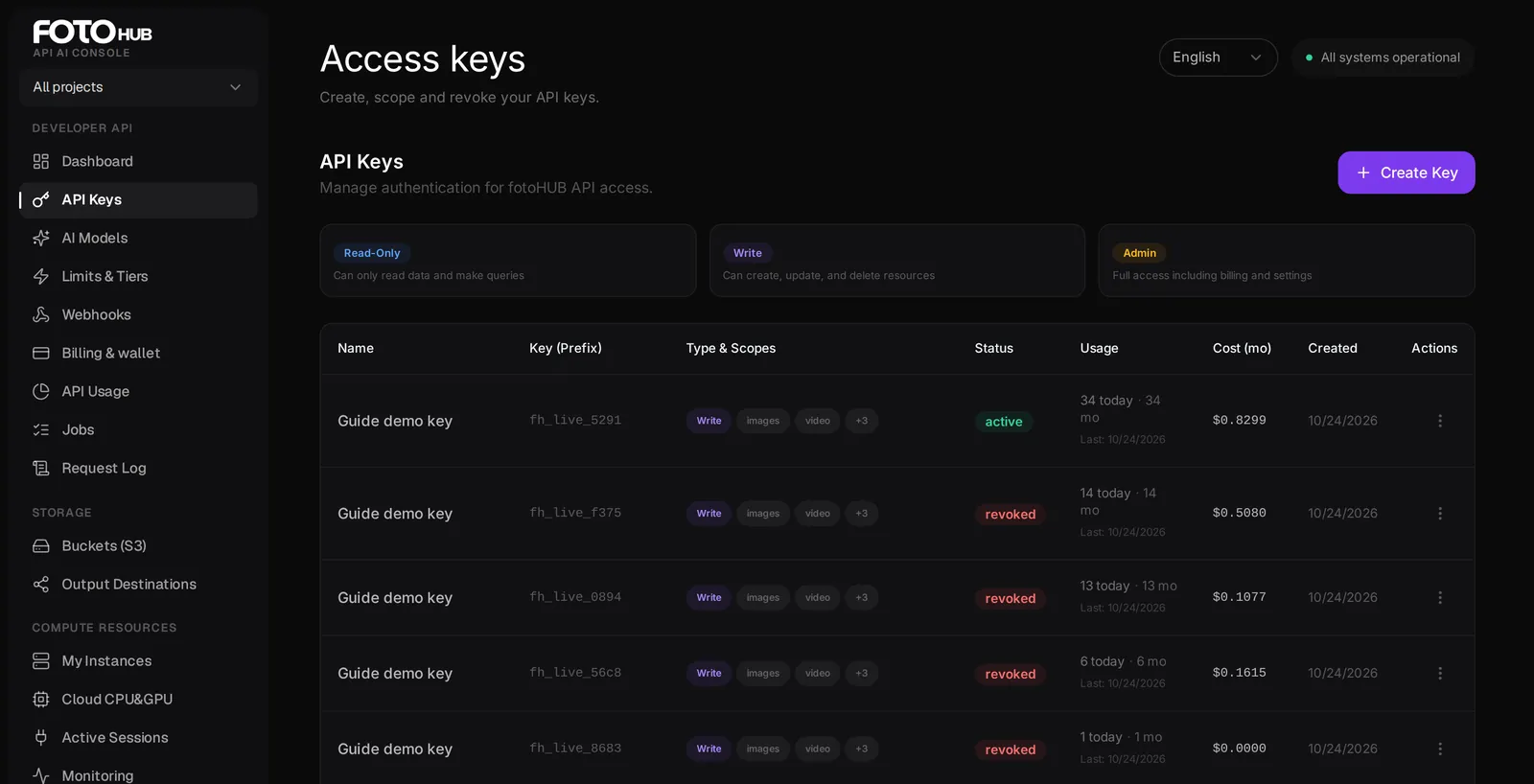
Look before you spend
Two endpoints are public and need no key: the live model catalogue and the rate table the biller uses. Read them before you write code, because model ids and prices change and this page cannot keep up with them.
# The live catalogue is public: no key needed.
curl -s "https://apis.fotohub.app/v1/models?category=image" \
  | jq -r '.models[] | select(.is_active) | [.id, .request_price, .price_unit] | @tsv' \
  | sort -t#39;\t' -k2 -n | head -8
The cheapest active image models, straight from the catalogue
Each catalogue entry has an id (the value you send as model), a category, an is_active flag, a request_price and a price_unit that tells you what one price unit buys: one request, one second of video, one minute of audio or one thousand characters. GET /v1/pricing is the authoritative rate table, and the console shows the same catalogue in AI Models.
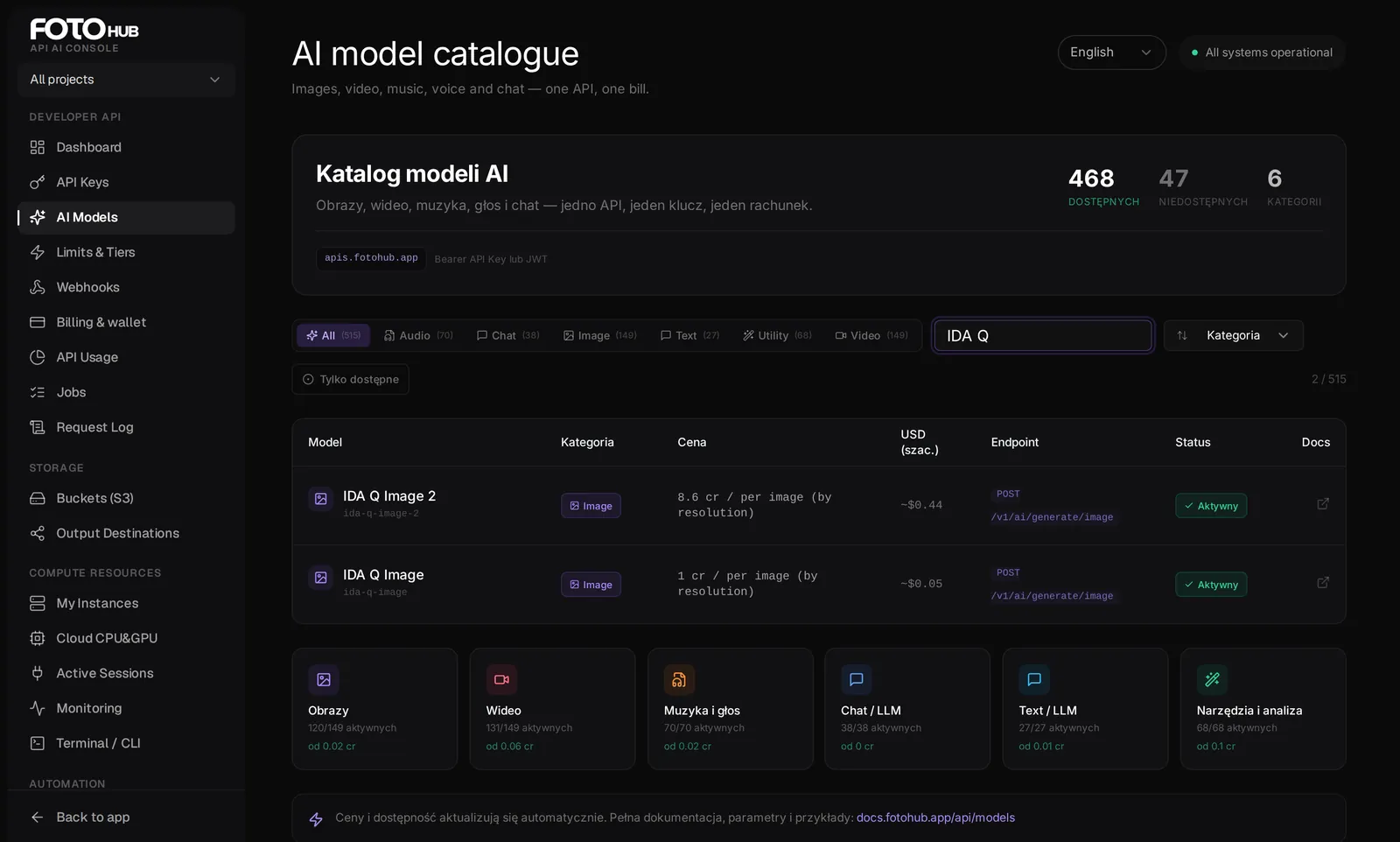
The four discovery endpoints
| Endpoint | Key needed | What you get |
|---|---|---|
GET /v1/models | No | The live catalogue. Narrow it with ?category=image and check is_active before you use an id. |
GET /v1/pricing | No | Every rate in USD, split into legs with the unit each is denominated in. ?model= returns one model; the id you send to a generation endpoint is the id you can price here. |
GET /v1/billing/balance | Yes | wallet.balance_usd, wallet.pending_usd, spend.this_month_usd and spend.monthly_limit_usd (null when no cap is set). |
POST /v1/billing/estimate | Yes | A quote for a list of operations: total_usd, sufficient, balance_usd and a per-line breakdown. Nothing is charged and no model runs. |
{
  "wallet": { "balance_usd": 82.0132, "pending_usd": 0, "currency": "USD" },
  "spend": { "this_month_usd": 39.537375, "monthly_limit_usd": null, "currency": "USD" },
  "billing_model": "prepaid_wallet_usd"
}
GET /v1/billing/balance from a real account, trimmed
To price a specific job before you run it, ask the estimator. It is free and tells you whether your wallet covers the call:
curl -s -X POST https://apis.fotohub.app/v1/billing/estimate \
  -H "Authorization: Bearer $FOTOHUB_API_KEY" \
  -H "Content-Type: application/json" \
  -d '{"operations": [{"type": "image", "model": "seedream-5-0-260128", "count": 2}]}' \
  | jq '{total_usd, sufficient, balance_usd}'
{
"total_usd": 0.063,
"sufficient": true,
"balance_usd": 82.0447
}Two images from the model used in this guide, as quoted by the estimator
Your first request
The image endpoint takes a prompt, a model and optional settings, and answers on the same request when the image is ready. This call uses a model id from the catalogue; replace it with any active image model.
curl -s -X POST https://apis.fotohub.app/v1/ai/generate/image \
  -H "Authorization: Bearer $FOTOHUB_API_KEY" \
  -H "Content-Type: application/json" \
  -d '{
    "model": "seedream-5-0-260128",
    "prompt": "a single green apple on a white studio backdrop, soft light",
    "aspect_ratio": "1:1"
  }' | jq '{model, cost_usd, balance: .billing.balance_usd, url: .images[0].url}'
curl, with jq to trim the answer
{
  "model": "seedream-5-0-260128",
  "cost_usd": 0.0315,
  "balance": 82.0132,
  "url": "https://s1.fotohub.app/storage/v1/object/sign/api-generations/3c685a01-.../ai-gen-1792802150632-c3d1d7.png?token=..."
}
A real answer after about 22 seconds. Your numbers will differ.
The jq filter hides most of what comes back. This is the whole answer of the same call with the internal fields cut out, which is the shape your code will parse:
{
  "model": "seedream-5-0-260128",
  "cost_usd": 0.0315,
  "currency": "USD",
  "billing": {
    "method": "wallet",
    "cost_usd": 0.0315,
    "balance_usd": 82.0132,
    "currency": "USD"
  },
  "usage": {
    "generated_images": 1,
    "resolution": "2048x2048",
    "generation_ms": 22119,
    "transfer_ms": 2058
  },
  "images": [
    {
      "id": "8915964b-267b-4520-8474-bdd66478d1fa",
      "storage_path": "<your-user-id>/ai-gen-1792802150632-c3d1d7.png",
      "title": "a single green apple on a white studio backdrop, soft light",
      "status": "ready",
      "url": "https://s1.fotohub.app/storage/v1/object/sign/api-generations/<your-user-id>/ai-gen-1792802150632-c3d1d7.png?token=..."
    }
  ]
}
Trimmed: the real image object carries many more internal fields, and billing has a cost_breakdown you can ignore
Reading the response
| Field | What it tells you |
|---|---|
images[].url | A signed link to the file. It expires, so download the image or copy it into your own storage; it is not a permanent address. |
cost_usd, billing.cost_usd | What this call cost, in USD. Equal to the price you read before. |
billing.balance_usd | Wallet balance after the charge |
usage.resolution | The real output size, for example 2048x2048. Take dimensions from here. |
usage.generation_ms, transfer_ms | Where the time went: rendering and file transfer |
images[].id, storage_path | Identifiers of the stored file. The image object carries many more internal fields; ignore them. |
The HTTP headers carry bookkeeping worth logging. These came back with the call above:
X-RateLimit-Limit: 60
X-RateLimit-Remaining: 55
X-RateLimit-Reset: 1792802160
X-Request-Id: 225dfeee-dbb3-499b-83c9-540e3c121a5f
The reset is a Unix timestamp in seconds, the end of the current one-minute window
The same call without an SDK
Any HTTP client works. The two things to get right are the Authorization: Bearer header and a timeout longer than a render. The first call above took about 22 seconds, and the default timeout of many clients is far shorter.
import os

import httpx

response = httpx.post(
    "https://apis.fotohub.app/v1/ai/generate/image",
    headers={"Authorization": f"Bearer {os.environ['FOTOHUB_API_KEY']}"},
    json={
        "model": "seedream-5-0-260128",
        "prompt": "a single green apple on a white studio backdrop, soft light",
        "aspect_ratio": "1:1",
    },
    timeout=120.0,  # httpx stops waiting after 5 seconds by default
)
response.raise_for_status()
result = response.json()
print(result["images"][0]["url"], result["cost_usd"])
Python with httpx
const response = await fetch("https://apis.fotohub.app/v1/ai/generate/image", {
  method: "POST",
  headers: {
    Authorization: `Bearer ${process.env.FOTOHUB_API_KEY}`,
    "Content-Type": "application/json",
  },
  body: JSON.stringify({
    model: "seedream-5-0-260128",
    prompt: "a single green apple on a white studio backdrop, soft light",
    aspect_ratio: "1:1",
  }),
  signal: AbortSignal.timeout(120_000),
});
if (!response.ok) throw new Error(`HTTP ${response.status}: ${await response.text()}`);
const result = await response.json();
console.log(result.images[0].url, result.cost_usd);
fetch in Node 18 or newer, or any modern runtime
The signed link is only good for a while, so save the file as soon as you have it:
URL=$(curl -s -X POST https://apis.fotohub.app/v1/ai/generate/image \
  -H "Authorization: Bearer $FOTOHUB_API_KEY" \
  -H "Content-Type: application/json" \
  -d '{"model": "seedream-5-0-260128", "prompt": "a single green apple on a white studio backdrop"}' \
  | jq -r '.images[0].url')
curl -s -o apple.png "$URL"
The same request with the SDKs
Official SDKs wrap the same HTTP API and add retries with idempotency, typed errors and polling helpers. Install one:
npm install fotohubpip install fotohubPython
from fotohub import FotoHub

client = FotoHub()  # reads FOTOHUB_API_KEY from the environment

result = client.generate_image(
    "a single green apple on a white studio backdrop, soft light",
    model="seedream-5-0-260128",
    aspect_ratio="1:1",
)

# generate_image returns a plain dict, not an object: use subscripts.
print(result["images"][0]["url"])
print(result["cost_usd"], result["currency"])
print(result["billing"]["balance_usd"])
Python reads FOTOHUB_API_KEY by itself
TypeScript and JavaScript
import { FotoHub } from "fotohub";

const client = new FotoHub({ apiKey: process.env.FOTOHUB_API_KEY! });

const result = await client.generateImage({
  prompt: "a single green apple on a white studio backdrop, soft light",
  model: "seedream-5-0-260128",
  aspect_ratio: "1:1", // options are snake_case, exactly as the API spells them
});

// The 1.10 typings still describe an older response, so name the real shape.
type Generated = { cost_usd: number; billing: { balance_usd: number }; images: { url: string }[] };
const { images, cost_usd, billing } = result as unknown as Generated;

console.log(images[0].url);
console.log(cost_usd, billing.balance_usd);
The TypeScript client needs the key passed in
Two things differ between the SDKs. Python returns plain dictionaries and reads the key from the environment. TypeScript takes apiKey explicitly and its options are snake_case, exactly as the API spells them (aspect_ratio, not aspectRatio). Both have their own full guide.
What an SDK adds over raw HTTP
| Concern | Raw HTTP | SDK |
|---|---|---|
| Retries | You write the loop and the back-off | Built in: transient failures (429, 5xx, network errors) are retried, up to max_retries times |
| Errors | Check the status code, read detail | One class per case, such as an auth error, a rate-limit error with retry_after, a validation error |
| Async jobs | Submit, then your own poll loop | Helpers such as generate_ida_q submit and poll until the job ends |
One block configures all of that. This is the Python form; the TypeScript client takes the same options as maxRetries, timeout (in milliseconds) and baseUrl.
from fotohub import FotoHub

client = FotoHub(
    api_key="fh_live_...",   # or set FOTOHUB_API_KEY
    base_url=None,           # default https://apis.fotohub.app (or FOTOHUB_BASE_URL)
    timeout=120.0,           # seconds per request
    max_retries=3,           # transient failures: 429, 5xx, network errors
)
The two response shapes
Learn this now and you will not meet it as a timeout later. Every generation endpoint is either synchronous or asynchronous.
| Shape | How it behaves | Examples |
|---|---|---|
| Synchronous | The connection stays open and the result comes back on the same request, within seconds to a minute. | Most image models, speech, sound effects, chat, analysis |
| Asynchronous | Answers 202 Accepted with a job_id and a poll_url. You poll until the status is completed or failed. The charge is taken at submit time and refunded automatically if the job fails. | Video, the IDA Q image models, virtual try-on |
Our own image model, IDA Q, is the asynchronous case you can try right now. This script submits a job and polls it. Polling is free, so poll every few seconds.
# 1. Submit: 202 with a job_id and a poll_url. The charge is taken now.
JOB=$(curl -s -X POST https://apis.fotohub.app/v1/ai/generate/image \
  -H "Authorization: Bearer $FOTOHUB_API_KEY" \
  -H "Content-Type: application/json" \
  -d '{
    "model": "ida-q-image",
    "prompt": "a ceramic coffee mug on a wooden table, warm morning light, shallow depth of field",
    "aspect_ratio": "4:3",
    "image_size": "1K"
  }')
POLL=$(echo "$JOB" | jq -r .poll_url)
echo "$JOB" | jq '{job_id, status, estimated_seconds, cost_usd}'

# 2. Poll until it is completed or failed. Polling is free.
while true; do
  R=$(curl -s "$POLL" -H "Authorization: Bearer $FOTOHUB_API_KEY")
  STATUS=$(echo "$R" | jq -r .status)
  echo "$STATUS $(echo "$R" | jq -r '.progress // empty')"
  [ "$STATUS" = "completed" ] || [ "$STATUS" = "failed" ] && break
  sleep 5
done
echo "$R" | tee result.json | jq '{status, images, error, refunded}'
Submit and poll an IDA Q job with curl
{
  "model": "ida-q-image",
  "job_id": "1492a4fd-459e-4fe9-87de-573e235500af",
  "status": "queued",
  "estimated_seconds": 83,
  "queue_position": 1,
  "cost_usd": 0.13,
  "poll_url": "https://apis.fotohub.app/v1/ai/generate/image/ida-q/1492a4fd-459e-4fe9-87de-573e235500af"
}
The 202 answer of a real submit
- While running the poll returns
status: "processing"with aprogresspercentage. - A finished job returns
completedand the result. A failed one returnsfailed, anerrormessage and abillingblock withrefunded: true. - The 3D endpoint looks asynchronous but is not: it returns the finished model on the same request.
What a finished job looks like
{
  "job_id": "e4dd8856-e79c-4bf9-a0fc-9767a2c45498",
  "status": "completed",
  "progress": 100,
  "estimated_seconds": 83,
  "images": [
    "https://s1.fotohub.app/storage/v1/object/sign/api-generations/ida-q2/<your-user-id>/e4dd8856-.../0.png?token=..."
  ],
  "metadata": { "model": "ida-q-image" },
  "result": {
    "seed": 1157813605,
    "width": 1168,
    "height": 880,
    "num_images": 1,
    "requested_images": 1,
    "has_alpha": false
  },
  "billing": {
    "method": "wallet",
    "currency": "USD",
    "cost_usd": 0.13,
    "refunded_usd": 0,
    "refunded": false,
    "refund_pending": false
  },
  "refunded": false
}
A completed IDA Q job from a real poll
Compare it with the synchronous answer. The two shapes name things differently, and mixing them up is the most common first bug:
| You want | Synchronous | Asynchronous poll |
|---|---|---|
| The file | images[0].url, an object with many fields | images[0], a plain signed URL string |
| Dimensions | usage.resolution | result.width, result.height |
| What it cost | cost_usd, billing.cost_usd | billing.cost_usd on every poll, and cost_usd in the 202 answer |
| Failure | An HTTP error status | HTTP 200 with status: "failed", error and refunded |
A job that fails is refunded
Goal. Know exactly what a failed asynchronous job looks like, so your code treats it as a normal branch.
Input you can copy.
The poll of the job submitted above, as it came back. HTTP status 200, progress 97:
`{ "status": "failed", "error": "The model returned an empty image. You were not charged for it. (OUTPUT_INVALID)", "billing": { "cost_usd": 0.13, "refunded_usd": 0.13, "refunded": true, "refund_pending": false } }`
Why it works. The poll itself succeeded, so the HTTP status is 200 and only the status field tells you the job failed. refunded: true and refunded_usd equal to the original charge mean the wallet is whole again. Log the error, then submit again. Treat refund_pending: true, if you ever see it, as "check the balance in a moment".
Polling habits that hold up
- Save the
job_idthe moment the 202 arrives, before you start waiting. If your process dies, the job is still running and still paid for, and you can resume from the id. - Poll every 3 to 5 seconds.
estimated_secondsandqueue_positionin the submit answer tell you whether to expect seconds or minutes. - Set a deadline of several times the estimate, then stop and report. An endless loop on a job that never ends is a bug in your code, not a feature.
- For many jobs, skip polling and let a webhook tell you. The
generation.completedevent is covered in the webhooks article.
Both SDKs hide the loop for IDA Q. You pass a poll interval and a timeout, and you get the finished result back:
from fotohub import FotoHub

client = FotoHub()

# IDA Q is asynchronous; the SDK submits the job and polls until it finishes.
result = client.generate_ida_q(
    "a ceramic coffee mug on a wooden table, warm morning light, shallow depth of field",
    aspect_ratio="4:3",
    image_size="1K",
    poll_interval=3.0,
    timeout=300.0,
)

print(result["images"][0])
print(result.get("cost_usd"))
import { FotoHub } from "fotohub";
const client = new FotoHub({ apiKey: process.env.FOTOHUB_API_KEY! });
// IDA Q is asynchronous: the SDK submits the job and polls until it finishes.
const result = await client.generateIdaQ({
prompt: "a ceramic coffee mug on a wooden table, warm morning light, shallow depth of field",
aspect_ratio: "4:3",
image_size: "1K",
poll_interval_seconds: 3,
timeout_seconds: 300,
});
console.log(result.images[0]);
console.log((result as unknown as { cost_usd: number }).cost_usd);Keeping costs under control
| Habit | Where | What it protects you from |
|---|---|---|
| Estimate before a big batch | POST /v1/billing/estimate | Finding out the total only after the run. The answer also says whether the wallet covers it. |
| Set a spending cap | Console → Billing & wallet, Spending cap | A runaway loop. Once the month's usage reaches the cap, further calls are refused with a 402. Leave it empty for no cap. |
| Add a budget alert | Console → Billing & wallet, New budget | Surprise. A budget sends an alert each time spend passes one of your thresholds; it blocks nothing. Spend is recalculated every two hours. |
| Give each app its own key | Console → API Keys | One noisy script using up everyone's rate limit. Every key has its own requests-per-minute limit, and you can revoke one without touching the others. See the API keys article. |
Subscribe to billing.charged | Console → Webhooks | Charges you did not expect. Every charge reaches your endpoint as it happens. See the webhooks article. |
Send an X-Idempotency-Key on charged POSTs | Request header | Paying twice for a request you retried after a timeout. The errors, limits and retries article shows the details. |
Quote, then run, then reconcile
Goal. Generate two images and confirm that the bill matches the quote.
Input you can copy.
Estimate request: `{"operations": [{"type": "image", "model": "seedream-5-0-260128", "count": 2}]}`| Setting | Value |
|---|---|
| Estimator answer | total_usd 0.063, sufficient true |
| One real call | cost_usd 0.0315 |
| Balance | 82.0447 before, 82.0132 after one image |
Why it works. The estimator's line breakdown prices each piece at the same figure the call then charged, and two pieces are exactly twice that. The balance dropped by the call's cost_usd and by nothing else. These are numbers from real calls, not a price list: run your own estimate for today's figure.
Watch your calls in the console
Every call you make shows up in Console → Request Log within moments, with its method, endpoint, model, status and timings. Asynchronous image jobs also appear under Jobs, with the poll route and what was charged. Keep the log open in another tab while you build.
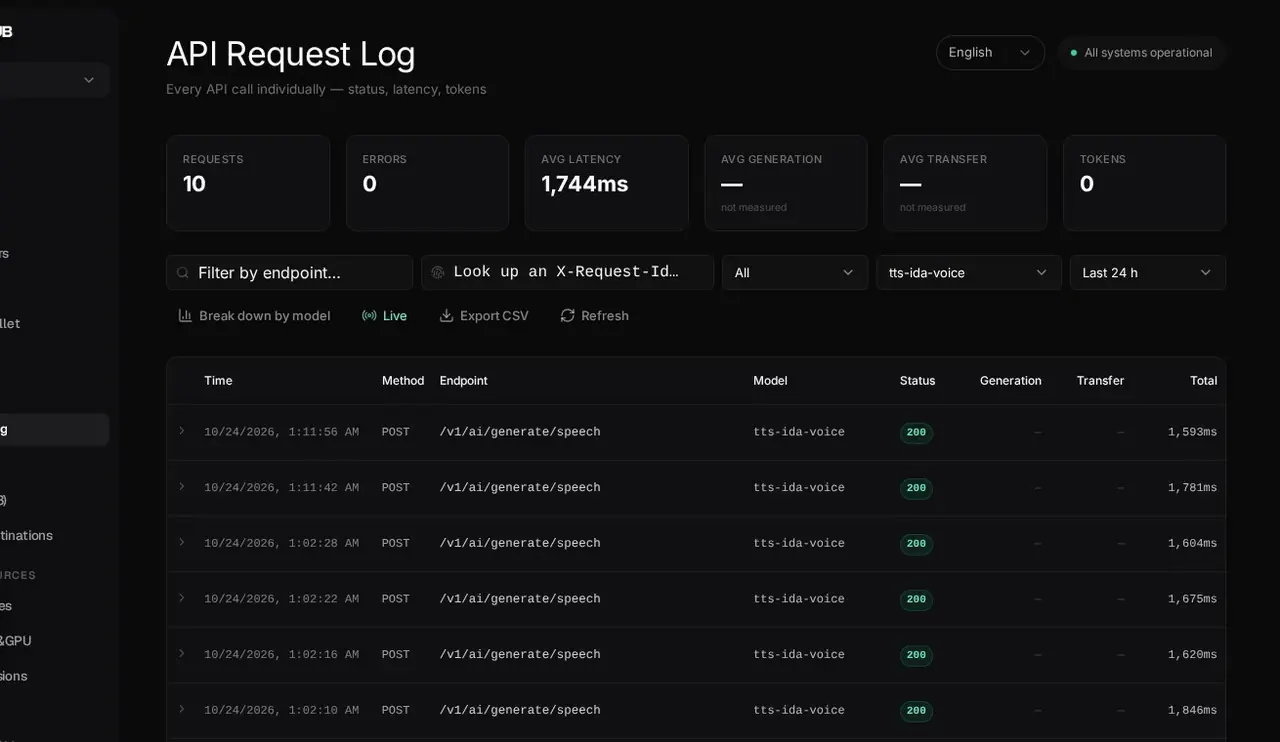
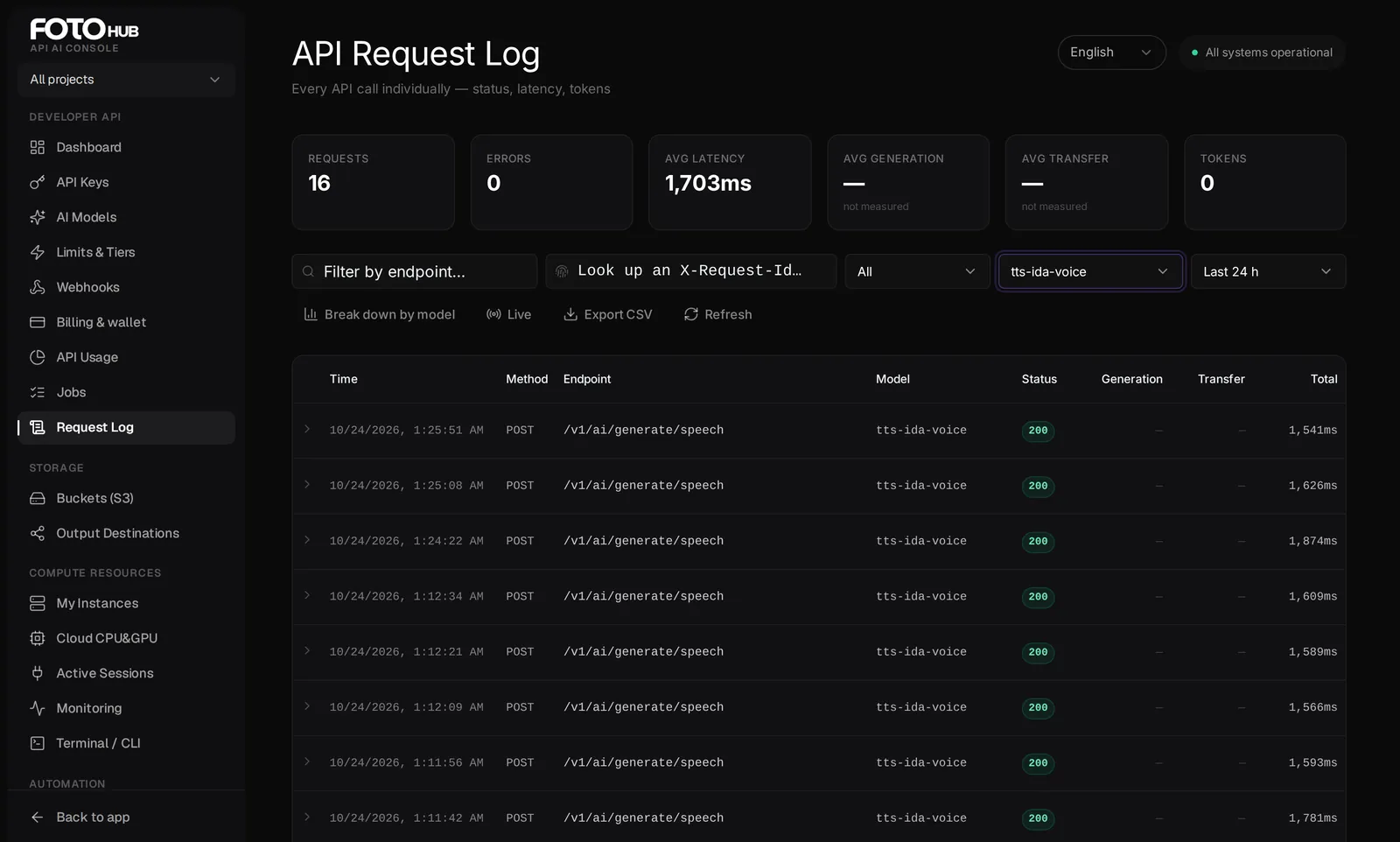
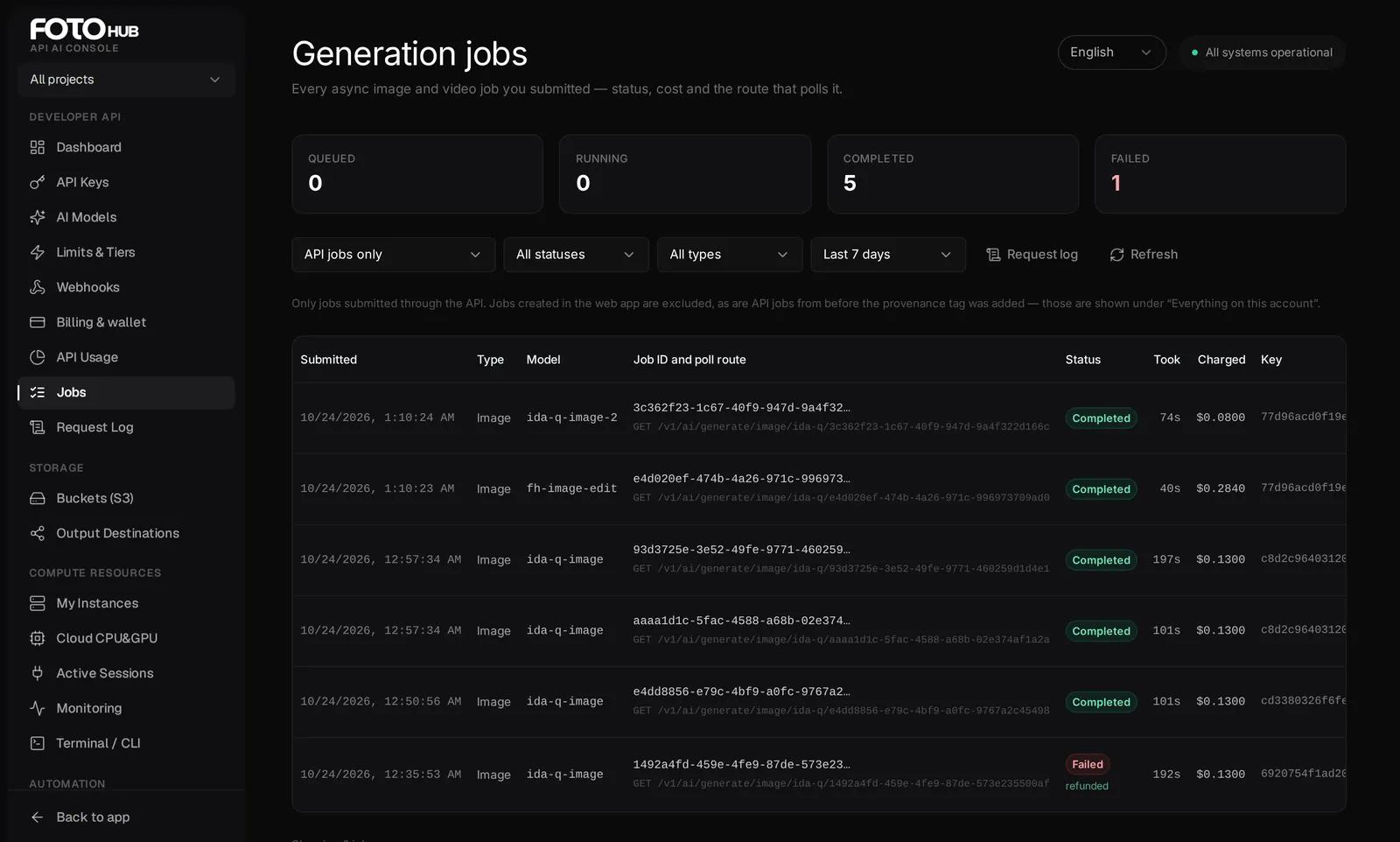
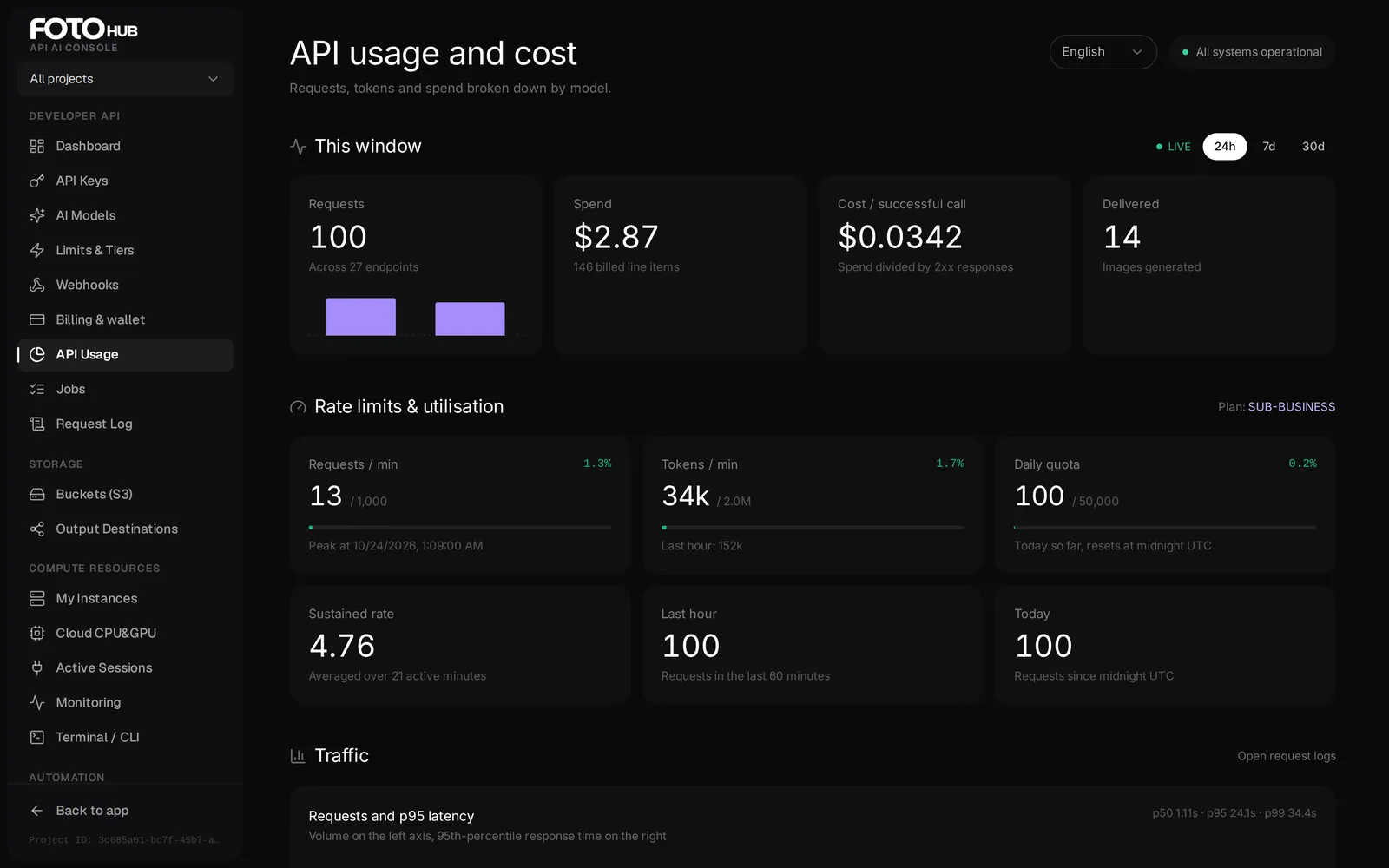
When a call misbehaves, take the X-Request-Id from its response headers and filter the Request Log by it. That finds the exact row with its status and timings, without scrolling.
When something goes wrong
| Status | Meaning |
|---|---|
400 | A field is missing or invalid. Nothing was charged. |
401 | The key is missing, wrong or revoked. |
402 | The wallet is too low. Top up and retry. |
403 | The key lacks a scope or is read-only. |
429 | Too many requests. Wait Retry-After seconds. |
424, 5xx | The engine failed. The message says whether you were charged; retry later. |
Most errors arrive as a small JSON body with a detail field. These are real answers, each taken from a deliberately wrong call:
| What went wrong | Status | detail |
|---|---|---|
| No Authorization header | 401 | Missing Authorization header |
| A key that does not exist | 401 | Invalid API key |
| An empty prompt | 400 | prompt is required |
| An unknown model id | 5xx | Pricing is not configured for 'no-such-model'. This request was refused and your wallet was not charged. Please report this. |
The last row is why you copy ids from the catalogue: a wrong id is refused before billing and the message says your wallet was not charged. A 429 also carries the X-RateLimit-* headers, and the limit is counted in fixed one-minute windows, so waiting until X-RateLimit-Reset always gives you a fresh window.
Handling errors in code
Both SDKs raise one class per case. Catch the specific ones you can act on and let the base class catch the rest:
from fotohub import (
    AuthError,
    FotoHub,
    FotoHubError,
    InsufficientFundsError,
    RateLimitError,
    ServerError,
    ValidationError,
)

client = FotoHub()

try:
    result = client.generate_image("a lighthouse at dusk", aspect_ratio="16:9")
    print(result["images"][0]["url"])
except InsufficientFundsError as e:
    # 402: nothing was charged. The wallet needs a top-up.
    print(f"Wallet too low: needs ${e.required_usd}, has ${e.balance_usd}. Top up: {e.topup_url}")
except RateLimitError as e:
    print(f"Slow down, retry after {e.retry_after} seconds")
except ValidationError as e:
    print("Fix the request:", e.message)
except AuthError:
    print("Check FOTOHUB_API_KEY: missing, malformed or revoked")
except ServerError as e:
    print("Engine problem, safe to retry later:", e.message)
except FotoHubError as e:
    print(f"HTTP {e.status_code}: {e.message}")
import {
AuthenticationError,
FotoHub,
FotoHubError,
InsufficientCreditsError, // the 402 class; the name predates the USD wallet
RateLimitError,
ServerError,
} from "fotohub";
const client = new FotoHub({ apiKey: process.env.FOTOHUB_API_KEY! });
try {
const result = await client.generateImage({ prompt: "a lighthouse at dusk", aspect_ratio: "16:9" });
console.log((result.images[0] as unknown as { url: string }).url);
} catch (error) {
if (error instanceof InsufficientCreditsError) {
console.error("Wallet too low. Nothing was charged. Top up in the console.");
} else if (error instanceof RateLimitError) {
console.error(`Slow down, retry after ${error.retryAfter} seconds`);
} else if (error instanceof AuthenticationError) {
console.error("Check apiKey: missing, malformed or revoked");
} else if (error instanceof ServerError) {
console.error("Engine problem, safe to retry later:", error.message);
} else if (error instanceof FotoHubError) {
console.error(`${error.name} (${error.statusCode ?? "no status"}): ${error.message}`);
} else {
throw error;
}
}| Status | Retry? | What to do |
|---|---|---|
400, 403 | No | Fix the request or the key's scopes. Repeating it changes nothing. |
401 | No | Stop and alert a human: the key is wrong or revoked. |
402 | After a top-up | Tell the account owner. Check the spending cap too, since it also answers with 402. |
429 | Yes | Wait Retry-After seconds, then retry. Spread bursts out instead of hammering. |
5xx | Yes, with an idempotency key | Back off and retry. Read the message: it says whether you were charged. |
The article on errors, limits and retries has every body, the headers to read and a retry helper you can paste.
Before you go to production
- Key hygiene: the key lives in an environment variable or a secret store, never in code, a front end or a repository. Use a separate key per app and per environment.
- Timeouts: every client call has an explicit timeout longer than your slowest render.
- Retries: only
429and5xxare retried, with back-off, and charged POSTs carry anX-Idempotency-Key. - Async jobs: the
job_idis stored before waiting, polling has a deadline, andfailedis handled as a normal outcome. - Output files: signed URLs are downloaded or copied into your own storage right away, never stored as the permanent address.
- Money: a spending cap and a budget alert are set,
billing.chargedis wired to a webhook, and the balance is checked before big batches.
Where to go next
- Command line:
npm install -g fotohubapp-cli, then runfotohuband sign in with/loginfor an interactive client (generate, chat, storage, billing). The FOTOhub CLI article covers it. - Reliability: webhooks instead of polling (api-webhooks), idempotent retries and rate limits (api-errors-limits).
- Keys and the console: types, scopes, per-key limits and the rest of the console (api-keys, api-console).
- Your medium: images (api-images), video (api-video), audio (api-audio), vision and documents (api-vision, document-intelligence).
- Assistants: connect FOTOhub to an AI assistant through MCP (mcp-server) and skip the code entirely.
- Can I try the API for free?
- Public reads (
/v1/models,/v1/pricing) and the cost estimator are free. Generation always spends from the wallet, so use the cheapest model and a small request while you learn. - Why does my model id return an error?
- Ids must match the catalogue exactly, and a model can be switched off. Check
is_activeinGET /v1/modelsand copy the id from there. An unknown id is refused before billing with a message that says pricing is not configured and your wallet was not charged. - Is there a streaming response?
- Generation endpoints return a finished result. The agent endpoint streams server-sent events; the chat completions endpoint returns one complete answer.
- I get a 401 although I pasted the key. What is wrong?
- Two different messages exist. "Missing Authorization header" means the header never arrived: check the spelling and that the environment variable is set in the shell that runs the call. "Invalid API key" means the header arrived but the key is wrong, truncated or revoked: compare its prefix with the list in Console → API Keys.
- My first request hangs or times out in my own code. Why?
- A render takes many seconds (about 22 in the example above), and some HTTP clients give up after 5. Set an explicit timeout of a minute or two. For models that answer with
202, nothing should hang: you get the job id at once and poll. - An async job sits in
queued. Should I resubmit? - No. Self-hosted models queue, and the submit answer gave you
queue_positionandestimated_seconds. Keep polling the samejob_id. If the job ends asfailed, the charge is refunded automatically and a new submit is then safe. - I got a 402 but my balance looks fine. Why?
- Check the spending cap in Console → Billing & wallet. When the month's usage reaches the cap, further API calls are refused with a 402 even though the wallet still holds money. Raise or clear the cap. Also compare the call's price with
balance_usd: the estimator tells you withsufficient.