TypeScript SDK: complete guide
Install fotohub from npm, call images, video, audio and billing from Node, Deno or Bun, and handle typed errors and retries.
Install and first call
The package is called fotohub, has no runtime dependencies (it uses the platform's fetch) and ships both ESM and CommonJS builds with type declarations. It needs Node.js 18 or newer, or any runtime with a global fetch: Deno, Bun. This guide describes version 1.10.0, the one published on npm.
npm install fotohubCreate an API key in the console (see the API keys guide), export it, and pass it in. Unlike the Python client, the TypeScript client does not read the environment for you: apiKey is required, and the constructor throws if it is missing.
export FOTOHUB_API_KEY="fh_live_your_key_here"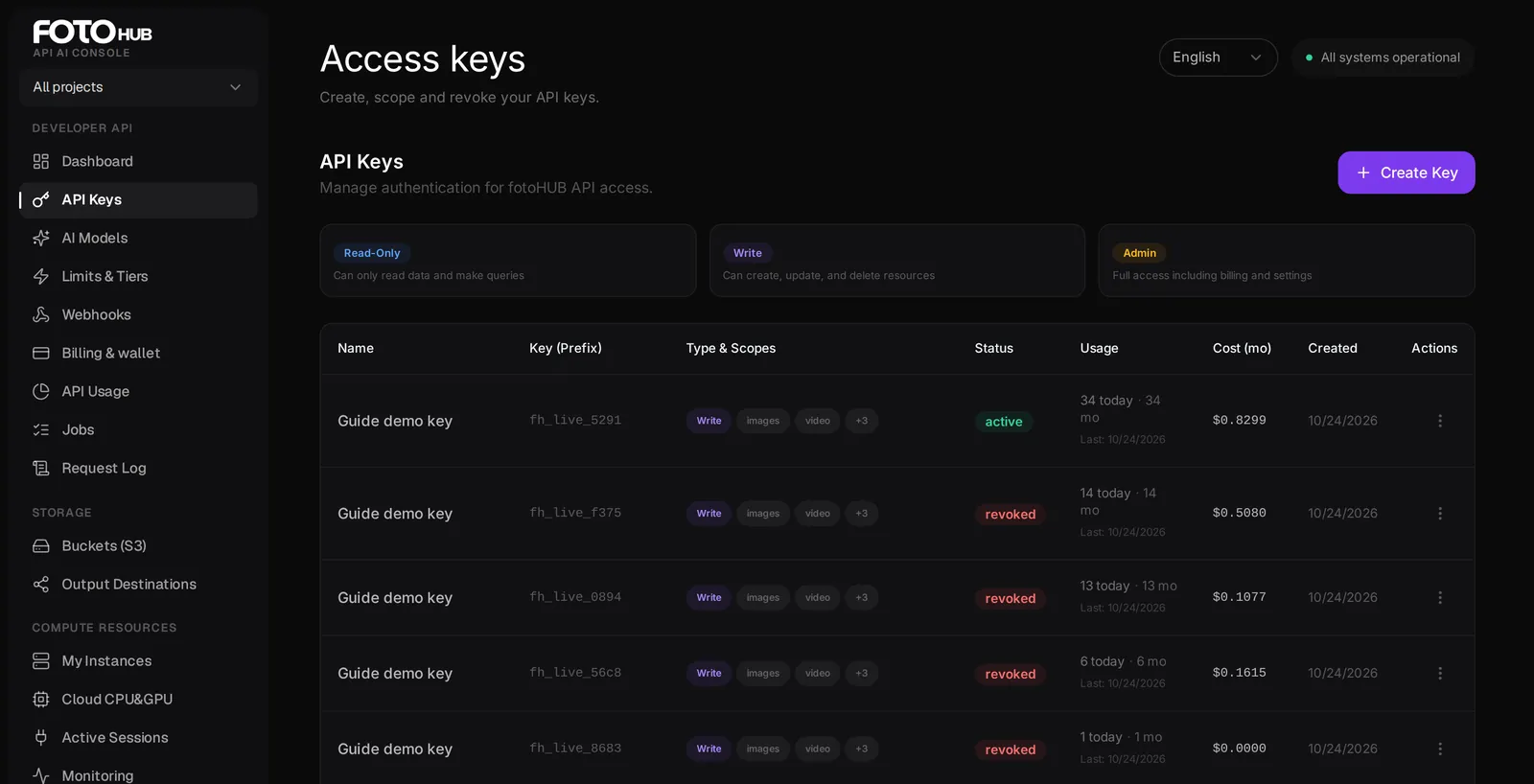
import { FotoHub } from "fotohub";

const client = new FotoHub({ apiKey: process.env.FOTOHUB_API_KEY! });

const result = await client.generateImage({
  prompt: "a single green apple on a white studio backdrop, soft light",
  model: "seedream-5-0-260128",
  aspect_ratio: "1:1", // options are snake_case, exactly as the API spells them
});

// The 1.10 typings still describe an older response, so name the real shape.
type Generated = { cost_usd: number; billing: { balance_usd: number }; images: { url: string }[] };
const { images, cost_usd, billing } = result as unknown as Generated;

console.log(images[0].url);
console.log(cost_usd, billing.balance_usd);
first-image.mts. Run it with Node 22 or later (node first-image.mts) or with tsx.
Client options
import { FotoHub } from "fotohub";

const client = new FotoHub({
  apiKey: process.env.FOTOHUB_API_KEY!,
  baseUrl: "https://apis.fotohub.app", // default
  timeout: 120_000, // ms per request (default 60 000)
  maxRetries: 3, // transient failures: 429, 5xx, network errors
});| Option | Default | Meaning |
|---|---|---|
apiKey | required | The fh_live_ key |
baseUrl | https://apis.fotohub.app | Point at a proxy or a test double |
timeout | 60000 | Milliseconds per attempt, not per call: every retry gets a fresh timer. Raise it for slow synchronous models |
maxRetries | 3 | Extra tries after the first one, so 3 means up to four requests. Applies to 429, 408, 5xx and network errors, with exponential backoff. 0 is valid and turns retries off |
fetch | globalThis.fetch | A custom implementation for tests or proxies |
ESM, CommonJS and TypeScript settings
The package maps import to its ESM build and require to its CommonJS build, and each ships its own type declarations. In an ES module use import { FotoHub } from "fotohub". In a CommonJS file use the line below; both give you the same classes. The tested snippets compile under strict with module and moduleResolution set to NodeNext, which is the safest setting because it follows the package's exports map.
const { FotoHub, FotoHubError } = require("fotohub");Typed results: the shapes the typings miss
Method signatures and option types in 1.10 are accurate. The result types are the weak spot: several still describe the older credit-based response, so the compiler promises a payload your code will not receive. The table sets the typings against what real calls returned. Where they differ, name the real shape yourself.
| Call | The typings declare | A real call returned |
|---|---|---|
generateImage | credits_used, images: string[] | cost_usd, currency, billing, usage, and images as objects with a url |
generateIdaQ | credits_used, images: string[] | images really are URL strings. credits_used is undefined and there is no top-level cost_usd: read billing.cost_usd |
estimateCost | total_credits, total_usd, breakdown | total_usd, sufficient, priced, balance_usd, breakdown; total_credits is null |
getBalance | tier, credits, wallet (as a loose record) | wallet, spend, billing_model, api_subscription, overage |
ValidationError.fieldErrors | Record<string, string[]> | For a FastAPI-style 422 it holds { errors: [{ loc, msg, type }] } |
A small module that names the real shapes
Put the corrections in one file so the cast lives in one place and can be deleted when the typings catch up. The module also creates the shared client: it holds only configuration, so one instance per process is enough.
// shapes.ts: the response shapes the 1.10 typings do not describe, taken from real calls.
import { FotoHub } from "fotohub";

export interface Billing {
  cost_usd: number;
  balance_usd?: number;
  currency: string;
  method?: string;
}

export interface GeneratedImages {
  model: string;
  cost_usd: number;
  currency: string;
  billing: Billing;
  images: { url: string }[]; // objects at runtime; the typings say string[]
}

export interface Estimate {
  total_usd: number;
  sufficient: boolean;
  priced: boolean;
  balance_usd: number;
}

export interface Balance {
  wallet: { balance_usd: number; pending_usd: number; currency: string };
}

/** One client for the whole process. It only holds configuration, so sharing it is safe. */
export const client = new FotoHub({ apiKey: process.env.FOTOHUB_API_KEY ?? "" }); // throws at import time if the key is missing

/** Name the real shape of a result. This is a cast, not validation. */
export function shaped<T>(result: unknown): T {
  return result as T;
}
shapes.ts. Each interface lists only fields seen in real responses.
Images
generateImage({ prompt, model, aspect_ratio, width, height, num_images, image_size, negative_prompt, seed, style }) calls POST /v1/ai/generate/image and returns the finished result. guidance_scale and steps are accepted by the type but the endpoint ignores them. You can also pass output_format (png, jpeg, webp) and reference_image_url with reference_strength.
IDA Q, the asynchronous image model
FOTOhub's own image model queues, so generateIdaQ submits the job and polls it for you (poll_interval_seconds, default 3, and timeout_seconds, default 300). It resolves with the finished result, throws FotoHubError when the job fails (the charge is refunded) and TimeoutError when the time runs out.
import { FotoHub } from "fotohub";

const client = new FotoHub({ apiKey: process.env.FOTOHUB_API_KEY! });

// IDA Q is asynchronous: the SDK submits the job and polls until it finishes.
const result = await client.generateIdaQ({
  prompt: "a ceramic coffee mug on a wooden table, warm morning light, shallow depth of field",
  aspect_ratio: "4:3",
  image_size: "1K",
  poll_interval_seconds: 3,
  timeout_seconds: 300,
});

console.log(result.images[0]);
console.log((result as unknown as { cost_usd: number }).cost_usd);
Two details of the real result. images is an array of URL strings here (unlike generateImage), and the price is under billing, copied from the submit response, because credits_used and a top-level cost_usd are not set. A job that fails is refunded by the platform before the error reaches you: the failed job record carries refunded: true. The image_size option accepts 1K, 1.5K and 2K.
Editing and cut-outs
editImage({ image_url, prompt, mode, mask_url })with modesinpaint,outpaint,bgswap,upscaleandremove_bg. Inpainting takes amask_url.removeBackground(imageUrl)andupscaleImage(imageUrl, scale)are wrappers aroundeditImagewith theremove_bgandupscalemodes. InupscaleImagethescaleargument (default 2) only ends up in the prompt text, so verify the output size instead of assuming it.enhancePrompt(prompt, style?)returns the improved prompt as a plain string.listStabilityTools(),runStabilityTool(toolId, options)and wrappers such asstabilityInpaintandstabilityOutpaintfor the advanced editing tools.tryOn(...),getTryOnStatus(jobId)andwaitForTryOn(jobId)for virtual try-on, which is asynchronous.
Video
Pick the model from the live catalogue rather than hard-coding one, because ids and availability change. generateVideo submits the job and, for models that queue, polls until it is done (pollInterval in milliseconds, default 5000; maxWait, default 900000; and an onProgress callback). On failure it throws JobFailedError (the charge is refunded) and on timeout JobTimeoutError, with the jobId on both so you can keep polling yourself.
import { FotoHub, FotoHubError } from "fotohub";

const client = new FotoHub({ apiKey: process.env.FOTOHUB_API_KEY! });

// Read the live catalogue and try active text-to-video models from the cheapest up.
// A model that is down answers 424 "not charged", so falling through to the next costs nothing.
const needsInput = ["i2v", "kf2v", "r2v", "s2v", "vace"]; // these also need an image or reference
const candidates = (await client.listModels("video"))
  .filter((m) => m.is_active && m.request_price !== null && !needsInput.some((t) => m.id.includes(t)))
  .sort((a, b) => a.request_price! - b.request_price!);

for (const model of candidates.slice(0, 8)) {
  try {
    // generateVideo submits the job and polls until it is finished, or throws.
    const video = await client.generateVideo({
      prompt: "a green apple slowly rotating on a white studio table, soft light",
      model: model.id,
      duration: 5,
      aspect_ratio: "16:9",
      resolution: "720p",
      onProgress: (job) => console.log(job.status, job.progress ?? 0),
    });
    console.log(video.status, video.video_url);
    break;
  } catch (error) {
    if (!(error instanceof FotoHubError)) throw error;
    console.log(`${model.id} unavailable: ${error.message.slice(0, 70)}`);
  }
}- Video is billed per second of output, so check
price_unitin the catalogue and multiply by yourduration. - A model that is down answers
424and says the wallet was not charged. CatchFotoHubError, wait and try another model. generateSeedance(...)andregisterVideoAsset(imageUrl)cover the long-clip family and portrait assets for face consistency.image_urlsupplies the start image for image-to-video models (the ones whose id containsi2v).resolutionaccepts720p,1080por4kin the typings, but not every model offers all three.onProgressreceives each poll result, so you can showstatusandprogress. A job that ends asfailedorcancelledthrowsJobFailedError; if the answer already contains avideo_urlor is notprocessing, the method returns it without polling.waitForVideois deprecated:generateVideoalready waits.
Audio, speech and analysis
import { FotoHub } from "fotohub";

const client = new FotoHub({ apiKey: process.env.FOTOHUB_API_KEY! });

const speech = (await client.generateSpeech({
  text: "Welcome to FOTOhub. This is a short speech test.",
  model: "ida-voice" as never, // the 1.10 typings list only the older model names
  language: "en",
})) as unknown as { audio_url: string; cost_usd: number };
console.log(speech.audio_url, speech.cost_usd);

const transcript = await client.transcribe({ audio_url: speech.audio_url, language: "en" });
console.log(transcript);
generateSpeech({ text, model, voice_id, language, speed, pitch })is billed per 1,000 characters of input. The typings list only older model names, so cast newer ids such asida-voiceas shown.transcribe({ audio_url, language })is billed per started minute and returns the transcript as a text report with the detected language, duration andminutes_billed.generateSfx({ prompt, duration })makes sound effects.generateMusic(...)exists, but check the model'sis_activefirst because music providers change.
import { FotoHub } from "fotohub";

const client = new FotoHub({ apiKey: process.env.FOTOHUB_API_KEY! });

// 1. What would this cost? Quoting is free.
const estimate = (await client.estimateCost([
  { type: "image", model: "seedream-5-0-260128", count: 2 },
])) as unknown as { total_usd: number; sufficient: boolean };
console.log("estimated:", estimate.total_usd, "sufficient:", estimate.sufficient);

// 2. Analyse an image by URL.
const analysis = (await client.analyzeImage({
  image_url: "https://static.fotohub.app/home/hero/fashion-coral-photo-520.webp",
  features: ["labels", "colors"],
})) as unknown as { labels?: { name: string; confidence: number }[] };
console.log(analysis.labels?.map((label) => label.name));

// 3. Where does my money stand?
const balance = (await client.getBalance()) as unknown as { wallet: { balance_usd: number; currency: string } };
console.log("balance:", balance.wallet.balance_usd, balance.wallet.currency);
Quote a price, analyse an image, read the balance
Billing, usage and webhooks
| Method | Returns |
|---|---|
getBalance() | Wallet balance, pending amount, spend this month |
getPricing(), listModels(category?) | The public rate table and the catalogue |
estimateCost(operations) | A free quote for planned operations |
getTransactions({ page, pageSize }) | Wallet movements: charges, refunds, top-ups |
getInvoices(), setOverageLimit(usd) | Invoices and a spending cap |
createWebhook, listWebhooks, testWebhook, getWebhookLogs, deleteWebhook | Webhook management (needs a Write or Admin key) |
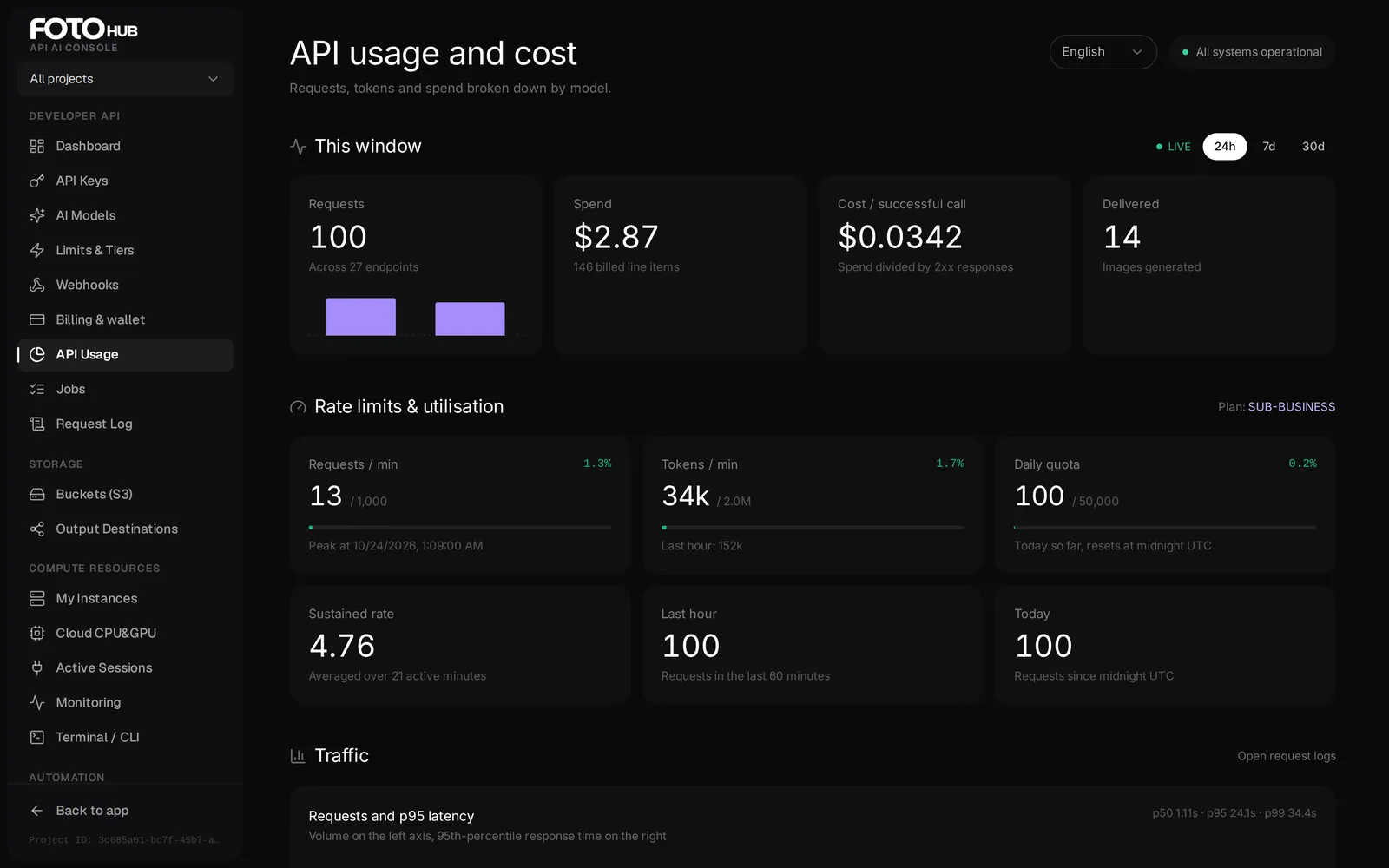
Prices are shown in four places, so you never need a table in your code. Every charged response carries cost_usd, currency and billing.balance_usd, the cost and the wallet after the call. listModels rows carry request_price and price_unit (request, second, minute, 1k_characters or 1k_tokens). getPricing() returns the public rate table. estimateCost quotes planned operations for free, with { type, model, count, duration } per operation, and reports whether your balance covers them.
createWebhook needs a name, a URL and a list of events, and may take extra headers that FOTOhub sends with each delivery. The response includes a secret; the snippet below only confirms it is present, because it is returned when the webhook is created, so store it then. Verifying signatures on the receiving side is covered in the Webhooks guide.
import { FotoHub } from "fotohub";

const client = new FotoHub({ apiKey: process.env.FOTOHUB_API_KEY! }); // needs a Write or Admin key

const hook = await client.createWebhook({
  name: "Docs demo",
  url: "https://example.com/webhooks/fotohub",
  events: ["generation.completed", "billing.charged"],
});
console.log("secret shown once:", Boolean((hook as { secret?: string }).secret), "id:", hook.id);

console.log((await client.listWebhooks()).map((h) => h.name));
await client.deleteWebhook(hook.id);
Method reference
Every method below exists in client.d.ts of 1.10.0. "Waits" means the method keeps polling and resolves with the finished result. Paths are relative to baseUrl.
| Method | Endpoint | Waits |
|---|---|---|
generateImage | POST /v1/ai/generate/image | No |
generateIdaQ | POST /v1/ai/generate/image, GET /v1/ai/generate/image/ida-q/{job_id} | Yes (seconds) |
editImage, removeBackground, upscaleImage | POST /v1/ai/edit/image | No |
analyzeImage, enhancePrompt | POST /v1/ai/analyze/image, POST /v1/ai/enhance-prompt | No |
generateVideo | POST /v1/ai/generate/video, GET /v1/ai/generate/video/{job_id} | Yes, when the job is processing (ms) |
generateSeedance | same video route; poll defaults 10 s and 30 min | Yes (ms) |
generateSpeech, generateSfx, generateMusic | POST /v1/ai/generate/speech, /sfx, /music | No |
transcribe | POST /v1/ai/transcribe | No |
chat, translate | POST /v1/ai/chat/completions, POST /v1/ai/translate | No |
generate3D, get3DStatus, waitFor3D, list3DModels | /v1/ai/generate/3d | Only waitFor3D (3 s, up to 2 min by default) |
tryOn, getTryOnStatus, waitForTryOn | /v1/ai/tryon | Only waitForTryOn (3 s, up to 2 min by default) |
listModels(category?) | GET /v1/models | No |
getBalance, getPricing, estimateCost, getTransactions | /v1/billing/... | No |
createWebhook, listWebhooks, updateWebhook, deleteWebhook, testWebhook, getWebhookLogs | /v1/console/webhooks | No |
The client also wraps the Stability tools (stabilityUpscale, stabilityInpaint and others, which take base64 strings) and tier and wallet helpers such as getCurrentTier and getWallet.
Worked examples
A route handler that keeps the key on the server
Goal. Let a web page request an image without the browser ever holding your key.
Input you can copy.
`POST` with `{ "prompt": "..." }`, answered with `{ "url": "..." }`.Why it works. The handler validates the input, calls the SDK and maps SDK errors to your own responses: your user never sees FOTOhub messages, and an empty wallet becomes a 503 plus a log line for you. The signature is the Next.js App Router one, but anything that speaks Request and Response works, including Bun and Deno. The 200, 400 and 402 paths were checked against a stubbed fetch.
import { FotoHub, FotoHubError, InsufficientCreditsError, RateLimitError } from "fotohub";

const client = new FotoHub({ apiKey: process.env.FOTOHUB_API_KEY! }); // read on the server only

// Next.js App Router signature (app/api/image/route.ts). Any fetch-style runtime works the same.
export async function POST(request: Request): Promise<Response> {
  const body = (await request.json().catch(() => null)) as { prompt?: unknown } | null;
  if (typeof body?.prompt !== "string" || body.prompt.length === 0 || body.prompt.length > 1000) {
    return Response.json({ error: "prompt must be a string of 1 to 1000 characters" }, { status: 400 });
  }

  try {
    const result = (await client.generateImage({ prompt: body.prompt, aspect_ratio: "1:1" })) as unknown as {
      images: { url: string }[];
    };
    return Response.json({ url: result.images[0].url }); // the browser never sees the key
  } catch (error) {
    if (error instanceof RateLimitError) {
      return Response.json({ error: "busy, try again shortly" }, { status: 503, headers: { "Retry-After": String(error.retryAfter ?? 10) } });
    }
    if (error instanceof InsufficientCreditsError) {
      console.error("FOTOhub wallet is empty"); // your alert, not your user's problem
      return Response.json({ error: "temporarily unavailable" }, { status: 503 });
    }
    if (error instanceof FotoHubError) console.error(error.name, error.statusCode, error.message);
    return Response.json({ error: "generation failed" }, { status: 502 });
  }
}
app/api/image/route.ts
Test retries and error mapping without the network
Goal. Prove that your code survives a 429 and a bad key, and that a retry cannot double-charge.
Input you can copy.
The `fetch` option replaced by a stub that returns canned `Response` objects.Why it works. No money moves and no network is touched. The first test checks the endpoint, the Authorization header and that both attempts carry the same X-Idempotency-Key. It takes about one second because the client really waits its first backoff step. The second checks that a 401 is not retried and becomes AuthenticationError. Run it with node --test on Node 22.
import assert from "node:assert/strict";
import { test } from "node:test";
import { AuthenticationError, FotoHub } from "fotohub";

type Call = { url: string; headers: Record<string, string> };

function stubFetch(replies: Response[], calls: Call[]): typeof fetch {
  return async (input, init) => {
    calls.push({ url: String(input), headers: init?.headers as Record<string, string> });
    const reply = replies.shift();
    if (!reply) throw new Error("unexpected extra request");
    return reply;
  };
}

test("a rate-limited call is retried with the same idempotency key", async () => {
  const calls: Call[] = [];
  const client = new FotoHub({
    apiKey: "fh_live_test",
    fetch: stubFetch(
      [
        Response.json({ detail: "slow down" }, { status: 429, headers: { "retry-after": "1" } }),
        Response.json({ model: "m", cost_usd: 0.01, currency: "USD", images: [{ url: "https://example.com/a.png" }] }),
      ],
      calls,
    ),
  });

  const result = (await client.generateImage({ prompt: "an apple" })) as unknown as { images: { url: string }[] };

  assert.equal(result.images[0].url, "https://example.com/a.png");
  assert.equal(calls.length, 2);
  assert.ok(calls[0].url.endsWith("/v1/ai/generate/image"));
  assert.equal(calls[0].headers.Authorization, "Bearer fh_live_test");
  assert.ok(calls[0].headers["X-Idempotency-Key"]);
  assert.equal(calls[0].headers["X-Idempotency-Key"], calls[1].headers["X-Idempotency-Key"]);
});

test("a 401 is not retried and maps to AuthenticationError", async () => {
  const calls: Call[] = [];
  const client = new FotoHub({
    apiKey: "fh_live_bad",
    fetch: stubFetch([Response.json({ detail: "Invalid API key" }, { status: 401 })], calls),
  });

  await assert.rejects(client.getBalance(), (error: unknown) => {
    assert.ok(error instanceof AuthenticationError);
    assert.equal(error.statusCode, 401);
    assert.equal(error.message, "Invalid API key");
    return true;
  });
  assert.equal(calls.length, 1);
});
sdk.test.mts
Errors, retries and idempotency
import {
  AuthenticationError,
  FotoHub,
  FotoHubError,
  InsufficientCreditsError, // the 402 class; the name predates the USD wallet
  RateLimitError,
  ServerError,
} from "fotohub";

const client = new FotoHub({ apiKey: process.env.FOTOHUB_API_KEY! });

try {
  const result = await client.generateImage({ prompt: "a lighthouse at dusk", aspect_ratio: "16:9" });
  console.log((result.images[0] as unknown as { url: string }).url);
} catch (error) {
  if (error instanceof InsufficientCreditsError) {
    console.error("Wallet too low. Nothing was charged. Top up in the console.");
  } else if (error instanceof RateLimitError) {
    console.error(`Slow down, retry after ${error.retryAfter} seconds`);
  } else if (error instanceof AuthenticationError) {
    console.error("Check apiKey: missing, malformed or revoked");
  } else if (error instanceof ServerError) {
    console.error("Engine problem, safe to retry later:", error.message);
  } else if (error instanceof FotoHubError) {
    console.error(`${error.name} (${error.statusCode ?? "no status"}): ${error.message}`);
  } else {
    throw error;
  }
}| Class | When | Extra properties |
|---|---|---|
FotoHubError | Base class, also thrown for plain 400s | code, statusCode, details |
AuthenticationError | 401: missing or invalid key | |
PermissionError | 403: scope or key type | |
InsufficientCreditsError | 402: the wallet is too low (the name predates the USD wallet) | creditsRequired, creditsAvailable, usually undefined: read the message |
RateLimitError | 429 | retryAfter |
ValidationError | 422 | fieldErrors |
NotFoundError | 404 | |
ServerError | 5xx, after retries | |
TimeoutError, NetworkError | Client-side timeout, connection failure | cause |
JobFailedError, JobTimeoutError | A polled job failed or took too long | jobId |
The wallet's 402 body carries the amounts as USD fields and a ready-made sentence, for example "this request costs $0.13 but your balance is $0.00". The 1.10 class looks for credit-named fields, finds none, and leaves creditsRequired and creditsAvailable empty, so show or log error.message instead. The error is raised before anything is charged.
| Error | SDK retries it? | What to do |
|---|---|---|
AuthenticationError | No | Fix the key. Retrying changes nothing |
PermissionError | No | Use a key with the right type or scope (webhook management needs Write or Admin) |
InsufficientCreditsError | No | Top up, alert yourself, fail the user's request cleanly |
ValidationError, plain FotoHubError with 400 | No | Fix the request; the message names the field |
RateLimitError | Yes, up to maxRetries | Lower your concurrency. After the retries are used up, wait retryAfter seconds |
ServerError, NetworkError, TimeoutError | Yes | Retry later; for slow synchronous models raise timeout |
JobFailedError | Not applicable | The charge is refunded; try another model |
JobTimeoutError | Not applicable | Not failed: keep jobId and poll again later |
What is retried, and for how long
- Retried: 429, 408, any 5xx, network failures, client-side timeouts, and a 409 on a charged call that carries the client's idempotency key (that 409 means your own earlier attempt is still running, so the client waits and collects its result). Every other 4xx is thrown at once.
- The pause before retry n is 1, 2, 4 seconds, capped at 8, and it does not read
Retry-After. The header only shows up asretryAfteron the error once the retries are exhausted. - The worst case for one call is
(maxRetries + 1) × timeoutplus the pauses. With the defaults that is four attempts of up to 60 seconds plus 7 seconds of waiting, just over four minutes, before you see an error. - There is no per-call
AbortSignaland no per-call timeout in 1.10. For a few slow calls, create a second client with a largertimeoutinstead of raising it everywhere.
From version 1.10 every request that can charge you carries an X-Idempotency-Key, and all retries of one call reuse it, so a call that retried three times is still charged once. Two separate calls always get two different keys, even with identical arguments.
The key is added only to POST, PUT and PATCH requests under /v1/ai/, /v1/images/, /v1/video/, /v1/shorts/, /v1/story/, /v1/3d/, /v1/generate/ and /v1/voice/. It is deliberately left off chat completions, the agent stream, TTS and story generation, and it never applies to billing calls, webhook management or polling GETs. So a retried chat() is not protected by this mechanism. The full server side of idempotency is in the Errors and limits guide.
Job errors: keep the jobId
A video job that outlives maxWait
Goal. Stop waiting without losing a video that is still rendering and already paid for.
Input you can copy.
`generateVideo` with `maxWait: 120_000`, a model id chosen from `listModels("video")`.Why it works. JobTimeoutError is not a failure: the message says the job may still finish, and nothing is refunded. Store error.jobId, then read the job later with a plain GET on the poll route the SDK itself uses. JobFailedError is the opposite case: the job ended as failed or cancelled, and the charge comes back. The generateIdaQ helper behaves differently: it throws a plain FotoHubError for a failed job and TimeoutError when timeout_seconds runs out.
import { FotoHub, JobTimeoutError } from "fotohub";

const apiKey = process.env.FOTOHUB_API_KEY!;
const client = new FotoHub({ apiKey });

async function pollVideoJob(jobId: string): Promise<{ status: string; video_url?: string }> {
  // The SDK has no "resume" method; the poll route it uses internally is a plain GET.
  const response = await fetch("https://apis.fotohub.app/v1/ai/generate/video/" + jobId, {
    headers: { Authorization: `Bearer ${apiKey}` },
  });
  return (await response.json()) as { status: string; video_url?: string };
}

try {
  const video = await client.generateVideo({
    prompt: "a green apple slowly rotating on a white studio table",
    model: process.env.VIDEO_MODEL_ID!, // chosen from client.listModels("video")
    duration: 5,
    maxWait: 120_000,
  });
  console.log(video.video_url);
} catch (error) {
  if (error instanceof JobTimeoutError) {
    // Not failed, not refunded: still rendering. Store error.jobId and check later.
    console.log("still running:", error.jobId, (await pollVideoJob(error.jobId)).status);
  } else {
    throw error;
  }
}
resume.mts
Production checklist
- Load the key from an environment variable or a secret manager, give each service its own key, and never ship it to a browser bundle. The key list shows usage and cost per key, so a leak or a runaway loop is easy to attribute.
- Catch by class, and log
name,statusCodeandcode. Never log the client object or the headers you send. - Treat
InsufficientCreditsErroras an operations alert, not just a user error: the wallet needs a top-up.setOverageLimit(usd)sets a spending cap if you want a hard ceiling. - Quote with
estimateCostbefore batches, and choose video models fromlistModelswithis_active, never from a hard-coded id. - Copy files you need to keep. The URLs in real responses are signed storage links, and each key has a retention setting for how long generated files stay.
- Pin the SDK version in your lockfile and read the changelog before upgrading, because result types are still being corrected between releases.
Differences from the Python SDK
Both SDKs call the same API, so the ideas carry over, but the details differ enough to trip you up when you switch. The Python SDK has its own guide.
| Topic | TypeScript 1.10 | Python |
|---|---|---|
| API key | apiKey is required | Reads FOTOHUB_API_KEY if omitted |
| Naming | camelCase methods, snake_case options | snake_case throughout |
| Timeout unit | Milliseconds, per attempt | Seconds |
| Retry pauses | 1, 2, 4 s, capped at 8; ignores Retry-After | From 0.5 s, capped at 30 s; honours Retry-After |
| Retries switched off | maxRetries: 0 works | max_retries=0 breaks the client |
| HTTP 400 | Plain FotoHubError | ValidationError |
| HTTP 403 | PermissionError | AuthError |
| HTTP 402 | InsufficientCreditsError, no USD fields | InsufficientFundsError with required_usd, balance_usd, shortfall_usd, topup_url |
| Status field | statusCode | status_code |
| Own idempotency key | Not exposed by the public methods | An idempotency_key argument on some methods |
| Concurrency | One Promise-based client | FotoHub plus a separate AsyncFotoHub |
Troubleshooting and FAQ
- The constructor throws "API key is required"
apiKeywas empty. The client does not read the environment on its own, so the variable is probably not set in the process that runs your code (a container, a CI job, a serverless function). Print whether it exists, never its value.- TypeScript says
imagesisstring[], but my.urlis undefined, or the reverse generateImagereturns objects with aurl, whilegenerateIdaQreturns plain URL strings. Use the shapes module and match the type to the method you called.- A call fails after minutes with TimeoutError
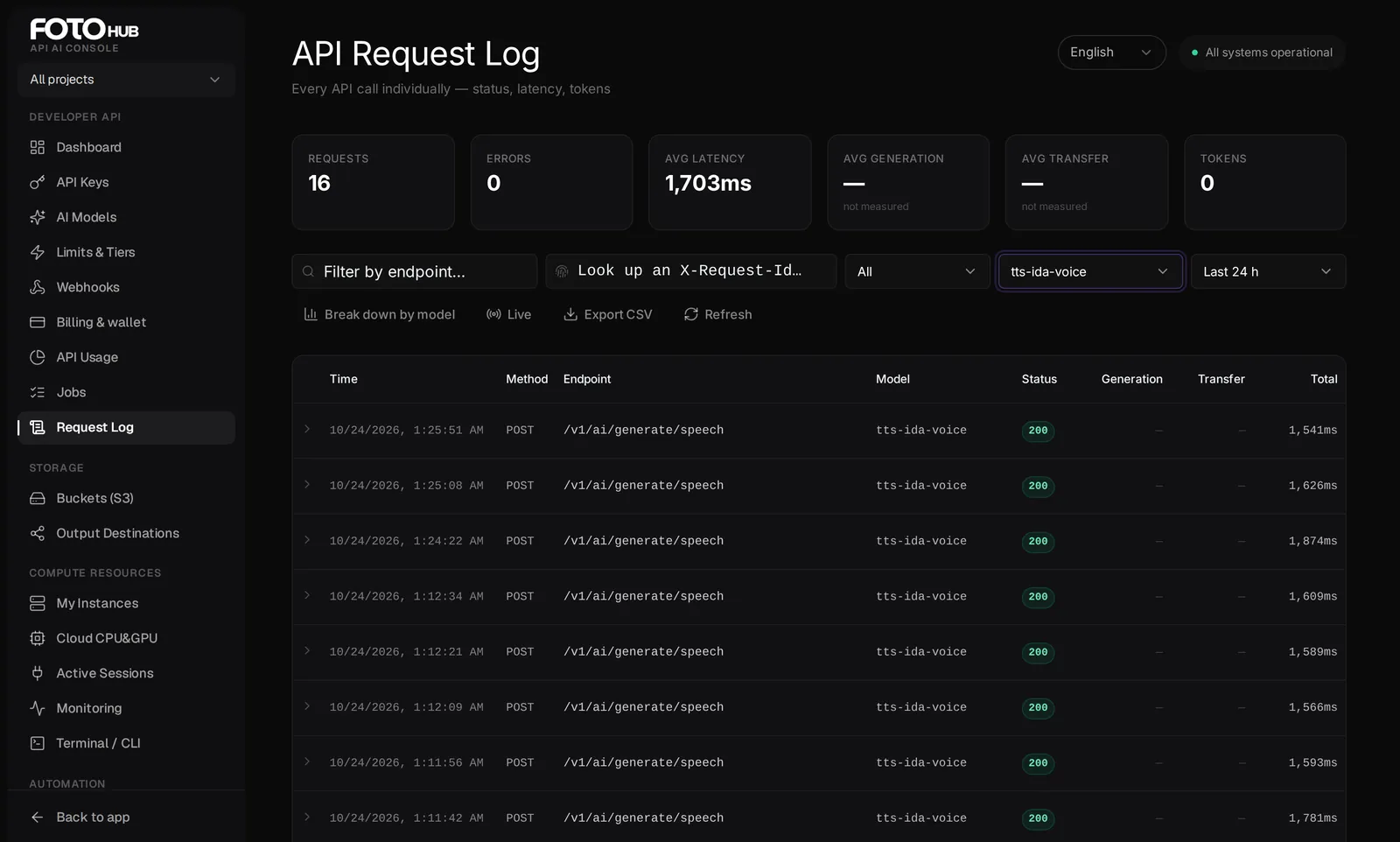
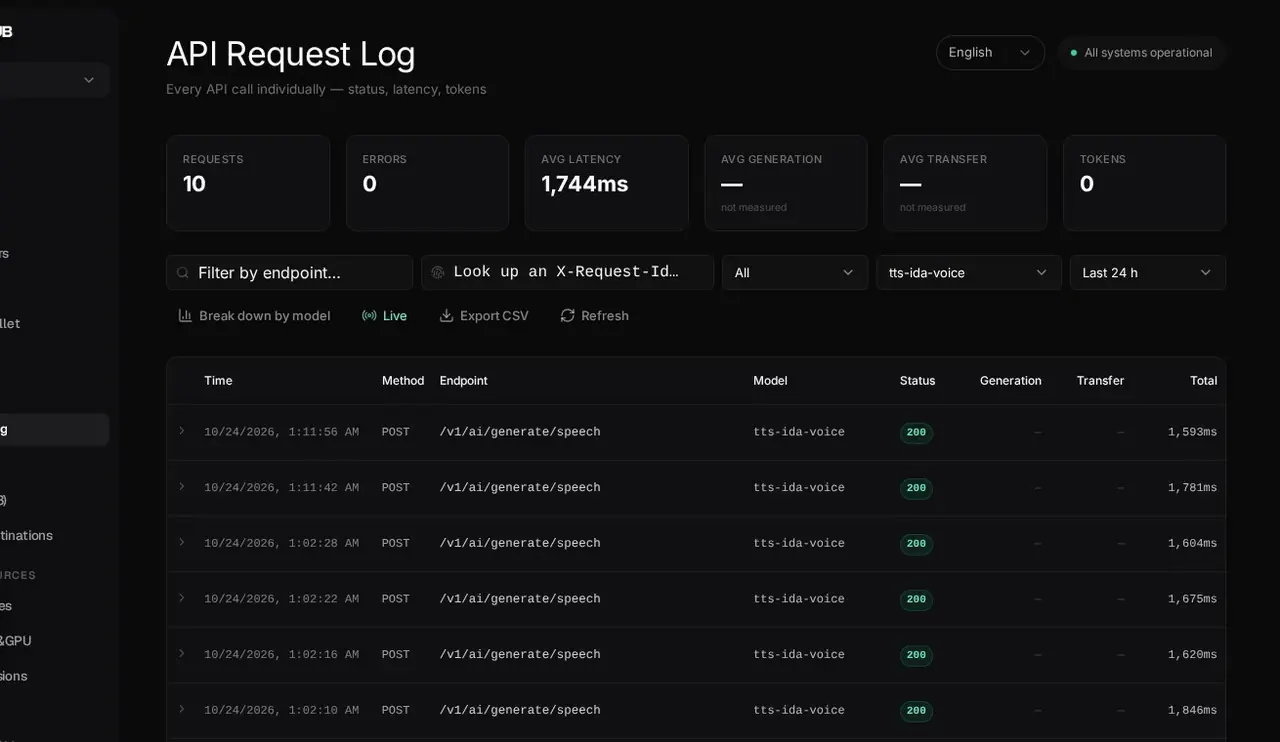
timeoutapplies to each attempt and the client retries timeouts, so the total can pass four minutes. Raisetimeouton a dedicated client for slow models, and look the call up in the Request Log to see whether the platform finished it.- Was I charged twice for one call?
- Not through the SDK's own retries: they reuse one key. Two separate calls with the same prompt are two requests and are billed twice. A repeated
chat()is the exception to the retry protection, as described above. - Importing InsufficientFundsError fails
- That name exists in the Python SDK only. The published TypeScript package exports
InsufficientCreditsErrorfor the same 402. - Is there streaming chat?
chatStreamdeliberately throws: the chat endpoint returns one complete answer, not server-sent events. Usechat().- How do I test without spending?
- There is no sandbox. Inject a stub through the
fetchoption orbaseUrlin unit tests, as in the test example above, and in integration tests use the cheapest model andestimateCostfirst.
Next: the Python SDK guide for the same flows, the Errors and limits guide for the server side of rate limits and idempotency, the Webhooks guide for verifying signatures, and the Images and Video guides for every call parameter.