FOTOhub MCP server: use FOTOhub from your AI assistant
Connect FOTOhub to an AI assistant or editor over MCP with an API key or a sign-in, see the 73 tools it exposes, and keep spending under control.
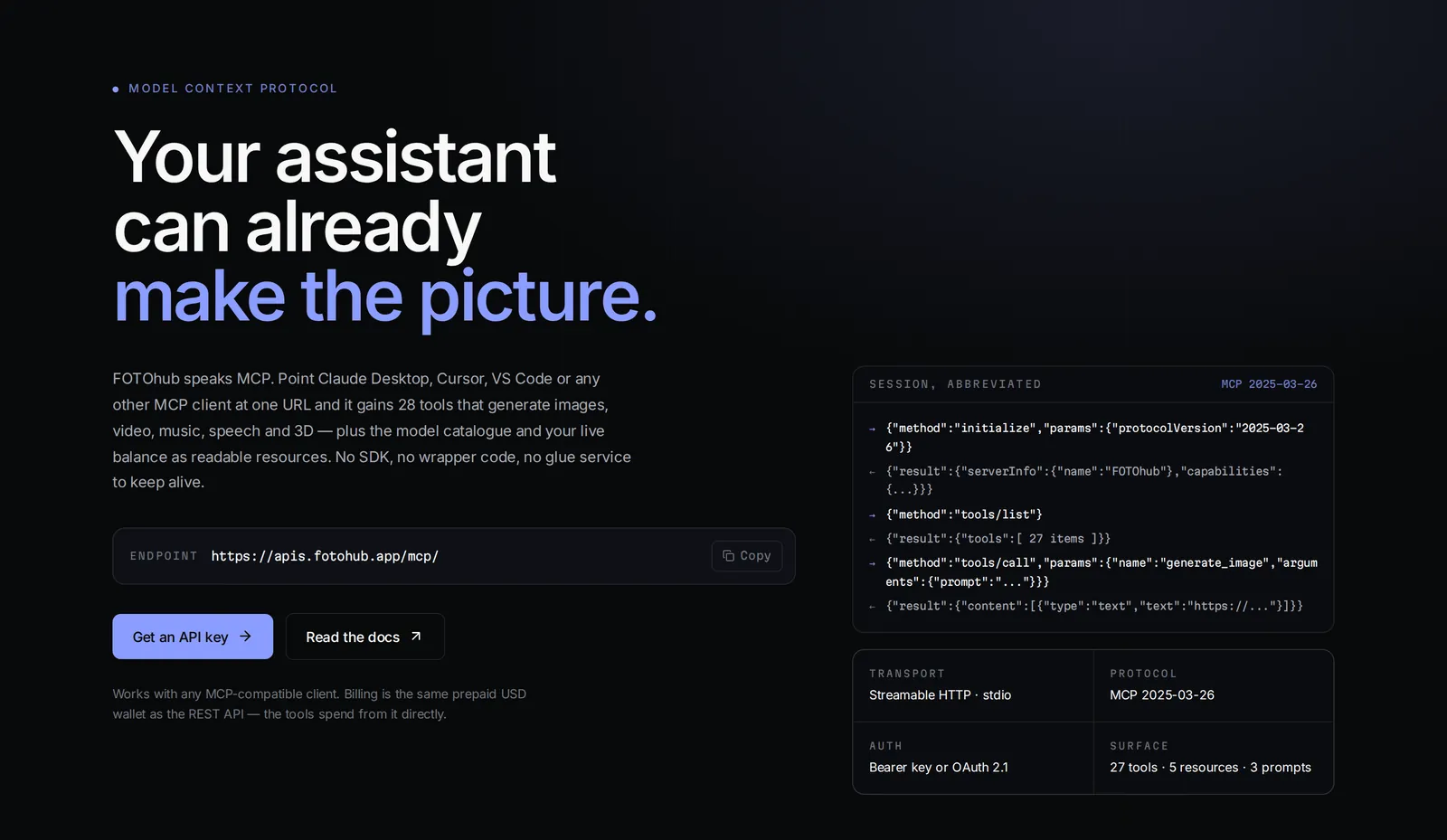
What MCP gives you
The Model Context Protocol (MCP) is an open standard that lets an AI assistant call tools on another service. FOTOhub runs an MCP server, so an assistant that speaks MCP can generate and edit images, make video and speech, transcribe audio, build 3D models, price a job, read your balance and save results to your storage, all by calling FOTOhub tools you never wrote code for.
| Value | |
|---|---|
| Endpoint | https://apis.fotohub.app/mcp/ |
| Dedicated host | https://mcp.fotohub.app/ |
| Transport | Streamable HTTP (remote, no install) |
| Protocol | MCP 2025-03-26 |
| Sign-in | A bearer API key, or OAuth 2.1 with PKCE and dynamic client registration |
| Live health | GET https://apis.fotohub.app/mcp/health reports the current tool count |
Connect a client
Pick one of two ways to prove who you are. Most clients that have a connector screen use the sign-in; editors and scripts use a key.
| Sign-in (OAuth) | API key | |
|---|---|---|
| How | The client opens a FOTOhub sign-in page and you approve it. No key to paste. | You paste fh_live_... into a header. |
| What pays | Subscription credits first, then the prepaid USD wallet. One call can be split across both. | The USD wallet only. |
| Best for | Assistants with a connectors screen | Editors, CLIs, scripts, servers |
An assistant with a connectors screen
- Add a custom connector In the assistant's settings, open Connectors (or Apps), choose to add a custom connector, and paste the endpoint URL. For ChatGPT, if FOTOhub appears in your app directory you can enable it there instead of pasting a URL.
- Approve the sign-in The assistant finds FOTOhub's authorization server by itself and opens a sign-in page. Approve it with your FOTOhub account. The client registers itself, so nobody has to create a client id for you.
- Try a free request first Ask: "What is my FOTOhub balance, and what would a 4-second video cost?" Reading a balance and quoting a price take nothing from your account.
Command line and code editors
Editors and agents that read an MCP config file take the URL plus an Authorization header. This shape works for Cursor (.cursor/mcp.json), and similar clients accept it with small naming differences:
{
  "mcpServers": {
    "fotohub": {
      "type": "http",
      "url": "https://apis.fotohub.app/mcp/",
      "headers": { "Authorization": "Bearer fh_live_your_key_here" }
    }
  }
}
A command-line agent registers a remote server with one command, then you authenticate inside it:
claude mcp add --transport http fotohub https://apis.fotohub.app/mcp/FOTOhub's own command-line client can set this up with your existing key: run fotohub mcp connect. It can also act as a local stdio MCP server for editors that only speak stdio: fotohub mcp serve.
How the sign-in works
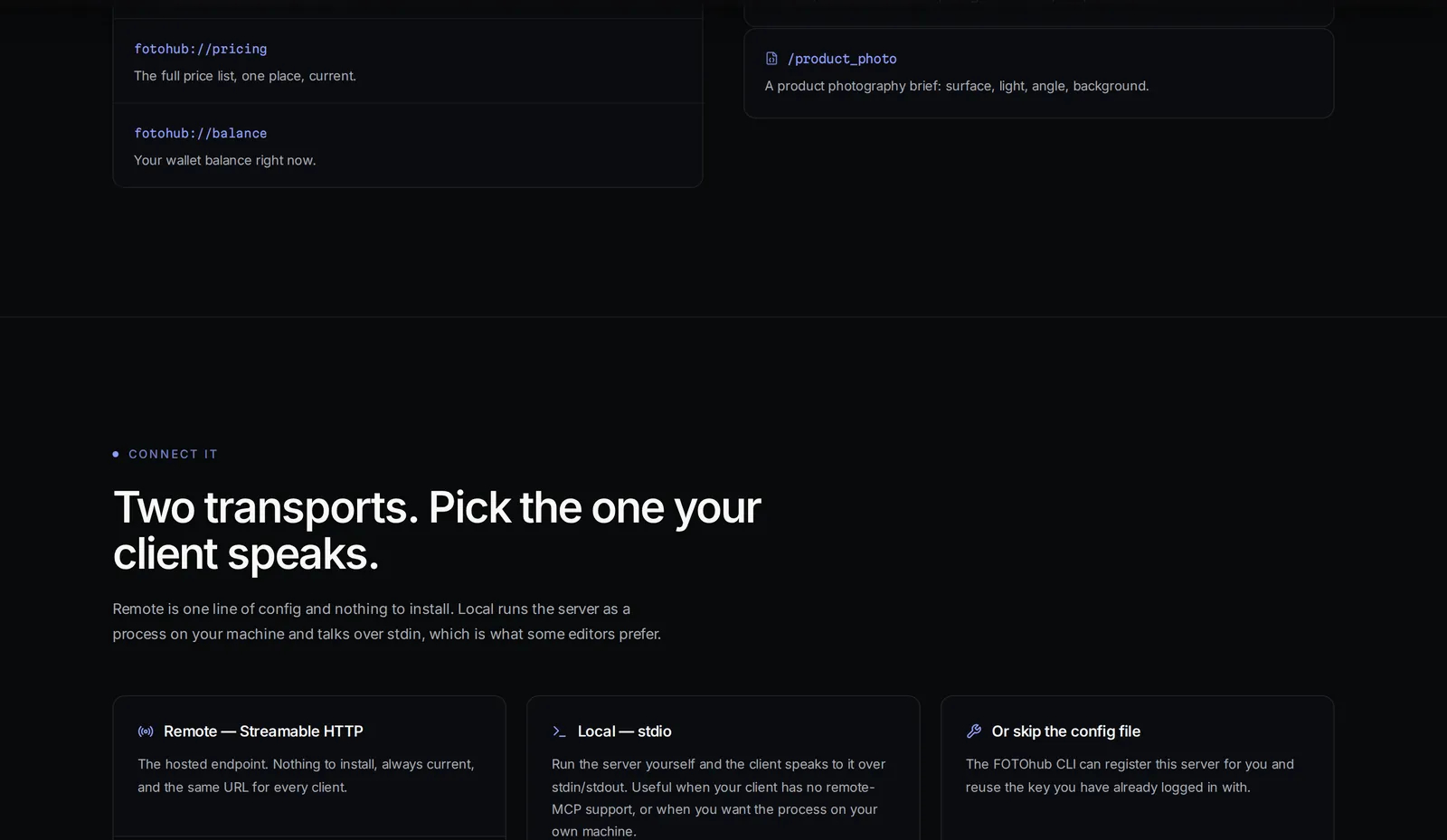
The client does all of this for you. It helps to know the steps when a connector refuses to finish, or when you build your own client. Every address below is public and opens without a key.
- A 401 with a pointer A request without a token gets HTTP 401 and a
WWW-Authenticateheader naminghttps://apis.fotohub.app/mcp/.well-known/oauth-protected-resource. That starts the sign-in. - Discovery and registration
https://apis.fotohub.app/.well-known/oauth-authorization-serverlists/mcp/oauth/authorize,/mcp/oauth/tokenand/mcp/oauth/register, theauthorization_codeandrefresh_tokengrants and S256 as the only PKCE method. A POST to/mcp/oauth/registercreates the client id on the spot; only redirect addresses given there are accepted later. - You sign in and approve The client opens
/mcp/oauth/authorizewith a PKCE challenge, the scopes it wants and the resource it will call. FOTOhub shows "Authorize access", asks you to sign in and lists each scope in plain words. Choose Authorize access or Cancel. With no scope requested,mcp:read mcp:writeis assumed. - Code for tokens The one-time code lives 10 minutes. The client posts it to
/mcp/oauth/tokenwith the PKCE verifier and gets an access token valid for one hour and a refresh token valid for 90 days. Each refresh retires the old refresh token and issues a new pair.
| Scope | What the consent screen says |
|---|---|
mcp:read | Read your account: models, jobs, files, wallet balance |
mcp:write | Create and manage content: start generations, manage your library |
mcp:image | Generate and edit images, charged per image |
mcp:video | Generate and post-produce video, charged per second of output |
mcp:audio | Generate speech and music, charged per character or minute |
mcp:chat | Send prompts to the language gateway, charged per token |
mcp:training | Train custom models, long-running, billed per job |
mcp:billing | See balance and spending, read-only, cannot move money |
The 73 tools
A client discovers the tools itself with tools/list, so nothing is hard-coded on its side. At the time of writing the live server exposes 73 (the health endpoint reports the same number). 24 of them only read and carry a read-only hint; the rest create or change something, including anything that spends money, and should be approved by you.
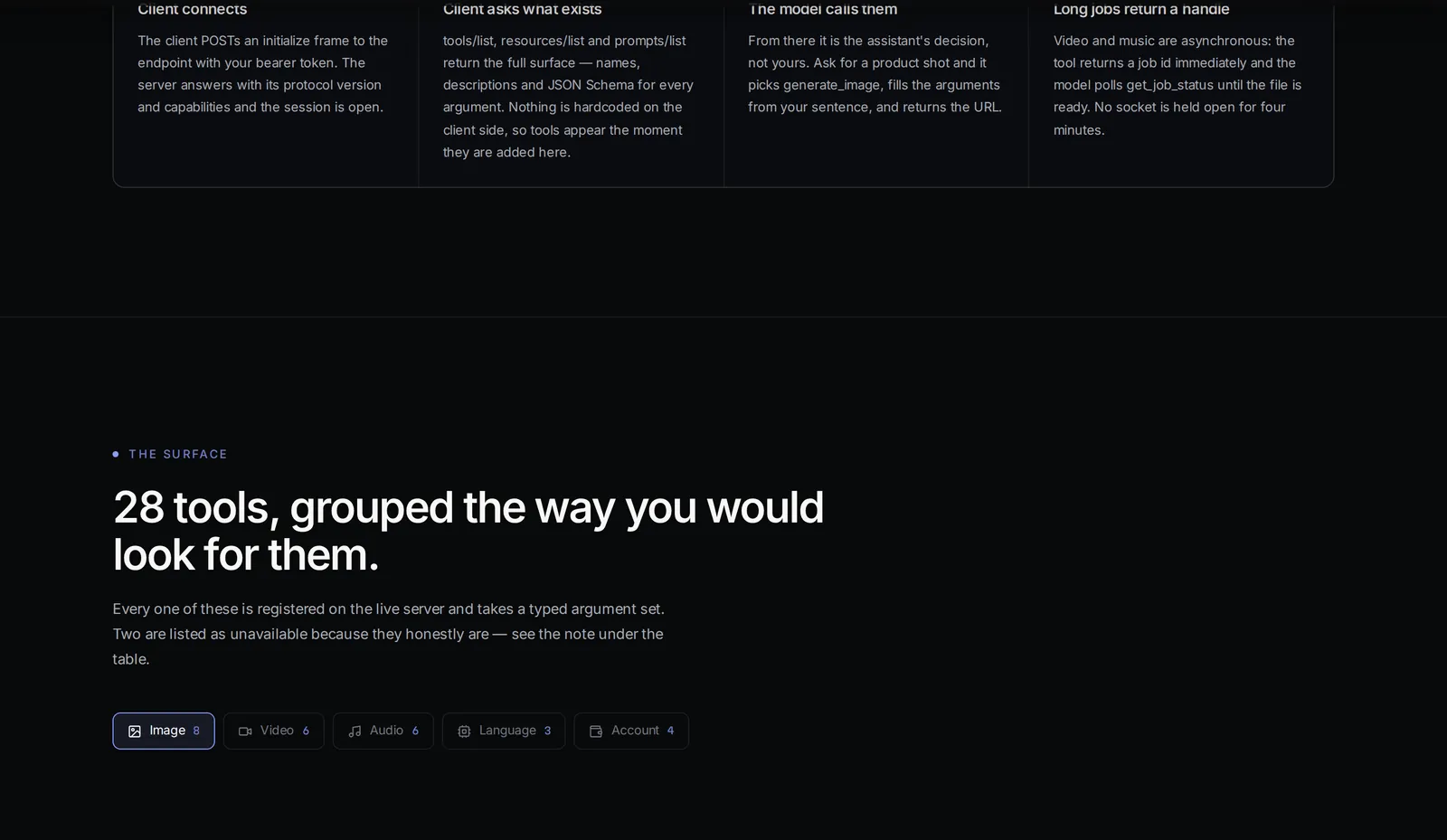
tools/list answer.An asterisk marks a required argument; everything else has a default.
Images
| Tool | What it does | Main arguments | Read-only |
|---|---|---|---|
generate_image | Text to image | prompt* | no |
edit_image | Edit by mode (edit, inpaint, outpaint, style, background) | image_url*, prompt* | no |
inpaint_image | Replace a masked area | image_url*, mask_url*, prompt* | no |
style_transfer | Apply a described style | image_url*, style_prompt* | no |
upscale_image | Enlarge 2x or 4x | image_url* | no |
remove_background | Transparent PNG cut-out | image_url* | no |
enhance_prompt | Enrich a prompt | prompt* | no |
analyze_image | Labels, colors, faces, text | image_url* | no |
Image finishing
| Tool | What it does | Main arguments | Read-only |
|---|---|---|---|
replace_background | New backdrop: hex color, gradient or image URL | image_url*, background* | no |
blur_background | Portrait-style blur | image_url* | no |
add_shadow | Shadow under a transparent cut-out | image_url*, shadow_type | no |
enhance_image | Exposure, contrast and color fix | image_url* | no |
denoise_image | Remove grain | image_url* | no |
restore_faces | Sharpen degraded faces | image_url* | no |
depth_map | Depth map from one image | image_url* | no |
Video and post-production
| Tool | What it does | Main arguments | Read-only |
|---|---|---|---|
generate_video | Text or image to video. Async, returns a job id | prompt*, model | no |
image_to_video | Animate a still. Async | image_url* | no |
generate_story | Multi-scene film; waits to the end, no job id | prompt*, num_scenes | no |
get_job_status | Status of generate_video and image_to_video jobs | job_id* | yes |
add_subtitles | Burn in an SRT you supply; no transcription | video_url*, srt_content* | no |
upscale_video | Raise resolution 2x to 4x | video_url* | no |
transcode_video | Change format, codec or size | video_url* | no |
add_watermark | Text watermark only | video_url* | no |
change_video_speed | Slow motion or time-lapse, 0.1 to 10 | video_url*, speed* | no |
Video editor (timeline projects)
These tools edit the same timeline project the FOTOhub editor opens, so you can take over in the browser at any point. Edit tools count time in ticks (6000 per second); analysis tools use seconds.
| Tool | What it does | Main arguments | Read-only |
|---|---|---|---|
video_project_create | New project from media URLs; free | title*, media | no |
video_project_get | Read or list projects | project_id | yes |
video_ops_catalog | Every edit operation with its schema | none | yes |
video_apply_edit | 1 to 40 operations per batch; free | project_id*, ops* | no |
video_lint | Gaps, overlaps, missing media | project_id* | yes |
video_capture | Contact sheets of frames. Async | project_id*, times | no |
video_render | Final file, paid per output minute. Async | project_id*, quality | no |
video_job_status | Status of editor render, capture and auto-edit jobs | job_id* | yes |
video_auto_edit | Editor AI cuts in a style; one base fee. Async | project_id*, style | no |
video_detect_scenes | Scene cuts in seconds | url, project_id | no |
video_detect_silence | Silent stretches | url, project_id | no |
video_detect_beats | Beats of a track | url, project_id | no |
video_transcribe | Segments and word times in seconds | url, project_id | no |
Audio and language
| Tool | What it does | Main arguments | Read-only |
|---|---|---|---|
text_to_speech | Speech from text | text*, voice | no |
generate_music | Music from a description; synchronous | prompt*, duration | no |
generate_sfx | Sound effect from a description | prompt*, duration | no |
transcribe_audio | Speech to text with timestamps | audio_url*, language | no |
voice_clone | Placeholder, not available yet | audio_url*, name* | no |
separate_stems | Placeholder, not available yet | audio_url* | no |
chat_completion | Prompt to a premium language model | prompt*, model | no |
translate_text | Translate between languages | text*, target_language | no |
gabriel_route | Suggests the best action for a request | prompt* | no |
3D
| Tool | What it does | Main arguments | Read-only |
|---|---|---|---|
generate_3d_from_text | Model from a description | prompt*, quality | no |
generate_3d_from_image | Model from one image, as base64 without data: prefix | image_base64*, model | no |
list_3d_models | 3D models with prices | none | yes |
get_3d_result | Finished model, fresh link | job_id* | yes |
Pricing and account (all free)
| Tool | What it does | Main arguments | Read-only |
|---|---|---|---|
get_price | Exact price of one model | model* | yes |
estimate_cost | Cost of a job before you run it | model*, count | yes |
compare_prices | A whole category side by side | category* | yes |
check_balance | Wallet, holds, spend this month | none | yes |
list_models | Models with pricing | category | yes |
list_generations | Latest images, at most 12 | limit | yes |
get_usage_summary | Last 30 days of usage | none | yes |
get_transactions | Recent wallet transactions | limit | yes |
search_photos | Semantic search in your photos | query* | yes |
Storage
| Tool | What it does | Main arguments | Read-only |
|---|---|---|---|
list_buckets | Your buckets (bought in the console) | none | yes |
list_files | Files in a bucket | bucket*, prefix | yes |
save_to_storage | Copy a file into a bucket; replaces an object at that key | url*, bucket*, key* | no |
get_download_link | Fresh signed link, 7 days at most | bucket*, key* | yes |
UGC ads
| Tool | What it does | Main arguments | Read-only |
|---|---|---|---|
create_ugc_project | Start a project; free | title, brief | no |
list_ugc_projects | Your projects | none | yes |
set_ugc_blueprint | Save the shooting document; overwrites | project_id*, blueprint_json* | no |
estimate_ugc_cost | Price a blueprint | document* | yes |
render_ugc_video | Start the render; scenes billed as they finish | project_id* | no |
get_ugc_job | Progress and cost so far | job_id* | yes |
Integrations
| Tool | What it does | Main arguments | Read-only |
|---|---|---|---|
integrations_list | Connections and their actions | none | yes |
integration_run_action | Run one action on a connection | connection_id*, action* | no |
automations_list | Your automations | none | yes |
automation_run | Run one now | automation_id*, payload | no |
How slow work behaves
- Image and speech tools return signed links that expire after roughly an hour. Have the assistant
save_to_storageanything you keep;get_download_linkissues a fresh link later. - Video is asynchronous: the tool returns a job id and the assistant polls
get_job_status. Editor jobs (video_render,video_capture,video_auto_edit) are polled withvideo_job_statusinstead;get_job_statusdoes not know them. generate_storyis the exception: it returns only when the whole film is done and hands back no job id, so a dropped connection loses the result. Tool calls time out after fifteen minutes by default.
Resources, prompts, widgets and skills
- Resources the model can read:
fotohub://models/image,/video,/audio,/3d,fotohub://pricing,fotohub://balance,fotohub://limitsandfotohub://guide/getting-started. - Prompts your client can offer as templates with named fields:
creative_brief,video_director,product_photo,ecommerce_product_shots,social_media_pack,ugc_ad_pipeline(asks forproduct_name,target_audience,budget_usd),avatar_profile_photo,voiceover_scriptandbudget_constrained_generation. - Widgets: a gallery (image tools), a player (video and audio tools) and a price table that hosts supporting the MCP Apps extension draw inline. Other clients show the plain text that always accompanies them.
- Skills: short workflow guides served with the tools: generation basics, product photography, a short video ad, a brand-kit set and, when the editor tools are on, video editing.
A session you can run
Behind every assistant is plain JSON-RPC. This script opens a session with a key, lists the tools and calls one free tool, which shows exactly what your assistant sees. It needs only httpx.
import json
import os

import httpx

URL = "https://apis.fotohub.app/mcp/"
HEADERS = {
    "Authorization": f"Bearer {os.environ['FOTOHUB_API_KEY']}",
    "Accept": "application/json, text/event-stream",
    "Content-Type": "application/json",
}


def rpc(client, payload, session=None):
    """One JSON-RPC call. The server answers as a one-event SSE stream."""
    headers = {**HEADERS, **({"Mcp-Session-Id": session} if session else {})}
    res = client.post(URL, json=payload, headers=headers, timeout=60)
    res.raise_for_status()
    data = next((line[6:] for line in res.text.splitlines() if line.startswith("data: ")), None)
    return res.headers.get("mcp-session-id"), (json.loads(data) if data else None)


with httpx.Client() as client:
    # 1. Open a session.
    session, init = rpc(client, {
        "jsonrpc": "2.0", "id": 1, "method": "initialize",
        "params": {"protocolVersion": "2025-03-26", "capabilities": {},
                   "clientInfo": {"name": "docs-demo", "version": "1"}},
    })
    print(init["result"]["serverInfo"])
    rpc(client, {"jsonrpc": "2.0", "method": "notifications/initialized"}, session)

    # 2. Ask what exists.
    _, listing = rpc(client, {"jsonrpc": "2.0", "id": 2, "method": "tools/list"}, session)
    print(len(listing["result"]["tools"]), "tools")

    # 3. Call a free tool.
    _, call = rpc(client, {
        "jsonrpc": "2.0", "id": 3, "method": "tools/call",
        "params": {"name": "get_price", "arguments": {"model": "ida-q-image"}},
    }, session)
print(call["result"]["content"][0]["text"])- Send
Accept: application/json, text/event-stream. The server answers every request as a one-event stream, so read the line that starts withdata:. - The
initializeanswer carries anMcp-Session-Idheader. Send it back on every later call.
[output] $0.13 / per_piece  (by quality tier: 1K=$0.13, FULL=$0.61, HD=$0.29)
    per delivered image, balanced preset; FOTOhub AI own GPU, no provider invoice
The price lines of a real get_price call for ida-q-image (the first line, the model name, is left out). An example of one call, not a price promise.
Tools that return a structured answer carry it next to the text. This is the trimmed structured part of a real check_balance call:
{
  "title": "FOTOhub balance",
  "balance_usd": 80.782028,
  "total_label": "wallet balance",
  "rows": [
    { "label": "Pending holds", "usd": 0.0 },
    { "label": "Spent this month", "usd": 40.768547 }
  ],
  "footnote": "Top up at fotohub.app/console. Checking a balance is free."
}
Example from a real call, trimmed. actions (suggested follow-up prompts) is left out.
Five workflows to give your assistant
Each example shows the prompt you give and the calls it should trigger, so you can tell when an assistant goes off script. Swap the example URLs for your own files.
Product cut-out, backdrop and shadow
Goal. Turn a phone photo into a white-background listing image and keep it.
Input you can copy.
"Cut the shoe out of https://example.com/shoe.jpg, put it on pure white with a natural shadow, and save it to my bucket listings as shoe/white.jpg. Quote each step first."Why it works. Expected calls: get_price per step, then remove_background, which returns a transparent PNG link (a good assistant checks the edges). Then add_shadow with that link, shadow_type "natural" and output_format "jpeg": the shadow tool needs a transparent PNG as input, and a JPEG output is matted onto white, so you get the white backdrop in the same step. list_buckets confirms the name, then save_to_storage with the exact link the last tool returned, at once, because those links last about an hour. For a coloured or photo backdrop use replace_background with a hex color, gradient or image URL.
Price a video before rendering it
Goal. Know the price of a short vertical clip and stop for your approval first.
Input you can copy.
"I want a 5-second vertical video of steam rising from a coffee cup. Compare video model prices, estimate the three cheapest, check my balance and wait for my OK."Why it works. Expected calls, all free: compare_prices with category "video", estimate_cost per candidate (with seconds, and a resolution for models priced by resolution), check_balance. If a model prices by tier, estimate_cost answers with the argument it still needs instead of a number; for ida-q-image it asked for quality and listed the tiers 1K, FULL and HD. After your OK: generate_video with aspect_ratio "9:16" and duration 5, then get_job_status until it reports completed, then save_to_storage.
Transcribe and translate
Goal. Get the words of a recording with timestamps, then an English version.
Input you can copy.
"Transcribe https://example.com/interview.mp4, the speech is Polish, then translate the transcript into English. Quote the price first."Why it works. Expected calls: estimate_cost with minutes, transcribe_audio with audio_url and language "pl" ("auto" detects it; video files work too), then translate_text with target_language "en" and source_language "pl". For word-level timings to cut on, ask for video_transcribe: it returns segments and words in seconds, takes hotwords to favour names, and marks interpolated words as estimated, so do not cut on those. If a long file is still running, the assistant repeats the call with the job_id from the reply.
Keep results in your own bucket
Goal. Move the picture you just generated out of the one-hour link window.
Input you can copy.
"Save my latest generated image into brand-assets as campaign/hero.png, confirm it is there and give me a link that works for 24 hours."Why it works. Expected calls: list_buckets, list_generations with limit 1 (each row has a fresh link), save_to_storage with that link, list_files with prefix "campaign/", then get_download_link with expires_in 86400. Only save_to_storage writes, and it replaces any object already at that key, which is why it is marked destructive and your client should ask first. The bucket must already exist; buckets are bought in the console. list_generations covers images only.
Run an integration action
Goal. Post a result to a service you already connected.
Input you can copy.
"Which integrations do I have connected? Send the shoe cut-out (photo id 3f2c...) to my team chat channel #launch."Why it works. Expected calls: integrations_list first; it returns each connection's id, service, status and actions, and is the only place the assistant should take connection_id and action names from. Then integration_run_action with params.media set to {"type": "photo", "id": "<photo uuid>"}. Using {"type": "generate", "prompt": "..."} instead would generate something new, billed to you. The tool is marked destructive because it acts on an outside service, so approve it each time. For a saved workflow use automations_list and automation_run.
The editing loop for video projects
- Create and read the catalog
video_project_createwith HTTPS media URLs (free; you get an editor link), thenvideo_ops_catalogfor the exact fields of every operation. - Edit, check, repeat
video_apply_edittakes up to 40 operations; try a batch withdry_run. Thenvideo_lintandvideo_capture. Do not render to check an edit. - Render once
video_renderis paid per minute of output. Pollvideo_job_statusand pass anidempotency_keyso a retry cannot render twice.
Money and safety
| Sign-in (OAuth) connection | Key you paste | |
|---|---|---|
| Pays first | Subscription credits, then the USD wallet, even inside one call | The prepaid USD wallet only; empty means the call stops |
| Cost line | Credits used, or credits plus a cost when the wallet covered the rest | Cost and what is left in the wallet |
- Quote first.
get_price,estimate_costandcompare_pricesnever charge, and they read the live catalog, so they beat the assistant's memory. Tell it to quote before anything expensive. The same numbers sit infotohub://pricing. - Read the cost line. Generation tools end with one of three lines: included in your plan with nothing charged, credits used with what is left, or a dollar cost with the wallet that remains. Ask the assistant to repeat it, not to compute its own.
- Read the hints. Every tool declares
readOnlyHint,destructiveHintandopenWorldHint. The 24 read-only tools change nothing, so auto-approving them is low risk. Anything that spends money is not read-only, even when it returns only text. Four tools are destructive and deserve a manual yes:save_to_storage(replaces an object),set_ugc_blueprint(overwrites a blueprint),integration_run_actionandautomation_run(act on outside services). - Limit the blast radius. A key's rate limit and scopes apply to MCP calls too. Tools that fetch a URL (
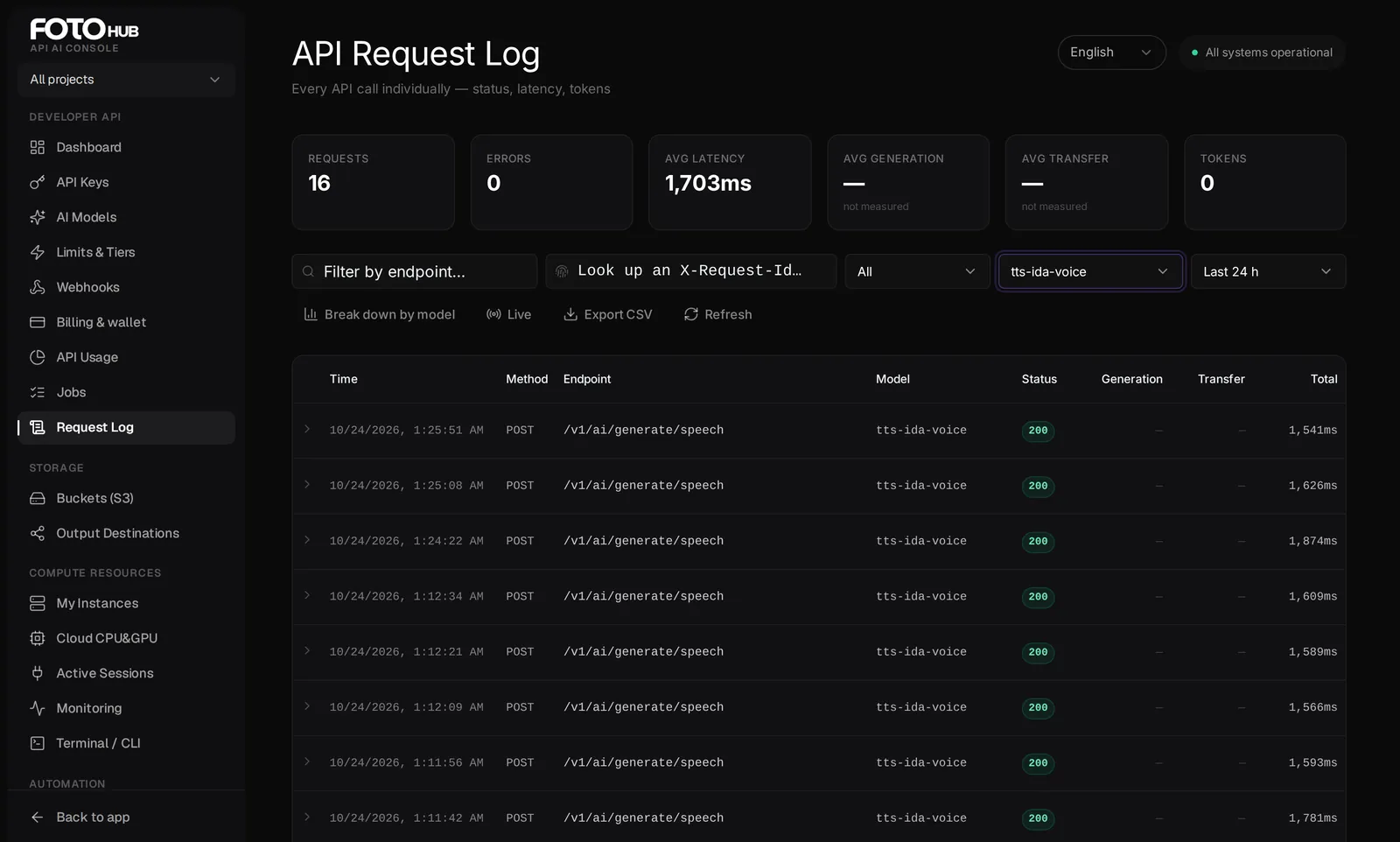
image_url,video_url,audio_url,url) are marked open-world: the server downloads that address, so keep untrusted pages out of the conversation. MCP calls show up in the console Request Log like any other.
Limits and production checklist
| What | Limit |
|---|---|
| One tool call | 15 minutes by default |
| Result links | About one hour |
get_download_link | 1 hour by default, 7 days at most |
video_apply_edit | 1 to 40 operations per batch |
| OAuth tokens | Access 1 hour, refresh 90 days, code 10 minutes |
- Keep approval on for every tool that is not read-only. Add "quote first, then wait for my OK" to the assistant's standing instructions for video, 3D or many images.
- Save what you keep right after it is made, with a key name you choose, so a later run does not replace it. Pass an
idempotency_keyon renders you might retry. - Check
GET https://apis.fotohub.app/mcp/healthand the Request Log before you blame the assistant.
Troubleshooting
- The connector is added but shows no tools.
- Authentication did not finish. Remove the connector, add it again and complete the sign-in. With a key, check that the header is
Authorization: Bearer fh_live_...and the key is active. - I get 401 on every call.
- The sign-in token or the key was revoked or is wrong. A key must start with
fh_live_orfh_test_; anything else is rejected as a bad format. Revoking the "MCP OAuth" key in your key list ends that connection. Sign in again or create a new key. - The sign-in page fails or says the redirect is not registered.
- Only redirect addresses given at registration are accepted. Remove the connector and add it again so the client registers afresh. If the page says you have too many active keys, revoke one in the console first.
- A tool answers "insufficient funds".
- Credits (for sign-in connections) and the wallet are both empty. Top up under Billing & wallet in the console. A key connection has only the wallet.
save_to_storagesays the link has expired.- Result links last about an hour. For an image,
list_generationsreturns fresh links to your latest ones. For video or audio, generate again, which is why saving right away matters. - Can FOTOhub also use other MCP servers?
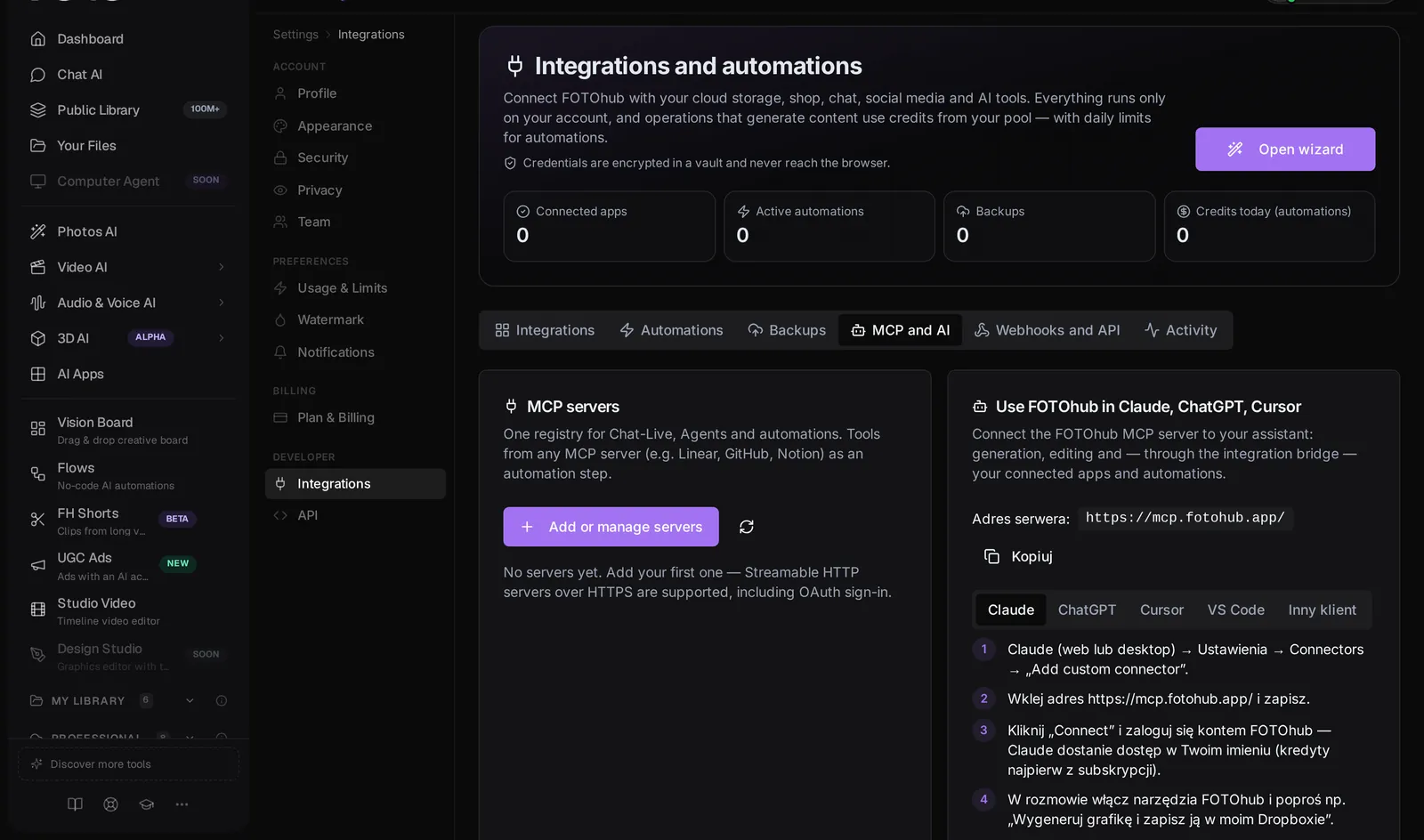
- Yes, the other direction exists too: the integrations hub has an MCP and AI tab where you add an external MCP server, approve its tools and use them in automations.
Next, read integrations for connecting the services these tools act on, api-keys for a restricted key, api-errors-limits for the status codes behind a failed call (401, 402, 403, 404, 429), and s3-storage for the buckets save_to_storage writes to.